Your Guide to Document Processing Automation
Picture a new team member who can read, understand, and sort thousands of documents in minutes without making a single mistake. That’s the real power behind document processing automation—a technology using artificial intelligence to pull key information from business files and feed it directly into your other software. In short, it’s built to finally kill off mind-numbing manual data entry for good.
What Is Document Processing Automation
At its core, document processing automation (DPA) is a smart system that learns to interpret business documents just like a person would. Think of it as a digital apprentice that doesn't just see words on a page, but actually understands what they mean in their specific context. This goes way beyond just turning paper into a digital file. To really get it, you need to know what document automation is and how it works.
A standard scanner or a basic Optical Character Recognition (OCR) tool can turn a document into text, but it has no clue what that text actually is. To that old tech, "Invoice #456" and "123 Main Street" are just random collections of characters. Document processing automation, on the other hand, adds a layer of genuine intelligence. It uses patterns, layouts, and keywords to figure out what kind of document it's looking at.
For instance, if you feed it a mixed pile of files, the system can instantly tell the difference between:
- An invoice from a vendor
- A purchase order from a client
- A policy declaration page for an insurance claim
- A new hire’s onboarding paperwork
Being able to classify documents like this is the first, crucial step. It’s what lets the system know which rules to apply and what data to look for in each specific file.
Going Beyond Basic OCR
This is where you see the real strategic value. Instead of just giving you a wall of digitized text, DPA intelligently extracts the specific, critical data points you actually need. The system is trained to find and grab this information no matter where it shows up on the page.
Take a typical vendor invoice. An intelligent system can pinpoint and capture:
- Invoice Number
- Due Date
- Total Amount
- Individual Line Items
- Vendor Name and Address
This extracted data isn’t just a random chunk of text; it's clean, structured, and ready to go. You can find out more about how this works by digging into our guide on what is intelligent document processing. The information can be sent straight to your accounting software, a database, or a project management tool, all without anyone ever lifting a finger to type.
The goal of document processing automation isn't just to get rid of paper. It’s to free up your team from repetitive, low-impact work. It turns messy, unstructured information into organized, ready-to-use data that gives your business a serious advantage.
How Automation Technology Reads Your Documents
Ever stared at a stack of supplier invoices and wondered how software could possibly make sense of all that chaos? The secret behind document processing automation isn't just one piece of technology—it's a team of specialized tools working together. Think of it as a three-step process where software first learns to see, then to understand, and finally to extract the information that matters.
This approach turns a static image, like a scanned receipt or a PDF invoice, into structured, usable data. It does this without relying on those rigid templates that break the second a vendor changes their invoice layout.
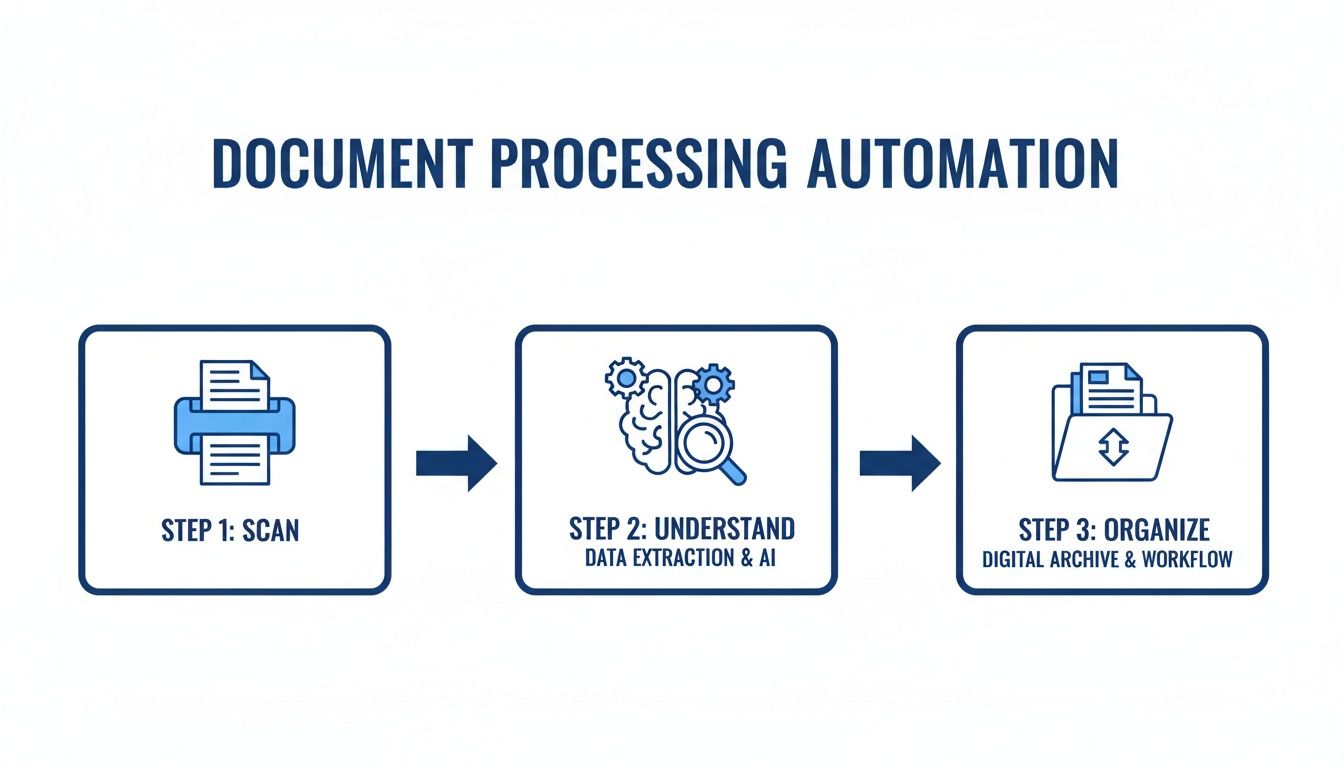
At its heart, this process is all about bringing order to unstructured information. It takes the jumbled mess of a document and sorts it into something clear and actionable.
The Eyes of the System: Optical Character Recognition
First things first, the software needs to "see" the document. This is where Optical Character Recognition (OCR) comes in. It’s the foundational technology that turns an image of text into actual, editable text.
When you scan a paper form or upload a PDF, OCR technology essentially reads the page, character by character, and converts it into a digital text file. You can see this in action with templates designed to process OCR PDF Invoices.
But on its own, OCR is a bit limited. It's like someone who can read the letters on a page but doesn't understand what the words mean. It can tell you the characters are "$5,430.10," but it has no idea that this is the total amount due. For that, we need to add a brain to the operation. To get a better handle on the basics, check out our guide on Optical Character Recognition.
The Brain That Understands Structure
This is where the real intelligence kicks in. Modern automation tools use advanced AI for structure recognition. Instead of being locked into a specific template, the system analyzes a document's layout just like you would. It learns to identify common sections and patterns on the page.
For instance, the AI is smart enough to recognize:
- A header that contains a logo and company address.
- A table with columns for items, quantities, and prices.
- A footer with payment terms and grand totals.
- Key fields like signature lines and dates.
By understanding the document's structure, the system builds a contextual map. It knows where to look for important information, whether it's processing a simple one-page invoice or a complex multi-page report.
The Expert That Extracts Key Data
The final step is the most powerful: data extraction, which is driven by Machine Learning (ML). You can think of the ML model as a highly trained specialist who has reviewed millions of documents. Using the map created during structure recognition, it pinpoints and pulls out the exact data you need.
This is what allows the software to tell the difference between a "shipping date" and a "billing date," or to extract every single line item from a lengthy table. The results speak for themselves. The document AI market is expected to jump from $19.33 billion in 2025 to a staggering $232.1 billion by 2030. For finance and accounting teams, this technology is already slashing manual processing time by up to 80% by automatically pulling key data from invoices and financial statements.
By combining OCR, structure recognition, and ML-powered extraction, document processing automation turns a simple picture of a document into a perfectly organized spreadsheet of data, ready for analysis or entry into your other business systems.
What This Really Means for Your Team
The technology behind document processing automation is impressive, but let's be honest—what really matters is how it helps your team get through the workday. This isn't about buying another piece of fancy software. It's about getting rid of the soul-crushing paperwork, preventing costly mistakes, and giving your people the freedom to do the work they were actually hired for.
Think about the end-of-month chaos. A financial controller is buried under a mountain of vendor invoices, manually typing every single detail into a spreadsheet. The pressure is on. One wrong decimal point or a missed due date can lead to payment errors and upset suppliers. Now, picture this instead: that same controller drags a folder of invoices into a system, and within seconds, all the data appears, perfectly organized, in their accounting software. That's the difference we're talking about.
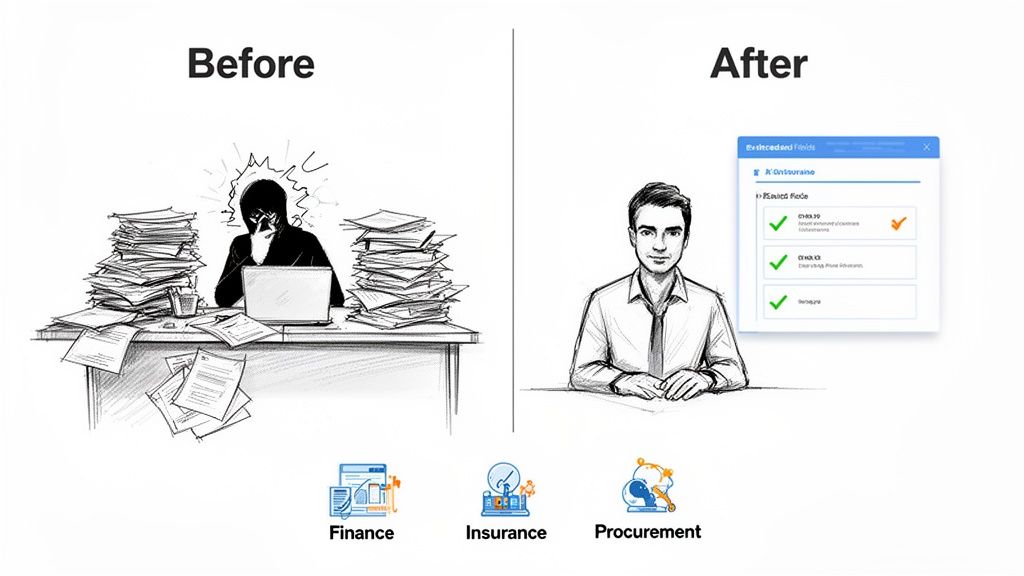
This shift from manual to automated isn’t just a nice-to-have; it's a smart business move with a clear return on investment that you'll feel across the company. To see just how stark the contrast is, let's compare the two approaches side-by-side.
Manual vs Automated Document Processing ROI
| Metric | Manual Processing | Automated Processing (DPA) |
|---|---|---|
| Cost Per Document | High and unpredictable (labor, printing, storage) | Low and fixed (software subscription) |
| Processing Time | Days or even weeks per document | Seconds or minutes per document |
| Error Rate | High, typically 3-5%, with significant risk | Near zero, with 99% accuracy rates |
| Employee Focus | Tedious data entry and correction | Strategic analysis and decision-making |
| Scalability | Poor; more documents require hiring more people | Excellent; easily handles volume spikes |
| Data Visibility | Low; data is locked in physical or siloed files | High; instant access to organized, searchable data |
The table makes it clear: sticking with manual processes means you're actively losing time and money while exposing your business to unnecessary risk. Automation, on the other hand, builds a foundation for efficiency and growth.
Finance Teams Can Finally Breathe
For anyone in finance or accounting, the benefits hit home immediately. We all know how slow and painful manual invoice processing is. With automation, you can shrink a cycle that takes days or weeks down to just a few minutes.
- Slash Data Entry: The AI does the heavy lifting, pulling out invoice numbers, dates, line items, and totals on its own. No more mind-numbing typing.
- Achieve Near-Perfect Accuracy: Automation systems consistently hit accuracy rates over 99%. This prevents expensive mistakes like paying the wrong amount or missing out on early payment discounts.
- Close the Books Faster: When financial data gets into your ERP in real-time, your team can close the month-end books without the usual stress and late nights.
The financial upside is huge. The market for this kind of software is expected to hit $5.8 billion globally by 2025, and it’s no surprise that financial teams are leading the charge. Automation can lower operational costs by 30-50% and dramatically improve accuracy—a game-changer when you're dealing with complex financial data. For a deeper dive, you can read the research on the document automation market.
Insurance Pros Can Speed Up Claims
In the insurance world, speed and accuracy are everything. Document processing automation gives claims adjusters and underwriters a serious edge by instantly turning unstructured documents into clear, usable information.
Instead of spending hours digging through policy forms, medical reports, and photos, an adjuster can upload all the files for a claim in one go. The system is smart enough to identify each document, pull out the key details—like policy numbers, incident dates, and medical codes—and organize everything for review.
This allows adjusters to make faster, better-informed decisions. It not only improves customer satisfaction but also cuts down on the administrative grind. A task that once took up half the day can now be done in seconds.
Procurement Gets a Clear View Instantly
Procurement teams are constantly juggling proposals, quotes, and contracts from different vendors. Trying to compare them all manually is a headache, usually involving messy spreadsheets and the very real risk of missing important details in the fine print.
Document processing automation completely changes this workflow. A procurement manager can feed a stack of vendor quotes into the system, and the AI will pull out all the critical data and arrange it in a simple dashboard for easy comparison.
Key Data Pulled for Procurement:
- Unit prices and bulk discounts
- Delivery timelines and shipping terms
- Payment terms and schedules
- Warranty periods and service level agreements
This instant side-by-side view helps procurement experts negotiate better deals, spot the best value, and make purchasing decisions backed by solid data. The time saved is then put back into what they do best: strategic sourcing and building strong relationships with vendors. In the end, automation turns piles of paperwork into a real competitive advantage.
Common Use Cases Across Industries
The real magic of document processing automation isn’t in the complex technology itself, but in how it solves frustrating, everyday problems. We’re talking about the universal headache of dealing with endless documents and the mind-numbing data entry that comes with them.
At the end of the day, this is all about replacing a tedious human task—manually typing information from a PDF invoice or a scanned form into a business system—with an automated one. Instead of a person spending hours keying in data, the software gets it done in seconds with far fewer mistakes. Let’s look at where this is making a real difference.
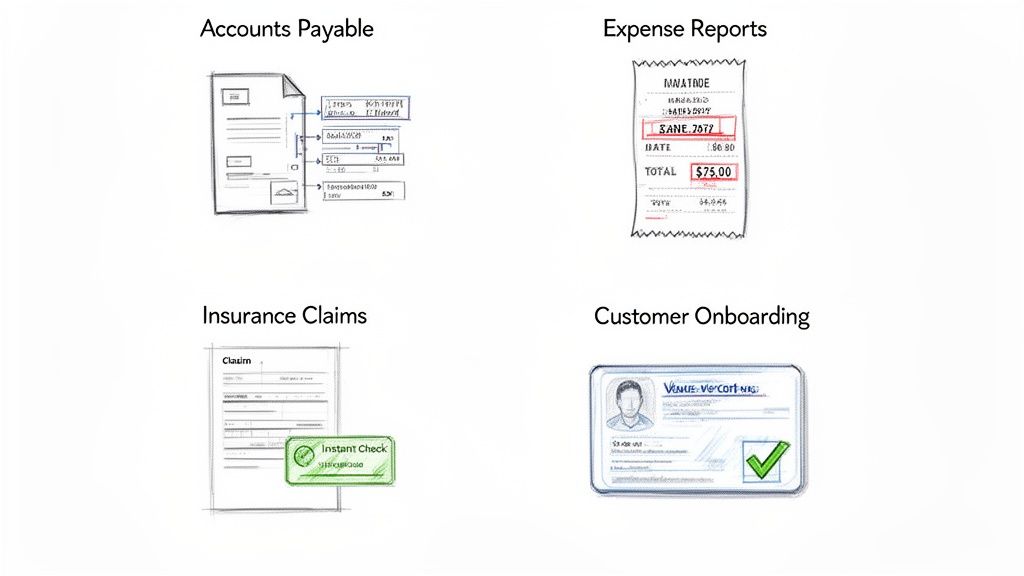
Here are some of the most common scenarios where teams are putting this technology to work.
Automating Accounts Payable
If you’ve ever worked in an accounting department, you know the pain of vendor invoices. They flood in constantly, each with its own unique layout. Every single line item, tax amount, and due date has to be manually entered into your accounting software. It’s not just slow work; it's a breeding ground for typos that lead to late fees and incorrect payments.
Document processing automation completely changes this game.
- Before: An accounts payable specialist gets 50 PDF invoices from different vendors. They have to open each file, hunt for the invoice number, total, and line items, then painstakingly type it all into the company's ERP.
- After: The specialist drops all 50 PDFs into the automation platform. In less than a minute, the system reads and understands every invoice—no matter the format—and neatly organizes the data for one-click approval and export.
Making Expense Reports Less Painful
Ah, expense reports. Another task that almost everyone dreads. Employees come back from business trips with a wallet full of receipts, and then face the chore of manually logging every vendor, date, and total. On the other end, finance teams have to check every single entry.
Automation turns this process from a chore into a snap. An employee can just take photos of their receipts, and the software intelligently pulls out all the key details. It sees the merchant, the date, and the total, then fills out the expense report automatically. All that’s left is a quick review and submission.
Speeding Up Insurance Claims
The insurance world runs on paper. From the first notice of loss and policy forms to repair estimates and medical bills, a single claim can generate a mountain of documents. Adjusters have to manually comb through all of it just to find basic information like policy numbers, incident dates, and coverage amounts. This is a huge source of delays.
By automating how they extract data from claims documents, insurers can shrink processing times from days down to minutes. This frees up adjusters to make faster, better decisions, which leads to happier policyholders and lower operational costs.
This kind of impact is why the market is growing so fast. The Intelligent Document Processing (IDP) market is expected to jump from $3.17 billion in 2026 to $7.18 billion by 2031. This growth is fueled by industries like banking and insurance, which process staggering volumes of documents every day and see immediate value from reducing errors and costs. You can explore detailed insights on the IDP market to see the full picture.
Simplifying Customer and Employee Onboarding
Getting a new customer or employee set up involves a lot of information gathering. You need to collect and verify everything from ID cards and applications to tax forms and contracts. The whole process needs to be fast and accurate to stay compliant and keep things moving.
Document processing automation makes onboarding much smoother by instantly capturing and checking this information.
- Identity Verification: The system can automatically grab a person's name, date of birth, and ID number from a photo of their driver's license or passport.
- Application Processing: It pulls all the data from a signed application, even cross-referencing it with other documents to check for consistency.
- Compliance Checks: It confirms that all required fields are filled and all necessary documents are attached before an employee or customer profile is officially created.
This automated approach creates a seamless, error-free onboarding experience and ensures your records are clean and audit-ready from the start.
How to Choose the Right Automation Tool
Picking the right document automation tool isn't about finding some mythical "best" software. It's about finding the right fit for your team and the problems you're actually trying to solve. What works wonders for a giant corporation could be a frustrating, over-engineered mess for your department.
The secret? The most important work happens before you even look at a single vendor website. You need a game plan.
Your Pre-Flight Check: Get Your House in Order First
A little internal planning goes a long way. It turns a vague idea ("we should automate things") into a focused project with a clear finish line.
-
Find the Biggest Headache: Don't try to boil the ocean. Start with the one document workflow that makes everyone groan. Is it the endless pile of vendor invoices in accounts payable? The tedious back-and-forth of customer onboarding forms? Pinpoint that single, high-pain process and make it your target.
-
Define What "Winning" Looks Like: How will you know if this was all worth it? You need to set clear goals before you start. This is your yardstick for success. Maybe it's cutting invoice processing time from three days down to four hours. Or slashing data entry errors by 95%. Or simply knowing exactly what it costs to process each document.
-
Run a Real-World Test Drive: Never commit to a tool based on a slick sales demo alone. Ask for a trial and run a small pilot project. The key is to use your documents—the crumpled, coffee-stained, poorly scanned ones. This is the only way to see how the software handles the chaos of your actual day-to-day work.
-
Figure Out Where the Data Goes: Great, the tool pulled the data. Now what? Think about the final destination. Does the information need to land in your accounting software, an ERP system, or a simple spreadsheet? Make sure any tool you consider can easily connect to the other systems you rely on, whether through built-in integrations, an API, or a straightforward export.
Once you’ve done this homework, you’re ready to talk to vendors with confidence.
Putting Vendors to the Test
When you start evaluating different platforms, cut through the marketing fluff. Focus on the handful of things that will make or break this project for your team.
How Easy Is It, Really?
- Is it built for your team or for developers? You're looking for a tool that your finance or procurement team can use themselves, without needing a degree in computer science. If you can handle a spreadsheet, you should be able to manage the platform. Look for a simple, visual interface, not a command line.
- How fast can you get started? Some older systems require weeks of painstakingly building rigid templates for every document layout. Modern, AI-powered tools should be ready to go almost instantly, learning to understand your documents from day one.
Does It Handle Your Messy Reality?
- What kind of files can it read? Your business doesn't just run on perfect PDFs. Make sure the platform can handle everything you throw at it: JPGs, PNGs, Word docs, and even blurry photos of receipts snapped on a phone.
- How does it deal with variety and poor quality? This is a killer question. Ask a vendor how their tool manages invoices from 100 different suppliers, each with its own unique layout. What about scans that are skewed or have handwritten notes in the margins? A tool that can’t handle variety is a tool that will fail.
- Can you trust the accuracy? Any vendor can claim high accuracy, but you need proof. The best way is to test it with your own documents during the pilot. Also, look for features like confidence scores—these are incredibly helpful because they flag specific fields where the AI isn't 100% sure, allowing a human to check just those few items in seconds.
Choosing a vendor is more like hiring a partner than buying a product. Look for a company with transparent pricing, great support, and a visible roadmap for improving their AI. The right tool should feel like an extension of your team.
Finally, get a clear handle on the pricing. Is it a monthly subscription per user? A flat fee for the whole team? Or do you pay per document processed? Match the model to your expected volume to ensure the costs are predictable and the return on investment is clear.
How DocParseMagic Solves Your Document Challenges
It’s one thing to talk about the theory of document processing automation, but it's another thing entirely to see it fix the real, day-to-day headaches your team faces. The technology behind it is incredibly powerful, but most tools are built for developers, leaving business users stuck. We built DocParseMagic with a different philosophy: it’s for the people in finance, procurement, and operations who just need to get the job done, no coding required.
Think of it as the final piece of your automation puzzle. We've taken all the complex concepts—from OCR to intelligent data extraction—and wrapped them in a simple, drag-and-drop interface. The AI comes pre-trained, ready to handle the messy, unpredictable nature of real business documents right out of the box.
Built for Your Unstructured Data
The hardest part of automation isn't just reading text; it's making sense of documents that don't follow a neat, predictable format. This is precisely where DocParseMagic stands out. It was built from the ground up to handle the unstructured and semi-structured files that slow your team to a crawl.
- Messy Invoices: Pulls line items, taxes, and totals with high accuracy, even when vendors change their layouts without warning.
- Bank Statements: Seamlessly extracts transaction details like dates, descriptions, and amounts from dozens of different bank formats.
- Scanned Images: Works beautifully on low-quality scans and even blurry photos of receipts taken on the go.
Instead of throwing an error when a document looks different, our AI analyzes the visual layout and contextual clues to find the data you need. What that means for you is no more long, expensive setup projects. You can get started right away.
Turning Text into Audit-Ready Information
DocParseMagic does more than just pull text off a page. The AI actually understands document structure, which ensures the data it extracts is clean, formatted, and ready for your other systems. This intelligence provides a critical layer of reliability that basic tools just can't match.
The system is more than an extractor—it's a verification layer. It doesn't just copy text; it interprets it. Dates are formatted correctly, numbers are recognized as currency, and everything is structured for instant use in your accounting or ERP software.
This guarantees your data is audit-ready from the moment it’s captured. You can finally stop second-guessing your automated workflows.
See how this practical approach fits into your daily work. You can learn more about DocParseMagic's capabilities and test-drive it with your own files, risk-free. Find out for yourself how quickly you can turn document chaos into organized, actionable data.
Frequently Asked Questions
It's natural to have a few questions as you explore what this technology can do for your team. Here are the straight-up answers to some of the most common ones we hear.
Is Document Processing Automation the Same as OCR?
Not at all. OCR is just one tool in the toolbox, and it's an important one, but it's not the whole story.
Think of it this way: OCR (Optical Character Recognition) is what lets the computer read the words on a page. Document processing automation is what helps it understand them. The first part sees the text "Due: 01/15/2025," but the second part knows it's a due date and not, say, an invoice number. That context is everything.
How Much Technical Skill Do I Need to Use This?
Honestly, a lot less than you'd think. The old way of doing this involved IT teams and weeks of coding rigid templates. Today's tools are a different breed entirely—they're built for the people who actually do the work in finance, operations, or procurement.
The goal of modern platforms is to be no-code. If you know how to drag a file from an email into a folder, you're pretty much ready to go. The AI handles the heavy lifting in the background so you can focus on the results.
What Kind of ROI Can I Realistically Expect?
The returns are usually both quick and substantial. Most teams immediately see huge savings on manual data entry costs—often slashing them by up to 80%. The time it takes to get an invoice or a claim processed can drop from days to just a few minutes.
But the ROI goes beyond just the numbers on a spreadsheet. You also drastically cut down on human error, which is huge for data integrity. Plus, morale gets a serious boost when your team can finally ditch the mind-numbing copy-and-paste work and focus on things that matter.
Can Automation Handle Poor-Quality Scans or Handwriting?
This is where the good tools really separate themselves from the pack. Advanced AI models are trained on millions of real-world documents—blurry scans, grainy photos, and even messy (but structured) handwriting on forms.
While no system is perfect, the accuracy of top-tier platforms on these messy files can be genuinely surprising. This is why you should always take advantage of free trials. Before you commit, grab your worst, ugliest documents and see how the tool performs. That’s the only way to know for sure.
Ready to see how a no-code solution can transform your document-heavy workflows? DocParseMagic turns messy invoices, statements, and reports into clean, organized data in minutes. Start your free trial today and experience the difference yourself.