Boost Efficiency with automating data entry: OCR, RPA & APIs
Automating data entry is simply the process of using software to do the tedious, manual work humans usually get stuck with. Think of all the time spent typing information from invoices, forms, or emails into a spreadsheet or database. Automation teaches a computer to read, understand, and record that data all on its own.
It's about getting rid of the mind-numbing, error-prone tasks that nobody enjoys.
Why Automating Data Entry Is No Longer Optional
We’ve all seen it: a sharp, capable employee buried under a mountain of paperwork. Their day is a monotonous cycle of reading from one screen and typing into another—invoices, purchase orders, customer forms, you name it. This isn't just boring; it's a massive drain on your company's resources, employee morale, and data accuracy.
Taking the leap to automate data entry turns this frustrating bottleneck into a genuine strategic advantage. This isn't just another tech upgrade. It's a fundamental change in how your business runs.
Imagine hiring a digital assistant who works 24/7, never gets tired, and never makes a typo. That's automation. It can process documents in seconds, not hours, freeing your team from the soul-crushing drudgery of copy-paste work.
The Immediate Business Impact
The biggest win here is refocusing your team's energy. When people are no longer stuck doing monotonous keyboard entry, they can finally dedicate their brainpower to activities that actually grow the business.
This means they can shift from data entry to:
- Strategic Analysis: Instead of just keying in numbers, they can finally analyze them to spot trends and find valuable insights.
- Customer Relationships: They have more time to build real connections and solve complex problems for your clients.
- Process Improvement: They can step back, see the bigger picture, and find ways to fix other bottlenecks in the business.
The impact on efficiency and accuracy is direct and easy to measure. While a human might achieve 96% to 99% accuracy on a good day, automated systems can hit between 99.959% and 99.99%. Better yet, automation can slash the manual workload by around 80%. That’s a staggering reduction in time and effort.
By letting technology handle the repetitive data grunt work, you empower your people to do what they do best: think critically, solve problems, and innovate. It’s a move that boosts productivity, team morale, and job satisfaction all at once.
Moving Beyond Manual Processes
At the end of the day, sticking with manual data entry puts a hard ceiling on your company’s growth. As your business scales and the data volume explodes, those manual processes quickly become unsustainable. They just can't keep up.
To see just how critical this shift is, consider how you can stop manual data entry by building live, AI-powered dashboards that deliver real-time insights without any of the copy-paste headaches. This is where data management is headed—it's dynamic, accurate, and built for the modern world.
The Tech Behind Automated Data Entry
To get started with automating data entry, you first need to know what tools you're working with. It's a bit like a mechanic's toolbox—you wouldn't use a wrench to hammer a nail. Each technology has a specific job it’s brilliant at, and knowing which one to grab is the key to getting it right.
Let's break down the four main technologies that do the heavy lifting in data entry automation. I'll use some simple analogies to show you how they work and where they fit.
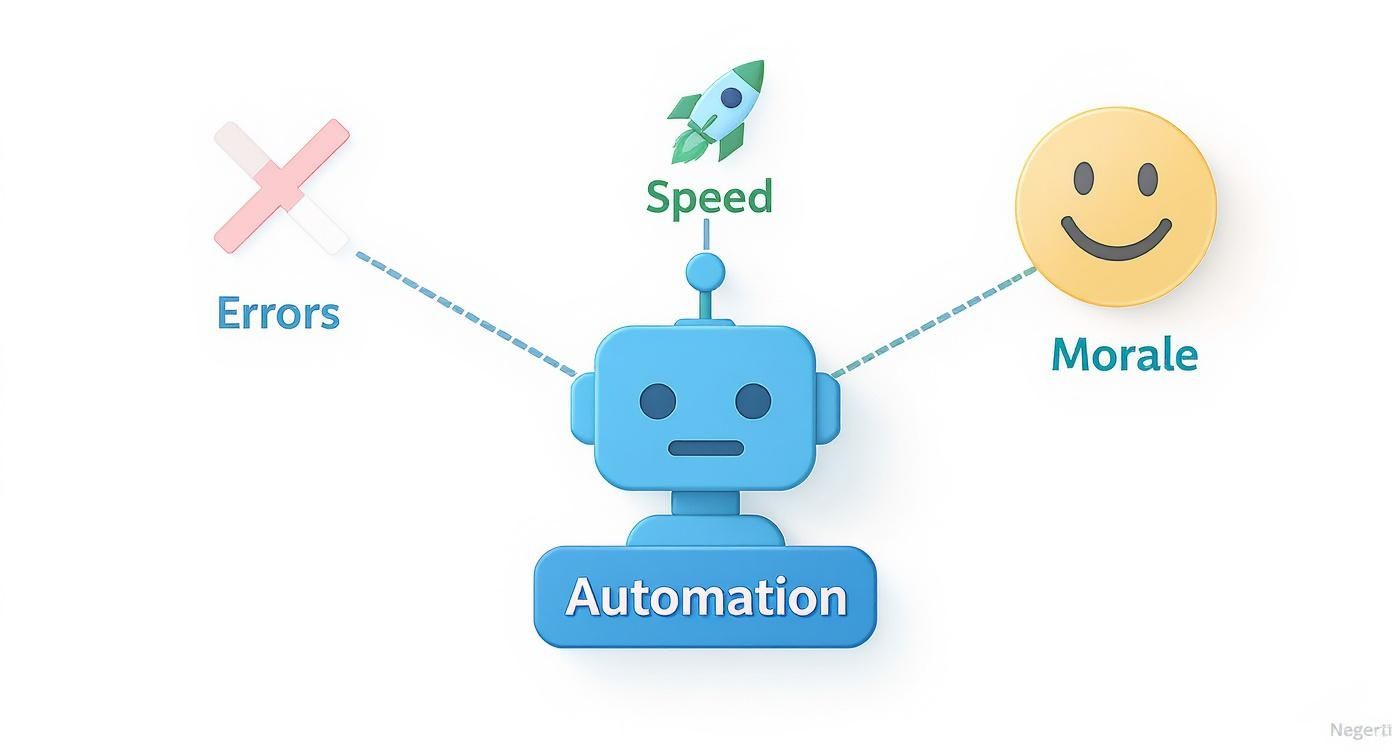
This really gets to the heart of it—automation isn’t just about speed. It creates a powerful ripple effect that improves accuracy, boosts efficiency, and makes your team's work more meaningful.
Optical Character Recognition (OCR): The Digital Translator
At its core, Optical Character Recognition (OCR) is what teaches a computer how to read. Picture a stack of paper invoices sitting on your desk. OCR acts like a digital translator, scanning the paper, recognizing the letters and numbers, and turning it all into text you can actually edit and search.
Without it, a scanned PDF is just a flat picture to a computer. It can't copy the invoice number or add up the line items because it doesn't see text—it just sees an image. OCR is the essential first step that turns those pictures into useful data. If you want to go deeper, you can learn more about what OCR technology is and how it works.
This is the foundation for any process that starts with a physical document or a "dead" digital file like a scanned receipt.
Structured Data Parsing: The Smart Filter
Once you have that raw digital text, you need to make sense of it. That’s where structured data parsing comes in. If OCR is the translator, think of parsing as the smart filter that knows exactly what information to pull out.
A parser is trained to find and extract specific pieces of information. For example, it can look at a digitized invoice and instantly grab just the important stuff:
- Invoice Number: INV-2024-001
- Due Date: October 26, 2024
- Total Amount: $1,572.50
- Vendor Name: Acme Corp
It intelligently ignores all the other text on the page and zeroes in on the exact fields you told it to find. This is how you turn a messy wall of text from an email or PDF into clean, organized columns in a spreadsheet.
Robotic Process Automation (RPA): The Digital Assistant
So, what if your process involves more than just pulling data from a document? What if you need to log into a web portal, open an old desktop app, and click through several screens to get the data where it needs to go? This is the perfect job for Robotic Process Automation (RPA).
Think of an RPA bot as a "digital assistant." It's a piece of software you can train to copy the exact clicks and keystrokes a human would make. You can teach it to:
- Open a browser and log into your accounting software.
- Navigate to the "Enter New Bill" screen.
- Copy the vendor name, invoice number, and total from a spreadsheet.
- Paste each piece of data into the correct field.
- Click "Save" and log out.
RPA is ideal for repetitive, rule-based tasks that follow the same steps every single time, especially when you're working with legacy systems that don't have a modern way to connect.
Application Programming Interfaces (APIs): The Universal Connector
Finally, we have Application Programming Interfaces (APIs). If RPA is like a person clicking through the front-end of an application, an API is a direct, behind-the-scenes connection between two software systems. It’s the most efficient and reliable way for your apps to talk to each other.
An API is like a universal power adapter. It allows two different systems, which were built completely separately, to connect and exchange information seamlessly without any manual intervention.
For instance, instead of using an RPA bot to copy and paste data into QuickBooks, an API connection would let your document parsing tool send the extracted invoice data directly into the QuickBooks database. It’s faster, less prone to breaking, and much easier to scale than trying to mimic human clicks. Today, APIs are the backbone of modern software.
Comparing Data Entry Automation Methods
Each of these technologies solves a different piece of the automation puzzle. Choosing the right one depends entirely on your specific process, the type of data you're handling, and the systems you're using.
Here's a quick side-by-side look to help you see where each one shines:
| Technology | Best For | Data Source Type | Implementation Complexity | Scalability |
|---|---|---|---|---|
| OCR | Converting images of text (scans, PDFs) into machine-readable text. | Unstructured (scanned documents, images) | Low to Medium | High |
| Structured Parsing | Extracting specific data points from digitized text (like emails or OCR output). | Semi-structured (invoices, forms, emails) | Medium | High |
| RPA | Automating tasks within user interfaces, especially in legacy systems. | Any system with a UI (web, desktop apps) | High | Medium |
| API | Directly connecting two software systems for seamless data exchange. | Structured (databases, modern software) | Medium to High | Very High |
As you can see, these tools aren't mutually exclusive. In fact, the most powerful automation workflows often combine them—using OCR to read a document, a parser to extract the key data, and an API to send that data directly into another system.
Your Step-by-Step Implementation Roadmap
Jumping into data entry automation can feel huge, but you don't have to boil the ocean. The best way to get started is by breaking the project down into a few manageable steps. A methodical, three-phase approach takes the guesswork out of the process, minimizes risk, and ensures you’re getting real value from day one.
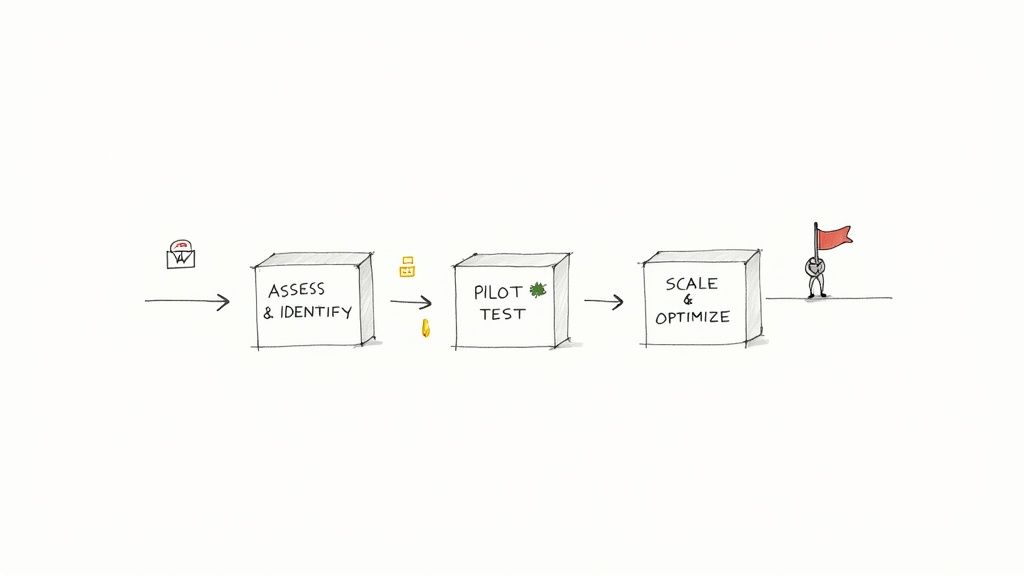
Think of it as starting small, proving the concept works, and then expanding thoughtfully. Let's walk through each phase so you can build your own path to successful automation.
Phase 1: Assess and Identify
Before you look at a single piece of software, you need to understand where you are right now. The whole point of this first phase is to find the perfect starting point for your automation journey. Not all manual tasks are good candidates.
Your job is to find the biggest bottleneck—the one process where a little automation will make the biggest difference. Start by mapping out your current workflows and look for tasks that tick these boxes:
- High-Volume: What data entry tasks happen constantly? Think about things like vendor invoices or daily sales orders that pile up every single day.
- Repetitive and Rule-Based: Is the task just a monkey-see, monkey-do process? If you can write down the instructions in a simple checklist, it's a prime target for a machine.
- Prone to Human Error: Where do typos and mistakes creep in the most? Automating these tasks gives you an immediate boost in data quality.
- A Known Bottleneck: Which process always seems to hold everyone else up? Fixing that one logjam can speed up the entire department.
Once you have a list of possibilities, pick one that's relatively simple and self-contained for your first project. Don't try to tackle something that involves five different departments and a tangled web of legacy systems. The goal here is a quick, high-impact win that proves the concept.
Phase 2: Pilot and Test
With your target process chosen, it’s time for a test flight. A small-scale pilot project is your chance to see how this works in the real world, with your actual documents and your own team. The goal isn't to change the whole company overnight; it's just to prove that this can work.
Starting with a pilot is non-negotiable. It allows you to:
- Validate the Technology: Make sure the software you chose can actually read your documents and handle your specific workflow.
- Measure Initial Results: Get hard numbers on time saved, errors eliminated, and speed gained. This is the data you'll need to get management excited.
- Gather Team Feedback: Bring in the people who do this work every day. Their insights are pure gold for fine-tuning the process.
- Work Out Kinks on a Small Scale: It’s a lot easier to fix a problem when it only affects one small process instead of the entire operation.
A successful pilot project does more than just prove the technology—it builds champions. When your team sees firsthand how automation removes tedious work from their plate, they become the biggest advocates for expanding the initiative.
For example, you could start by automating invoice processing for just your top five vendors. Run the new automated system alongside the old manual one for a week. When you compare the results, the difference in speed and accuracy will make a powerful case for moving forward.
Phase 3: Scale and Optimize
Once your pilot is a success, you’ll have the proof, the data, and the internal support to go bigger. This final phase is all about scaling up your automation efforts and making them even better over time. This isn't a one-and-done setup; it's a cycle of continuous improvement.
Scaling effectively involves a few key moves:
- Develop a Wider Rollout Plan: Take what you learned from the pilot and identify the next logical processes to automate. Try grouping similar tasks, like tackling all accounts payable invoices or all customer onboarding forms. This creates a cohesive document workflow automation system instead of just a patchwork of fixes.
- Train Your Team: Give your employees clear training on the new systems. More importantly, show them how this technology frees them up for more interesting, high-value work.
- Monitor Performance Continuously: Keep an eye on your key metrics. Are you still saving the same amount of time? Is the error rate still near zero? Constant monitoring helps you catch and fix small issues before they snowball.
- Look for New Opportunities: As your team gets comfortable with automation, they’ll start seeing other places it could help. Create a simple way for them to suggest new automation projects.
This phased approach is quickly becoming the standard. With two-thirds of businesses already automating at least one process, the trend is clear—the goal is to reach 85% by 2029. The market for Business Process Automation software reflects this, projected to grow from $13 billion in 2024 to $23.9 billion by 2029. It’s a clear signal that companies are moving toward smarter, more efficient ways of working. You can find more details in this report about automation industry statistics and insights on thunderbit.com.
How to Measure Your Automation Success
Getting a new automation system up and running is one thing, but proving it was worth the effort is a whole different ballgame. An automation project isn't truly a success until it delivers real, measurable results for the business. To get buy-in from leadership and justify future investments, you have to track the right metrics from day one.
The good news? You don't need a PhD in data science to see the impact. Success really boils down to two key areas: the financial return you’re getting and the massive improvements you’re seeing in quality and speed.
Calculating Your Return on Investment
Let’s be honest, money talks. The most convincing metric you can present is Return on Investment (ROI). It’s the clearest way to show that the dollars you spent on automation are coming back to you in the form of savings and efficiency.
At its core, the calculation is simple: you’re just comparing what you invested against what you saved. To get your ROI, you'll need to nail down a few key numbers:
- Initial Investment: This is everything it took to get started. Think software costs (like your subscription to an automation platform) plus the time your team spent on setup, training, and getting everything running smoothly.
- Ongoing Costs: Don't forget any recurring monthly or annual software fees.
- Labor Cost Savings: This is where you’ll see the biggest win. Figure out how many hours your team used to burn on manual data entry each week, then multiply that by their hourly wage. The hours you've reclaimed are a direct, tangible saving.
- Error Correction Savings: Manual data entry mistakes aren't just frustrating; they have a real cost. Estimate the time and resources you used to spend fixing those errors and compare it to the near-zero correction time you have now.
Subtracting your total investment from your total savings gives you the net financial gain. This simple formula turns your automation project from a cool tech upgrade into a clear financial victory for the company.
Tracking Quality and Speed Improvements
Beyond the hard numbers, automation brings huge operational benefits. These metrics tell the story of how the project is making your daily work faster, more reliable, and far less of a headache. They show how work actually gets done.
Here’s what you should be tracking:
- Error Rate Reduction: This is a straightforward before-and-after comparison. Calculate the percentage of documents that had errors back when everything was manual. A drop from a typical 5% human error rate to a 0.1% automated rate is a powerful way to show how much more accurate your data has become.
- Processing Time per Document: How long did it actually take someone to process a single invoice, from opening the email to getting the data into your system? Time it. Seeing a task that once took five minutes now finish in ten seconds is an undeniable measure of speed.
- Total Throughput: Look at how many documents your team can get through in a day or a week. With automation handling the grunt work, this number should shoot up, allowing your team to handle much more volume without needing to hire more people.
These metrics give you the proof you need. They show that automating data entry isn’t just about the bottom line—it’s about building a smarter, faster, and more scalable operation.
Real-World Examples of Automation in Action
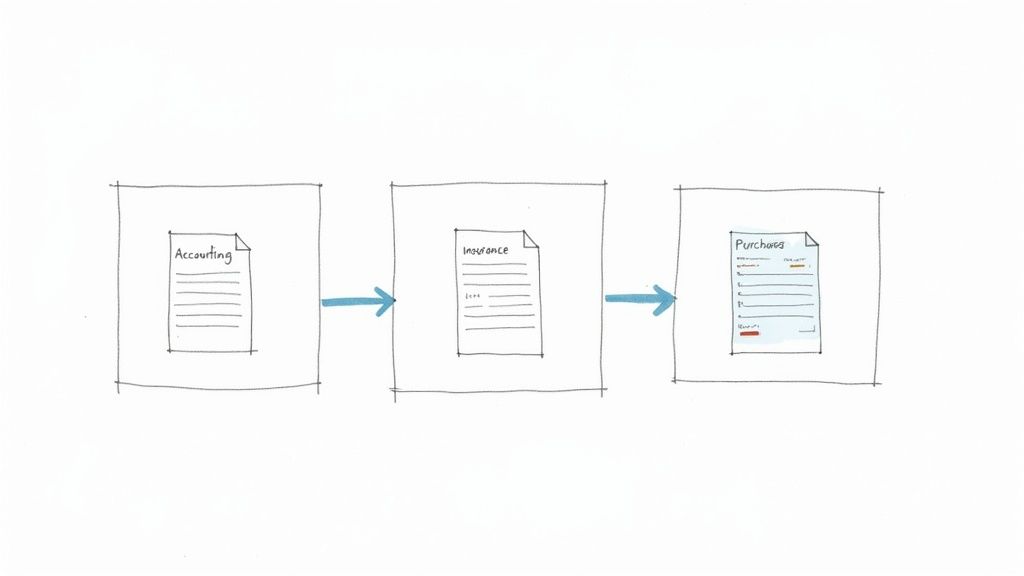
It’s one thing to talk about roadmaps and technology, but it’s another to see how this stuff actually works. The real magic of automating data entry happens when it solves nagging, real-world problems. Across just about every industry, companies are turning tedious, error-prone tasks into fast and reliable workflows.
Let's look at a few examples of how this plays out.
Accounting and Finance
The Problem: Picture an accounting team at a decent-sized company spending over 20 hours every single week just typing up data from vendor invoices. It was slow, which meant they were getting hit with late payment fees. Worse, it was full of typos and miscategorized expenses, making month-end closing a total nightmare.
The Solution: They brought in a document parsing tool. Now, invoices arriving in their email inbox are processed automatically. The software uses OCR to read each PDF, intelligently pulls out key details—vendor name, invoice number, due date, line items, and the total—and sends that clean data straight into their accounting system through an API.
The Result: Manual data entry became a thing of the past. What used to take minutes per invoice now takes seconds. The team got those 20 hours back to focus on work that actually matters, like analyzing cash flow and negotiating better terms with vendors. The best part? Data accuracy shot up to over 99%, which not only sped up their financial close but also wiped out those pesky late fees. To see how this applies elsewhere, check out these business process automation examples.
The Insurance Sector
The Problem: A regional insurance agency was absolutely buried in paperwork. Every new policy application and claims form had to be manually transcribed from scanned documents into their main system. This created a huge backlog, delaying quotes for new customers and slowing down payments for existing ones. Not a good look.
The Solution: They started using an automation platform built for messy, unstructured documents. When a claim form comes in now, the system reads it, grabs the essential info like the policy number and incident date, and instantly checks it against their records.
The Result: The agency slashed its document processing time by a massive 75%. New policies went out faster, and claims were handled in a fraction of the time, leading to much happier customers. Agents were finally free from mind-numbing admin work and could focus on actually helping their clients.
By automating that initial data extraction, the agency turned a major bottleneck into a competitive edge. In the insurance world, fast claims processing is a huge differentiator, and automation made it happen.
Procurement and Supply Chain
The Problem: A procurement department was constantly fighting to keep its inventory and purchasing systems synced up. Team members were stuck manually entering data from purchase orders (POs) and packing slips into the ERP. This gap caused all sorts of problems: inaccurate inventory counts, unexpected stockouts, and friction with important suppliers.
The Solution: They built an automated workflow just for procurement documents. When a new PO comes in, the system parses it and updates the ERP automatically. When the matching packing slip arrives, it's scanned and compared against the original PO to make sure the shipment is correct before the system updates inventory levels.
The Result: Their real-time inventory accuracy jumped by over 90%. No more guessing games or costly rush orders. The automation also flagged any mismatches between POs and shipments right away, so the team could sort out issues with suppliers before they snowballed.
How to Choose the Right Automation Software
Picking the right software to automate your data entry is a huge decision, and frankly, it can make or break the whole project. With so many options out there, it’s easy to feel lost. The trick is to create a simple evaluation plan to filter out the noise and find a tool that actually works for your team and your business.
Think of the best software as a partner—something that makes your team’s job easier, not just another complicated system they have to learn. Usability should be at the top of your list. Can the people who will actually use it every day build and tweak workflows without calling IT for help? A no-code, drag-and-drop interface is often the key to getting everyone on board and seeing results fast.
Define Your Core Requirements
Before you schedule a single demo, sit down and make a list of your must-haves. This simple step ensures you’re measuring every vendor against the same yardstick, one that’s based on your real-world problems.
Here are a few essential questions to ask any potential vendor:
- Document Handling: Can it handle everything you throw at it? We’re talking PDFs, scanned images, emails, and even photos of documents taken on a phone.
- Integration Power: How well does it play with others? You need it to connect smoothly with the systems you already rely on, like your CRM, ERP, or accounting software. Look for pre-built connectors and a solid API.
- Scalable Pricing: Does the cost grow with you? A pay-per-document or credit-based model is often much more predictable and cost-effective than a flat fee, especially as your document volume increases.
- Reliable Support: What happens when something goes wrong? Make sure you can get a real human on the line to help you fix problems quickly.
Prioritize Human-in-the-Loop Capabilities
Even the best automation needs a human touch for quality control. In fact, a whopping 85% of employers say that maintaining data accuracy is the most important job of a data entry specialist. Right now, automation handles the basic stuff in about 30% of companies, but people are still needed for tricky exceptions and final sign-offs. A good tool embraces this partnership. You can find more stats on the role of human oversight in data entry on dataentryinstitute.org.
Your chosen software should empower your team, not replace them. Look for features that allow for easy review, correction, and approval of automatically extracted data. This blend of machine speed and human judgment delivers the best results.
Ultimately, making the right choice is about matching a platform’s features to your day-to-day operational needs. For a deep dive into how the top tools compare, check out our guide on the best document automation software. It will give you a clear framework for finding a solution that’s truly built to solve your challenges.
Frequently Asked Questions About Automating Data Entry
Even with a solid plan, it's normal to have a few questions lingering. Let's walk through some of the most common concerns we hear from businesses just starting to explore data entry automation.
How Much Technical Skill Do I Need to Start?
This is the best part: probably a lot less than you imagine. A few years back, you absolutely needed a team of developers to get an automation project off the ground.
Today, that's completely changed. Modern no-code platforms are built for the people actually doing the work—not for programmers. If you can navigate a spreadsheet, you have all the skills you need to build powerful workflows using intuitive drag-and-drop interfaces. No code required.
Will Automation Replace Our Data Entry Team?
This is a huge, and completely understandable, fear. But the reality we see time and again is that automation doesn't replace people. It elevates them. It takes over the most tedious, mind-numbing parts of the job, freeing your team to focus on work that actually requires a human brain.
Instead of just typing numbers from one screen to another, they can shift their focus to higher-value tasks:
- Handling exceptions that the software flags for a human review.
- Analyzing the data to uncover trends and insights that a machine would miss.
- Improving the very processes the automation is built on.
Your team transitions from being data enterers to data validators and analysts. It’s a far more engaging and valuable role for everyone involved.
The goal of automating data entry isn't to shrink your team but to empower it. You're swapping monotonous tasks for meaningful work, which is a win for both productivity and job satisfaction.
What Is the Biggest Mistake to Avoid?
Without a doubt, the single biggest pitfall is automating a broken process. If your current manual workflow is a tangled mess of inefficiencies and unnecessary steps, all automation will do is help you execute a bad process faster.
Before you even think about software, map out your current workflow. Scrutinize every step. Ask your team, "Why do we do it this way? Is this step actually necessary?" By cleaning up and simplifying the process first, you ensure that your automation efforts will have the biggest possible impact.
Ready to stop the copy-paste grind and get hours back every week? DocParseMagic transforms messy documents into clean, structured data in minutes. Get started for free at docparsemagic.com and discover just how easy data entry automation can be.