Automated Data Entry A Guide to Smarter Workflows
Automated data entry is simply using technology to pull information from documents and pop it into your systems, all without someone having to type it in by hand. It swaps out the slow, mistake-ridden grind of manual typing for smart software that's fast, accurate, and can handle huge volumes of work. The whole point is to free up your team to do the thinking work, not the repetitive stuff.
Why Automated Data Entry Is No Longer Optional
Let's be honest about manual data entry. It’s a bottleneck. A soul-crushing, error-prone process that eats up your team's most valuable asset: their time. So many businesses are still stuck having their staff retype everything from invoices, PDFs, and paper forms. This old-school approach doesn't just slow things down; it introduces expensive mistakes and puts a hard ceiling on how fast you can grow.
Think of it like hiring a digital assistant who never gets tired or bored. This assistant can read, understand, and file away information from thousands of documents in the time it takes you to drink your morning coffee—a task that would take a human employee weeks. It’s the off-ramp from the endless highway of copy-and-paste and the on-ramp to a smarter workflow where machines do the machine work.
A Clear Shift in Business Operations
Today's tools are completely changing the game for teams in just about every industry. Instead of spending their days transcribing data, people are shifting their focus to the kind of high-value work that actually moves the needle. The market is screaming this reality from the rooftops. The global data entry service market was valued at USD 5.2 billion in 2024 and is expected to explode to USD 12.8 billion by 2033. That kind of growth tells you one thing: businesses drowning in paperwork are desperate for a lifeline. You can dig into the numbers behind the growth of data entry services on datahorizzonresearch.com.
This guide is your roadmap to leaving tedious transcription behind and unlocking a whole new level of productivity.
Who Benefits from This Automation
This isn't just for massive corporations with bottomless IT budgets. Automated data entry offers real, practical benefits for all kinds of teams.
- Accounting Teams: Imagine slashing invoice processing times while getting audit-ready accuracy on every entry.
- Insurance Brokers: Pull policy details from hundreds of documents in minutes, not days.
- Procurement Teams: Instantly compare vendor proposals and pricing without having to manually build a spreadsheet.
- Operations Managers: Give your staff a break from mind-numbing data entry so they can focus on customer service and improving your processes.
The core promise of automated data entry is simple: stop wasting human talent on machine-level work. It allows your team to apply their expertise to analysis and decision-making, which is where real business value is created.
By bringing this technology on board, you’re not just fixing one broken process. You’re building a smarter, more resilient, and scalable organization from the ground up.
How Automated Data Entry Actually Works
Let's break down what's happening under the hood.
Think of old-school, manual data entry as copying a book by hand. It’s slow, mind-numbingly tedious, and you’re bound to make a few typos along the way. Automated data entry is like feeding that same book into a smart scanner. But this scanner doesn't just read the text—it understands the plot, figures out who the main characters are, and spits out a perfect summary.
This "smart scanner" isn't one single thing. It’s actually a team of digital tools working in concert. Together, they take a messy document—like a crumpled receipt or a scanned invoice—and turn it into clean, organized data ready for your spreadsheets.
Here’s a look at how this digital assembly line really works.
This diagram shows the shift perfectly: automation frees up your team from the grunt work, allowing them to focus on what really matters—analysis and strategy.
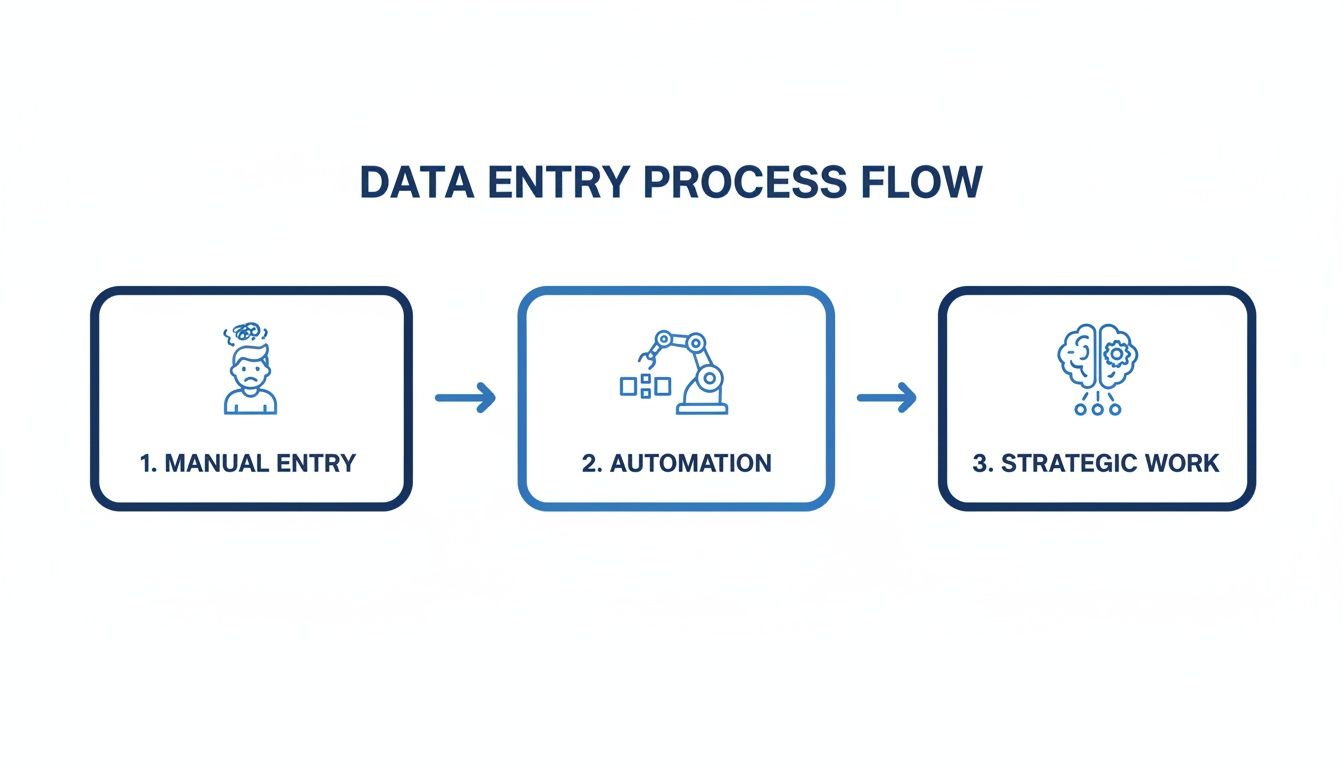
Automation is the bridge that gets your people from repetitive tasks to high-value thinking.
Step 1: Reading the Document with OCR
It all starts with Optical Character Recognition (OCR). This is the technology that acts as the system's eyes. When you feed it a document—a crisp PDF, a blurry photo of a receipt, you name it—OCR gets to work turning the picture of text into actual, machine-readable text.
Basically, it translates the image of words into text that a computer can copy, search, and work with. While older OCR could be a bit clumsy with weird fonts or messy layouts, today's tools are incredibly powerful. They can pull text with surprising accuracy even from documents that are far from perfect. If you want a deeper dive, you can learn more about what Optical Character Recognition is and how it powers modern tools.
Step 2: Understanding the Context with AI Parsing
Once OCR has pulled out the raw text, the real intelligence kicks in. This next step is called AI Parsing, and it's where the magic happens. A big wall of text isn't all that useful on its own; the system needs to understand what it all means.
AI parsing is like giving the system a brain. It sifts through the text to identify key pieces of information by understanding their context. For instance, it's smart enough to look at an invoice and tell the difference between all the numbers on the page.
- Invoice Number: It spots labels like "Invoice #" or common formats like "INV-2024-001."
- Due Date: It searches for date formats near phrases like "Payment Due" or "Due By."
- Total Amount: It knows to look for the largest number, usually at the bottom next to words like "Total" or "Amount Due."
This is a huge step up from just grabbing text. The AI doesn't just see "123 Main Street"—it knows that's the vendor's address. It doesn't just see "$5,432.10"—it understands that's the final bill.
Step 3: Validating and Enriching the Data
Finally, after the data has been extracted and understood, the system does a quality check. Data validation is where it runs the information through a set of rules to make sure everything adds up. For example, it might check if the sum of all the individual line items actually equals the grand total at the bottom of the invoice. If not, it flags it.
Automated systems don't just pull data; they act as your first line of defense against errors. By cross-referencing information and flagging inconsistencies, they make sure the data hitting your books is clean from the get-go.
On top of that, many systems can also perform data enrichment. This is a neat trick where the software adds missing information to make a record more complete. If an invoice only has the vendor's name, the system can automatically pull their address and tax ID from your database, saving your team from having to hunt it down. This whole process—reading, understanding, and verifying—is what makes automation such a powerful tool.
The Real-World Payoff of Automating Data Entry
So, we've covered the "how" of automated data entry. Now, let's get to the important part: the "why." Switching to an automated system isn't just a tech upgrade; it's a strategic move that delivers real, bottom-line results for your business. It impacts everything from your financial accuracy to your team's day-to-day happiness.
Don't think of it as just another expense. Think of it as an investment that starts paying you back almost immediately. For any team drowning in paperwork, the change is night and day. It’s the difference between spending all your time typing out what’s on a page and actually using that information to make smart decisions.

Slash Errors and Radically Improve Accuracy
Let’s be honest—manual data entry is a minefield of potential mistakes. A tired employee, a brief distraction, or a simple typo can send ripples across your entire business. These tiny errors can lead to incorrect invoices, compliance headaches, and business reports built on shaky ground. In fact, studies show that manual data entry can have an error rate as high as 1-4% per field.
Automated data entry, especially with AI, all but eliminates this risk. The software doesn't get tired or distracted. It applies the same set of rules to every single document, every single time, flagging problems before they ever make it into your system. This consistency drops the error rate to less than 0.1%, giving you clean, trustworthy data you can actually rely on.
Get Your Team's Time Back and Watch Productivity Soar
The most immediate win you'll see is the sheer amount of time your team gets back. Tasks that used to take up entire afternoons—like processing a stack of vendor invoices or pulling details from hundreds of forms—can now be done in minutes.
Automation isn't about replacing people; it's about empowering them. It frees skilled employees from monotonous, low-value tasks so they can focus on strategic work that requires human intellect, such as financial analysis, vendor negotiation, and customer relationship management.
Teams that switch to platforms like DocParseMagic often cut down the time they spend on document-heavy tasks by up to 80%. This massive productivity jump comes directly from the power of AI-driven parsing. It's a game-changer, and it's why the market is expected to grow at a 9.5% CAGR from 2025-2033 as more businesses get on board.
Manual vs Automated Data Entry: A Head-to-Head Comparison
The difference between the old way and the new way is stark. When you put manual and automated processes side-by-side, the advantages become crystal clear.
| Metric | Manual Data Entry | Automated Data Entry |
|---|---|---|
| Speed | Slow, measured in hours or days | Fast, measured in seconds or minutes |
| Accuracy | Prone to human error (1-4%) | Highly accurate (<0.1% error rate) |
| Cost | High labor costs, plus cost of errors | Low operational cost, high ROI |
| Scalability | Limited by headcount and employee burnout | Infinitely scalable with workflow needs |
| Employee Focus | Repetitive, low-value transcription | Strategic analysis and problem-solving |
This table really shows how automation shifts your team's focus from tedious work to high-impact activities, all while making your operations faster and more reliable.
Build a Business That Can Scale Effortlessly
With manual processes, growth can be painful. A sudden surge in new clients or invoices means you either have to hire more people fast or risk burning out your existing team. Either way, it creates a bottleneck that can stop your growth in its tracks.
Automated data entry removes that barrier completely. The system scales up or down instantly to handle any volume of documents without skipping a beat. Whether you're processing a hundred invoices a month or ten thousand, the speed and accuracy stay the same. For example, deploying a lead generation chatbot is a perfect real-world application, as it can capture and process information from thousands of potential customers around the clock without any human intervention. This kind of flexibility allows your business to adapt on the fly and jump on new opportunities without being held back by old, manual workflows.
How to Implement Automated Data Entry
Making the switch to automated data entry is a lot more achievable than it sounds. Thanks to today's no-code tools, you don't need a massive IT budget or a team of developers to get started. By following a simple roadmap, you can bring automation into your business with very little disruption and start seeing the payoff almost right away.
The key is to think of this as a series of practical steps, not some huge technical project. You're just solving operational headaches, one at a time. This plan helps you get it right from the start, from figuring out your biggest time-sinks to scaling up a solution that actually works.

Step 1: Pinpoint Your Most Painful Workflows
You can't fix a problem until you know exactly what—and where—it is. The first step is to take an honest look at your current processes and find the workflows that create the most friction. Where is your team burning hours on mind-numbing, repetitive tasks?
Keep an eye out for the usual suspects:
- High Document Volume: Are you drowning in hundreds or thousands of invoices, receipts, or purchase orders every month?
- Repetitive Data Entry: Is someone literally spending their day copying and pasting info from PDFs into a spreadsheet or accounting software?
- Frequent Errors: Do you constantly have to fix typos or chase down mismatched numbers in your financial records?
Workflows like invoice processing, employee expense reporting, and juggling vendor proposals are classic candidates for automation. Nailing down one of these specific pain points gives your project a clear focus and a goal you can actually measure.
Step 2: Evaluate Your Options
Once you know which workflow you're targeting, it's time to find the right tool for the job. You basically have two choices: build a custom solution from scratch or use a ready-made, no-code platform.
For most small to mid-sized businesses, a no-code platform like DocParseMagic is the obvious choice. These tools are built for business users, not programmers, with intuitive interfaces that make setup surprisingly simple. They offer a fast and affordable way to get powerful automation up and running without the long timelines and steep costs of a custom build.
The goal is to find a solution that fits your existing workflow, not one that forces you to change everything. A good no-code tool should feel like a natural extension of your team, handling the grunt work so you can focus on analysis.
Step 3: Run a Small Pilot Project
Resist the urge to do everything at once. Instead of a massive, company-wide rollout, start with a small, manageable pilot project. Just pick one specific document type—say, invoices from your top five vendors—and run it through the new automated system for a week or two.
This focused approach lets you:
- Measure the Impact: You can directly compare the speed and accuracy of the new automated process against the old manual one. No guessing.
- Gather Feedback: Get honest input from the team members who will actually use the tool every day.
- Refine Your Setup: Tweak the workflow and make small adjustments before you roll it out to the entire department.
A successful pilot gives you undeniable proof that the tool works, making it much easier to get the rest of the team on board for a wider implementation.
Step 4: Integrate and Train Your Team
With a successful pilot in the bag, the next move is to connect the solution with your other software. Modern platforms offer seamless integrations with popular accounting systems like QuickBooks and Xero, or they can export the data into a clean CSV or Excel file. This is the magic step that creates a truly hands-off workflow where data flows from document to system automatically.
Training should be quick, especially with a user-friendly tool. Focus on showing your team how the new system makes their jobs easier, not harder. The whole point is to eliminate the most tedious parts of their day. For more practical tips, check out our blog post on how to automate data entry for maximum efficiency.
Step 5: Scale the Solution
Once your first workflow is humming along, it’s time to expand. Take what you learned from the pilot project and apply it to other document-heavy processes. You might move from accounts payable invoices to employee expense receipts, then tackle customer purchase orders next.
This gradual, step-by-step approach minimizes risk and builds momentum. Every new workflow you automate creates another pocket of efficiency, freeing up more of your team’s time and helping the business run smarter.
Choosing the Right Automated Data Entry Tool
With so many automated data entry tools on the market, picking the right one can feel like a huge task. But getting this decision right is the key to making automation work for you. The goal isn't just to buy software; it's to find a solution that slots right into your existing workflow, not one that makes you reinvent the wheel.
Think of it less like shopping for software and more like hiring a new, incredibly efficient team member. You need to look past the flashy promises and focus on what really matters for your day-to-day operations.
Accuracy and Reliability
Let's be honest: the whole point of automation is to get clean, trustworthy data into your systems. If a tool can’t read a document correctly, you’re just swapping manual data entry for manual data correction. A top-tier solution has to deliver consistently high accuracy, even when dealing with messy or unusual document layouts.
When you're evaluating your options, ask some tough questions:
- Can it handle different formats? Your tool should be able to process everything from a perfect PDF to a crooked photo of a receipt without forcing you to build a custom template for every single vendor.
- What’s the real accuracy rate? Look for solutions that confidently state 95% or higher accuracy, backed by smart technology like AI that can learn and adapt.
The best tools today do more than just read words on a page—they understand context. They know the difference between an invoice number and a PO number, or a line item total and the final amount due. That contextual understanding is what makes the data truly reliable.
This field has come a long way. Since the early 2010s, automated data entry has evolved from a niche tool to a business essential, especially after AI breakthroughs around 2018 gave software true contextual understanding. Now, hybrid models that use machine learning make up 70% of workflows and can achieve over 95% accuracy even on unstructured documents. For a deeper look at the market, explore more insights on global data entry services at dataintelo.com.
Ease of Use and Implementation
The best tool in the world is useless if your team can't figure out how to use it. A powerful solution should feel simple and empower your team, not require a dedicated IT specialist to keep it running. A clunky interface or a long, drawn-out setup process just creates frustration and kills adoption.
Look for a platform with a clean, intuitive design. A simple drag-and-drop feature for uploading documents is a great sign of user-friendliness. The best tools are often "no-code," which means your team can be up and running, seeing actual results in minutes, not weeks.
Integration and Export Capabilities
Your automated data entry tool doesn't work in isolation. It needs to play nicely with the other software that runs your business, like your accounting platform or CRM. This is where integrations are an absolute must-have.
Make sure the platform can connect to your most important systems. This could be a direct, one-click integration with software like QuickBooks and Xero, or it could be flexible export options. At a bare minimum, you need the ability to get your data out in a clean CSV or Excel file, so you can easily move it wherever it needs to go. For a deeper dive into selecting software for specific functions, check out this excellent a guide to Accounts Receivable automation software.
Transparent and Scalable Pricing
Finally, the cost should be straightforward and predictable. The last thing you want are hidden fees, confusing contracts, or a pricing model that doesn't make sense for your business.
Many of the best modern platforms, like DocParseMagic, operate on a credit-based or pay-as-you-go model. This is ideal because it lets you start small and scale up as your document volume increases. It’s simple: you only pay for what you actually use. Our detailed guide on document data extraction software provides more context on how to evaluate a tool's true value.
Got Questions About Automated Data Entry? We’ve Got Answers.
Making the leap to an automated workflow is a big move, and it's totally normal to have some questions. We hear a lot of the same concerns from businesses weighing their options—things like security, software compatibility, and what it all means for the team. Let's tackle those head-on.
Our aim here is to give you clear, no-nonsense answers so you can make a smart decision with confidence.
"Will This Replace My Employees?"
This is usually the first question people ask, and it's a big one. The short answer? No. Automated data entry isn't about replacing people; it's about making their work more meaningful. It's designed to take over the mind-numbing, repetitive tasks that drain your team, like keying invoice details into a spreadsheet one by one.
When you hand off the grunt work to a machine, you free up your team to focus on the stuff that actually requires a human brain.
- Financial Analysis: Instead of just punching in numbers, they can actually analyze them for trends and insights.
- Vendor Negotiation: With more time on their hands, they can focus on building better relationships with suppliers.
- Problem-Solving: They can spend their energy investigating discrepancies, not just copying them.
Think of it this way: automation makes your team more valuable, not obsolete.
"Is My Company Data Secure?"
Security is completely non-negotiable. Any automation platform worth its salt will make this its top priority. When you're dealing with sensitive information from invoices or bank statements, you have to be absolutely sure that data is locked down.
Modern automation tools use serious security measures to protect your information. This includes things like secure file transfers and encrypting your data both in transit and while it's stored. Honestly, a good automated system is often much more secure than a manual one.
Think about it: a stack of paper invoices on someone's desk is visible to anyone who walks by. A secure cloud system, on the other hand, limits access to authorized users and creates a digital paper trail for every action.
"Will It Work With My Existing Software?"
Nobody wants a new tool that creates more problems than it solves. A good automated data entry solution should slide right into your existing workflow, not force you to tear everything down and start over.
When you're evaluating options, look for flexible export features or, even better, direct integrations with the tools you already use.
- Direct Integrations: Many platforms can connect directly with accounting software like QuickBooks or Xero.
- Flexible Exports: At the very least, you should be able to download your data in a clean, universal format like CSV or Excel that you can easily upload anywhere.
The right tool acts as a simple bridge, getting information from your documents into your systems without creating a bunch of extra steps. Compatibility is everything.
Ready to see how automated data entry can change the game for your team? DocParseMagic turns messy documents into clean spreadsheets in minutes, saving you from hours of tedious work. Sign up for free and see it in action.