Agentic Document Extraction: Your Guide for 2026
Your team probably has a folder like this right now. Vendor invoices in different layouts. Commission statements from multiple partners. Renewal documents, proposals, scanned forms, and the occasional phone photo of a paper someone forgot to submit on time.
None of it is hard to understand for a person. It’s hard because there’s too much of it, too many variations, and too many places where a small mistake turns into a downstream problem. One wrong total affects reconciliation. One missed policy field slows an insurance workflow. One misplaced line item makes a vendor comparison less trustworthy.
That’s why so many business managers are paying attention to agentic document extraction. It doesn’t just read documents. It works more like a careful assistant who can look at a messy file, figure out what kind of document it is, pull out the fields that matter, and check whether the result makes sense before sending it forward.
The End of Manual Data Entry
Sara runs finance operations at a growing company. Every month, her team opens PDFs, copies invoice numbers into spreadsheets, checks totals, and tries to match statements against what the ERP says should be there. The work is repetitive, but the actual problem isn’t boredom. It’s inconsistency.
One vendor sends a clean digital invoice. Another sends a scan. Another changes the table layout without warning. A commission report arrives with six tabs. A supplier proposal buries key terms in a paragraph. Sara’s team spends hours hunting for information that should’ve been easy to capture.
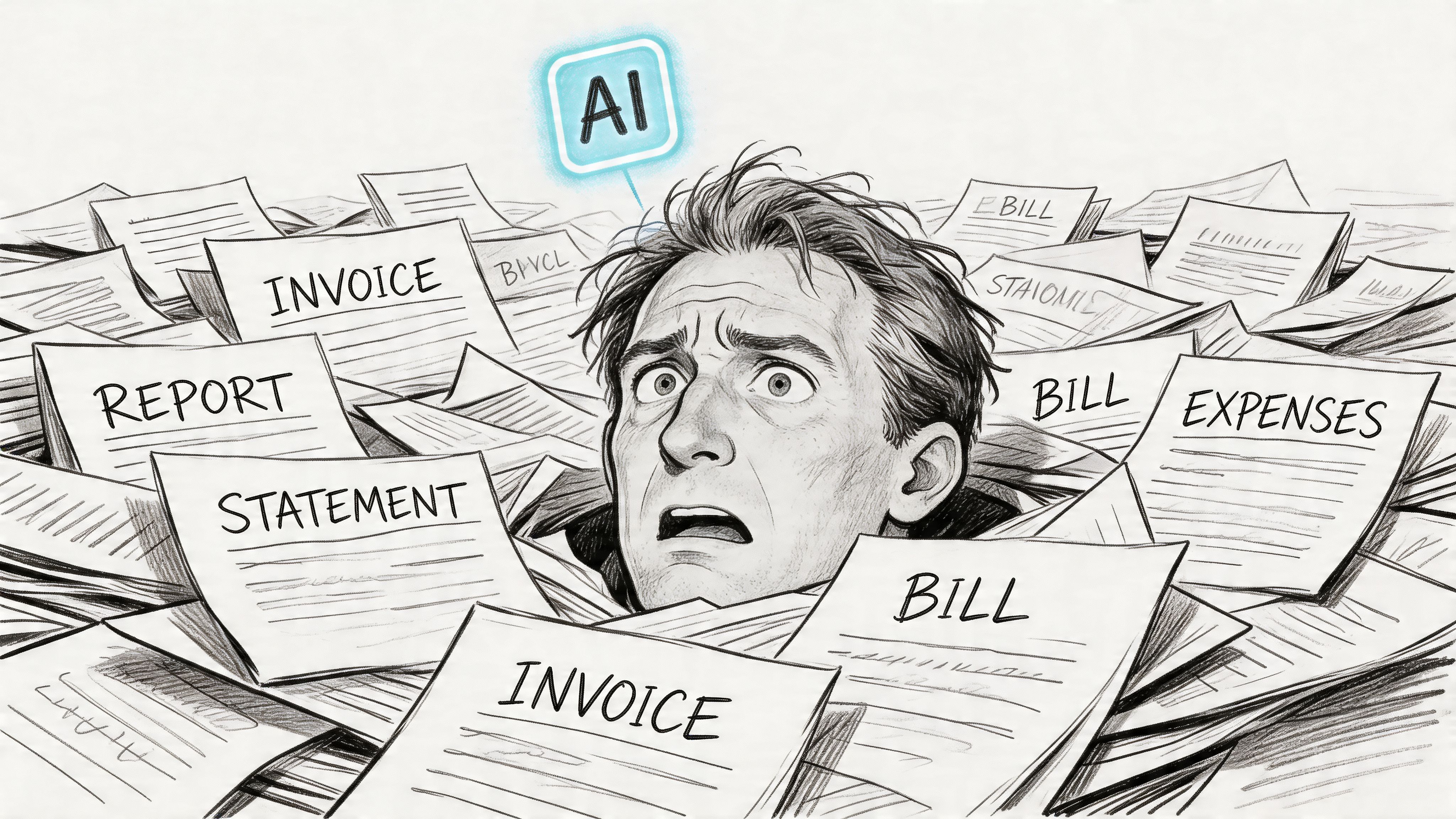
If that feels familiar, you’re not dealing with a people problem. You’re dealing with a document problem. Manual copy-paste creates bottlenecks, and every extra review step adds cost, delay, and fatigue. The teams living this every day usually know the pain better than anyone. A quick look at common manual data entry challenges shows why this work tends to break first as document volume grows.
Why old fixes stop working
At first, teams often patch the process. They add checklists. They build a template for one invoice format. They assign someone to review exceptions. That works for a while.
Then the inputs change faster than the process can keep up.
The breaking point usually isn’t one bad document. It’s hundreds of slightly different ones.
That’s where agentic document extraction enters the story. Instead of forcing every document into a rigid format, it handles variation more like a trained analyst would. It can work through invoices, statements, forms, and PDFs that don’t follow a single template.
What changes for the business
The biggest shift isn’t technical. It’s operational.
When software can interpret documents with more flexibility, teams stop spending most of their time on transcription and cleanup. They can focus on exceptions, decisions, and follow-up. Finance reviews become faster. Procurement comparisons become easier to trust. Insurance and lending teams spend less time re-keying data and more time assessing it.
That’s why this matters. Agentic document extraction isn’t just another automation feature. For document-heavy teams, it changes what work people do all day.
What Is Agentic Document Extraction
The word agentic sounds technical, but the idea is simple. Traditional document software behaves like a calculator. It follows instructions well, but only if you already know the exact steps. An agentic system behaves more like a smart assistant. You give it a goal, and it figures out how to get there.
In documents, that difference is huge.
A basic OCR tool reads text from a page. A template-based extractor may know that the invoice total usually appears in one spot. But an agentic system can look at the same file, recognize that it’s an invoice, locate the fields that matter, understand how labels and values relate to each other, and return structured data that fits the business task.
What makes it different
The practical difference is reasoning.
Agentic document extraction can decide what it’s looking at before it extracts anything. If the document is messy, unfamiliar, or semi-structured, it doesn’t immediately fail the way a rigid rule set often does. It adapts.
That’s why this approach is getting attention beyond technical teams. According to Parseur’s overview of agentic document extraction, it achieves up to 73% time savings and is 81% cheaper than traditional manual or rule-based methods because its AI-driven reasoning automates how data is identified, interpreted, and structured across unstructured documents like invoices, statements, and PDFs.
A simple analogy
Think of three workers reviewing incoming invoices.
- Worker one reads every word and copies everything into a spreadsheet.
- Worker two has a template and says, “The total is always in this box.” That works until the layout changes.
- Worker three understands what an invoice is. They know what “invoice number,” “due date,” and “total amount” usually mean, even when the format changes.
Agentic extraction is the third worker.
That’s also why business teams evaluating tools often move beyond simple OCR and start looking into related categories like invoice data extraction software, especially when they need to handle supplier variation without building and maintaining a library of brittle templates.
Where people usually get confused
Many readers hear “AI” and assume this means open-ended text generation. That’s not the goal here. In a business workflow, the system isn’t being asked to write an essay. It’s being asked to return the right fields in the right structure.
A useful way to think about it is:
Practical rule: Agentic extraction isn’t about sounding smart. It’s about producing reliable, structured outputs from messy business documents.
If you’re newer to the broader category, this sits inside what many teams call intelligent document processing. The agentic part is the leap from “read and extract” to “understand, decide, and verify.”
For non-technical managers, that’s the key concept to hold onto. The value comes from flexibility. The software can handle documents that don’t look the same every time, which is exactly where older systems tend to create hidden labor.
How Agentic Extraction Systems Work
Most business managers don’t need model architecture diagrams. They need to know why the system works, what makes it more reliable than older tools, and where the business trade-offs show up.
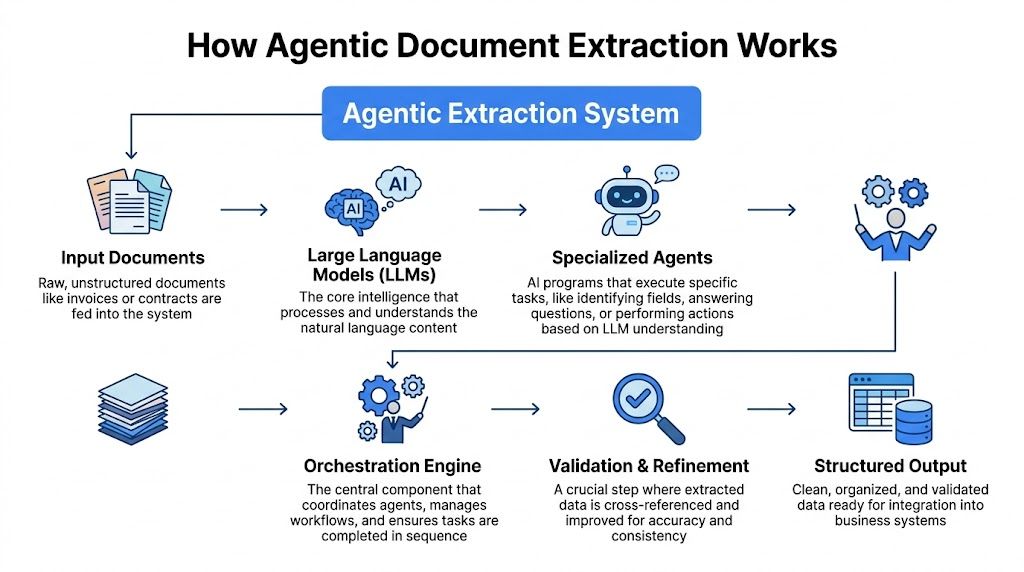
The easiest way to understand an agentic extraction system is to think of a coordinated team.
The main parts
One part provides language understanding. That’s often an LLM, or large language model. It helps the system interpret labels, instructions, and context inside the document.
Another part acts as the agent. This is the decision-maker that takes a goal like “extract invoice number, date, line items, and total” and breaks it into tasks.
Then you have orchestration. That’s the traffic controller. It decides what happens first, what tool gets used, and what to do if something looks wrong. If “agent” sounds abstract, orchestration is easier to picture as a conductor leading different specialists so they don’t all play at once.
You may also hear about parsers and RAG. A parser turns output into a usable structure such as JSON or spreadsheet rows. RAG, short for retrieval-augmented generation, can help the system pull in supporting instructions or business rules when needed. For example, if a workflow needs to know which fields are required for a particular document type, retrieval can supply that context at the right moment.
The plan act verify loop
The heart of agentic document extraction is the plan-act-verify loop.
First, the system plans. It identifies the document type and its logical structure. Is this an invoice, a bank statement, a medical form, or a 10-K filing? Where are the headers, tables, labels, and likely fields?
Second, it acts. It extracts the needed values from the relevant regions on the page rather than reading the entire document as a flat stream of text.
Third, it verifies. It checks whether the output makes sense. If a date can’t be parsed, or a value looks implausible for the field, the system can flag it or try to correct it before passing it downstream.
That loop matters because it prevents bad data from spreading into later steps.
A concrete invoice example
Suppose a new supplier sends an invoice your team hasn’t seen before.
A template-based tool may struggle right away because the labels are in different positions. An agentic system approaches the file more like a person would:
- It recognizes the document as an invoice.
- It finds the vendor name, invoice number, issue date, due date, and total.
- It detects the line-item table and connects each row to the correct column headers.
- It checks whether the line items and total appear consistent.
- It returns structured output the finance team can use.
That’s the business value of “reasoning.” The system isn’t tied to one layout.
Why visual grounding matters
A lot of extraction errors don’t happen because text was unreadable. They happen because the software read the text but assigned it to the wrong field.
Visual grounding fixes that by tying extracted values to their positions on the page using bounding boxes. This creates a stronger link between the text and its surrounding layout. If a total appears beside a “Total Due” label, the system can use that spatial relationship. If a checkbox sits under a specific question, the answer can be tied to the right prompt.
LandingAI’s Agentic Document Extraction overview and Smart 10-K Auditor example describe this well. Their ADE uses multimodal processing with visual grounding and hierarchical understanding, distinguishes checkboxes and free-text, anchors values to bounding boxes for auditability, and reports superhuman performance on DocVQA benchmarks.
When a reviewer can trace a value back to the exact place it came from on the page, trust goes up fast.
That matters in finance, insurance, underwriting, and procurement, where “Where did this number come from?” is a daily question.
Why orchestration matters to business teams
Business users sometimes underestimate orchestration because it sounds like an engineering term. In practice, it’s what turns a smart model into a dependable workflow.
Orchestration can handle tasks like these:
- Document routing: Send invoices one way and statements another.
- Retry logic: Reprocess a file if the first result fails a validation check.
- Schema enforcement: Make sure outputs fit the fields your downstream systems expect.
- Human review triggers: Escalate only the documents that need attention.
If your organization also generates large batches of customized files, the reverse workflow can be just as important. Teams dealing with document creation often explore adjacent automation tasks such as mail merge PDF documents, which shows how extraction and generation often live in the same operational ecosystem.
Comparing Extraction Methods Old and New
Choosing a document extraction method isn’t really about AI enthusiasm. It’s about operational fit. Different methods fail in different ways, and those failure modes show up as labor, rework, and review queues.
Here’s the clearest side-by-side view.
Document Extraction Methods Compared
| Criterion | Manual Processing | Template-Based OCR | Agentic Extraction |
|---|---|---|---|
| Accuracy on new documents | Depends on staff attention and review discipline | Often weak when layouts change | Usually more resilient to layout variation |
| Setup time | Very low at the start | Moderate to high because templates and rules must be configured | Moderate, with more focus on schema and workflow than page coordinates |
| Maintenance effort | Continuous human effort | Continuous template upkeep as vendors and formats change | Lower ongoing maintenance when documents vary |
| Scalability | Limited by headcount | Better than manual for stable formats | Strongest fit for mixed, high-volume document environments |
| Auditability | Depends on how staff document their work | Often partial | Strong when the system preserves source locations and structured outputs |
| Exception handling | Manual by default | Frequent when documents drift from known patterns | More selective, with review focused on true edge cases |
What manual processing gets right
Manual work is flexible. A person can usually figure out a document even if the scan is bad or the layout is unfamiliar. That’s why many teams keep relying on it longer than they want to.
But flexibility from people doesn’t scale well. Every extra document means more labor, more review time, and more opportunity for inconsistency between team members.
Why template-based OCR feels good at first
Template systems can look efficient during a pilot. You pick a known invoice format, map a few fields, and watch data flow into a spreadsheet.
The trouble starts later. A supplier updates its layout. A table shifts. A new format arrives from an acquisition or a regional office. Suddenly the hidden cost appears. Someone has to maintain the templates, test the rules, and monitor breakage.
The short-term convenience of templates often turns into long-term maintenance debt.
Where agentic extraction fits
Agentic extraction is strongest when your document set is varied, semi-structured, and constantly changing. That describes many finance, insurance, procurement, and operations teams.
It isn’t magic. It still needs clear business rules and sensible validation. But it removes a major source of friction. You’re no longer hard-coding every layout variation into the system.
That changes the economics of scale. Instead of hiring more people or building more templates as volume rises, you create a workflow that can absorb variation with far less manual intervention.
For business leaders, that’s usually the key decision point. If your documents are highly standardized and rarely change, a simpler method may be enough. If your team lives in exception handling, agentic extraction is usually the more durable path.
Practical Use Cases Across Industries
The easiest way to judge agentic document extraction is to see where it changes real work.
Accounting teams and month-end pressure
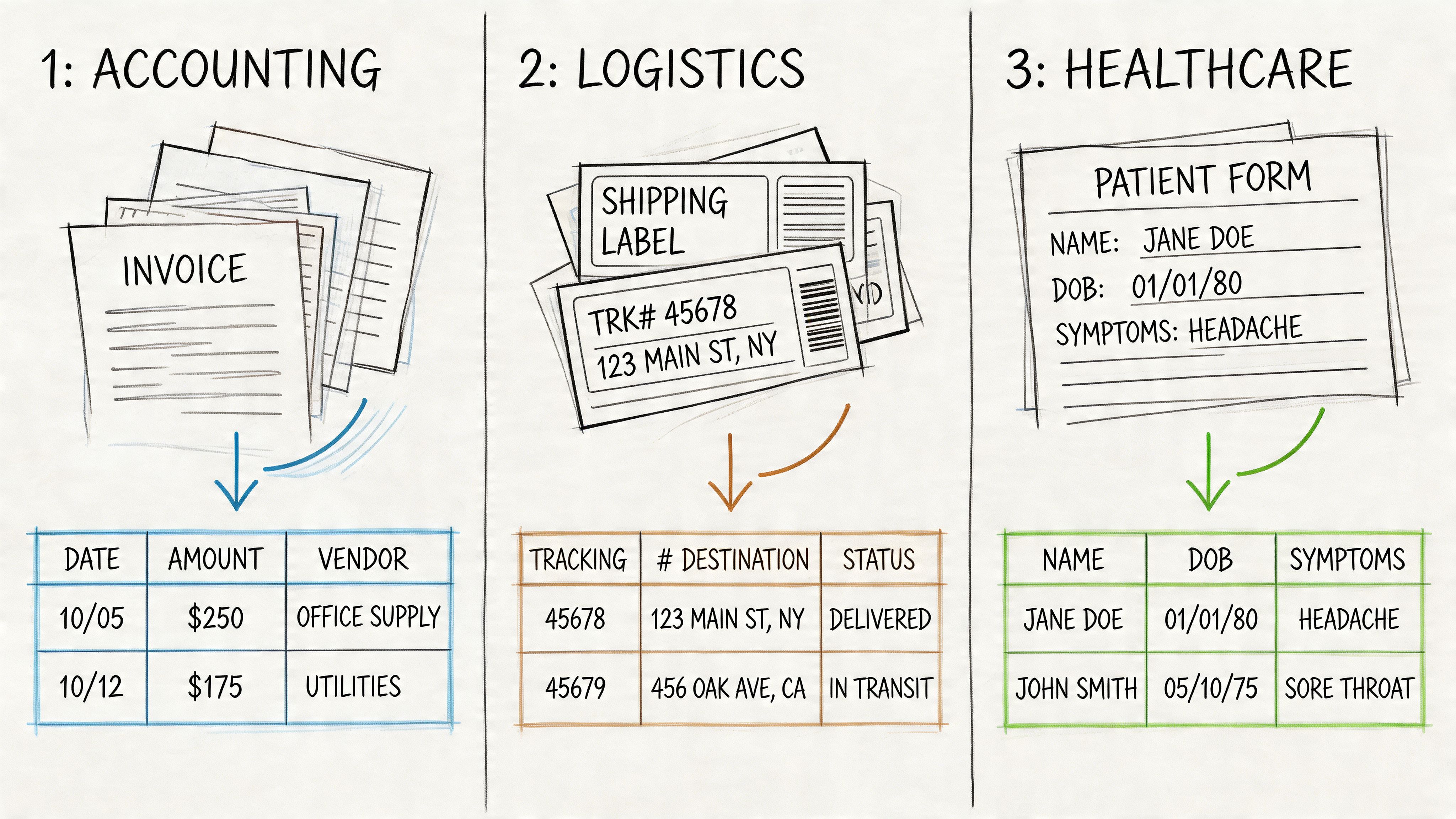
An accounting team receives invoices, remittance details, and commission statements from many sources. Before automation, staff key in invoice numbers, dates, subtotals, taxes, and totals, then chase discrepancies one by one.
With agentic extraction, the workflow changes. The system pulls the fields into structured rows, identifies tables, and gives the team a cleaner starting point for reconciliation. People spend less time transcribing and more time reviewing true mismatches.
That matters most at month-end, when delays are expensive and manual fatigue is high.
Insurance and underwriting workflows
Insurance brokers and carriers often deal with policy documents that look similar at a glance but vary in wording, order, and formatting. The same goes for underwriting packets that contain income statements, asset documents, and supporting forms.
Agentic extraction helps by locating policy details, premiums, dates, limits, and named entities without requiring one template per carrier. Reviewers can work from a structured summary instead of flipping through every page manually.
A lot of teams exploring these kinds of workflows start by looking at broader document parsing use cases across insurance, accounting, procurement, and operations because the pattern is the same. The files differ, but the operational pain is familiar.
Procurement and sourcing decisions
Procurement teams often compare bids that don’t line up neatly. One vendor provides a clean pricing table. Another spreads terms across multiple pages. Another includes line items but uses different names for the same thing.
Agentic extraction turns that mess into a comparable structure. Once pricing, terms, dates, and conditions are captured consistently, a buyer can evaluate proposals faster and with fewer blind spots.
The real win isn’t just speed. It’s being able to compare unlike documents in a like-for-like way.
A short demo helps make that more concrete:
Manufacturers reps and commission reconciliation
Manufacturers’ reps often receive commission reports in awkward formats. Some are PDFs with tables. Some are statements with grouped subtotals. Some include notes that affect payouts.
Before automation, reps or operations staff spend hours consolidating reports into one spreadsheet. After agentic extraction, they can standardize fields across reports and focus on disputes, trends, and follow-up.
Construction and project documentation
Construction teams manage subcontractor invoices, change orders, lien waivers, and supporting documents that arrive from many parties. These files are critical, but rarely tidy.
An agentic workflow can help extract dates, amounts, project references, and status fields from mixed document sets. That makes it easier to keep projects moving without depending on someone to retype every detail from scratch.
Choosing Your Implementation Path
Once a team decides agentic extraction is worth pursuing, the next choice is practical. Do you build with code, or do you use a no-code platform?
For most business managers, this is less about ideology and more about time, budget, and who will own the system after launch.
The code-first route
A developer-led approach can offer deep customization. Teams may use SDKs, libraries, and orchestration frameworks to build workflows designed for exact business rules.
That can be the right call when you have an internal engineering team, unusual integration needs, and enough volume or complexity to justify custom development. It also gives technical teams more freedom to tune prompts, validation steps, routing logic, and data outputs.
The trade-off is ownership. Someone has to build it, test it, maintain it, and keep improving it as documents and workflows change.
The no-code route
No-code platforms are designed for teams that need results without building document infrastructure from scratch. Business users can usually define fields, upload sample files, test outputs, and move into production much faster.
That’s especially valuable for finance, insurance, procurement, and operations groups where the bottleneck isn’t lack of ideas. It’s lack of developer capacity.
A key issue in this market is that much of the public conversation still skews technical. As noted in this webinar discussion about practical gaps in agentic extraction coverage, many resources focus on developers while overlooking latency on scanned low-DPI files, credit-based pricing effects, and audit trail concerns that matter to compliance-heavy teams and SMEs that want drag-and-drop automation without developer dependency.
How to decide
Use these questions:
- Who will manage the workflow day to day? If the answer is operations or finance, no-code is often the better fit.
- How quickly do you need value? Custom builds take longer.
- How often do your documents change? Frequent variation increases maintenance pressure in code-heavy setups too.
- Do you need extreme customization or broad usability? Many teams think they need the first when they need the second.
A practical decision rule
If document extraction is part of your core product, custom development may make sense.
If document extraction supports your business operations, the fastest path to value usually wins. For most non-technical teams, that points toward a no-code implementation with strong validation, auditability, and export options.
Key Metrics for Evaluating Performance
Adopting agentic extraction is only the first step. A manager still needs a way to judge whether it’s working well enough to expand, justify, or refine.
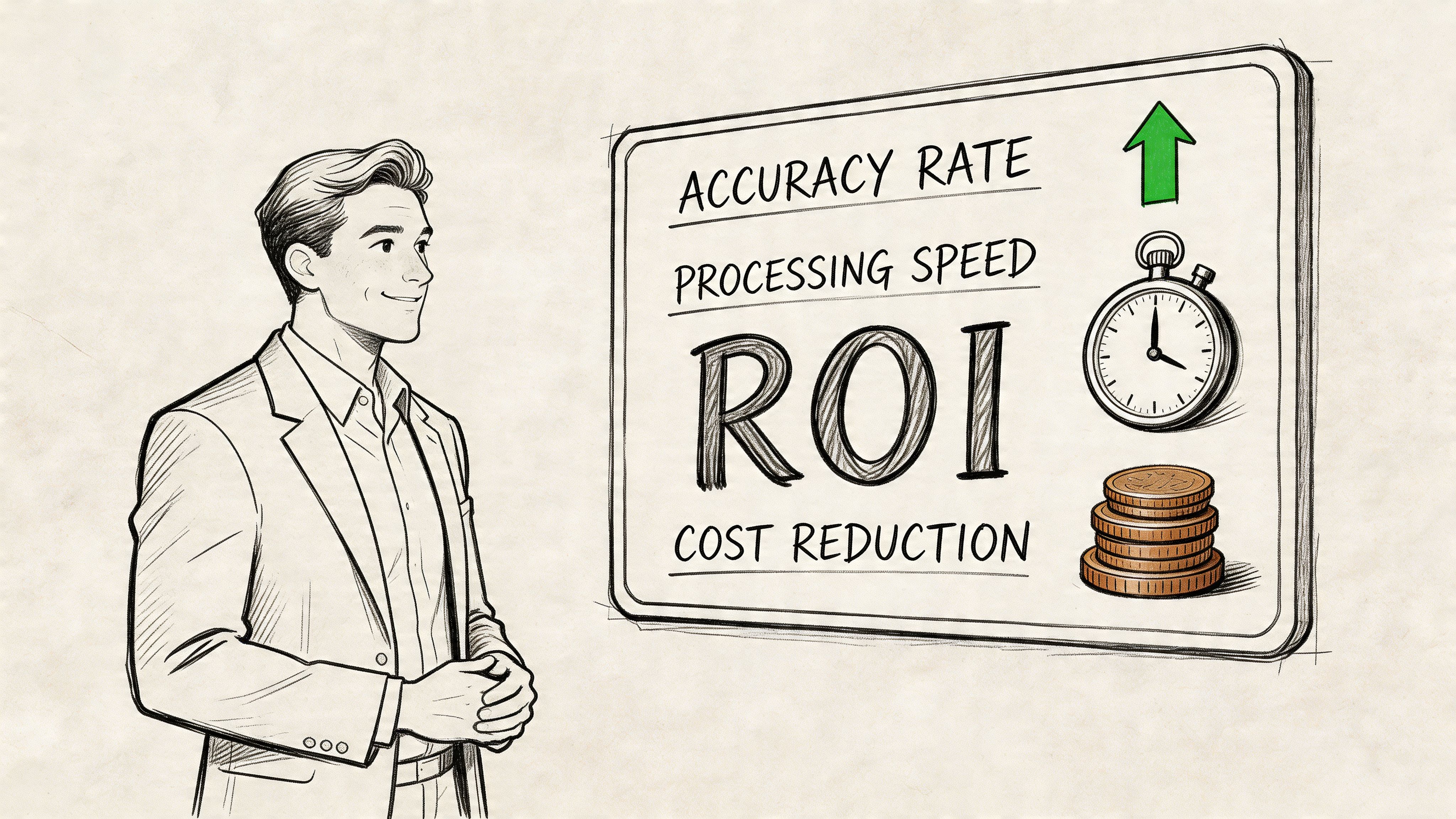
The most useful scorecard has four parts. Accuracy, auditability, latency, and total cost of ownership.
Accuracy
Accuracy sounds obvious, but it’s easy to measure it poorly. Don’t just ask whether the system extracted something. Ask whether it extracted the right field in the right format for the business workflow.
A strong setup often uses schema-driven field extraction. According to LandingAI’s analysis of the shift from OCR to agentic extraction, schema-driven extraction enforces type and format consistency, parses zero-shot into hierarchical JSON tied to visual coordinates, and can eliminate 80-90% of manual cleanup. The same source reports AgenticIE benchmark results with ROUGE scores of 0.783 versus 0.703 for LLM-only approaches.
For a business team, the practical meaning is simple. A schema tells the system what “good” looks like before extraction starts.
Auditability
Auditability answers a different question. Can a reviewer trace each output back to the original document?
Visual coordinates and bounding boxes matter. If your team can click a field and see exactly where it came from, reviews get faster and trust improves. That’s important in finance, insurance, and procurement, where every extracted value may need explanation later.
A system that’s mostly right but hard to verify can still create operational friction.
Latency
Latency is how long the system takes to process documents. Business users shouldn’t treat this as a pure speed contest.
A slightly slower workflow can still be better if it reduces human review and rework. What matters is whether total cycle time improves. Measure how long it takes from upload to usable output, including exception handling.
Total cost of ownership
Subscription cost is only one piece of the puzzle. You also need to consider setup effort, maintenance, review labor, exception handling, and the cost of bad data.
A cheaper-looking system can become expensive if your team spends too much time fixing outputs or maintaining rules. A better question is, “What does it cost us to get reliable, usable data into the next business step?”
A manager’s scorecard
A practical monthly review can include:
- Field-level correctness: Are key values arriving in the expected format?
- Review burden: How many files still need human intervention?
- Turnaround time: How long from upload to decision-ready data?
- Operational cost: Is the team spending less time on extraction and cleanup?
That combination tells you much more than a single headline metric ever could.
Security and Compliance Considerations
For teams handling financial records, insurance files, procurement documents, or loan packages, security isn’t a side topic. It’s part of the buying decision from the start.
The good news is that agentic extraction has some features that can support compliance well, especially when the system preserves source locations and structured outputs. The caution is that not every tool handles regulated workflows with the same depth.
Where risk actually shows up
Business users often worry about “AI risk” in broad terms. The more useful approach is to break it into concrete questions:
- Where are the files stored?
- How is data protected in transit and at rest?
- Who can access documents and outputs?
- Can you prove where each extracted field came from?
- What happens when a file is low quality, altered, or suspicious?
Those questions matter more than marketing language.
Why audit trails matter
One of the strongest compliance advantages in modern extraction workflows is traceability. If extracted fields are linked back to precise regions on the source document, a reviewer can validate the output without guesswork.
That helps with internal controls, external audits, and regulated reviews. It also makes human-in-the-loop processes more efficient because reviewers aren’t starting from zero. They’re validating a visible trail.
Fraud and adversarial inputs
This area deserves more attention than it usually gets. Agentic extraction is strong at spatial reasoning, but it can still face risks with manipulated, shadowed, or adversarial inputs.
Research summarized in this January 2026 paper on agentic microservices for KYC forgery detection notes that while agentic extraction excels in spatial reasoning, it may introduce risks with adversarial inputs. The same research points to emerging forgery-detection approaches for KYC, while noting that many tools still overlook critical HIPAA and GDPR integration needs for insurance and loan processing workflows.
What to ask vendors
Before adopting any platform, ask for clarity on:
- Access controls: Who inside your organization can view documents and outputs?
- Retention policies: How long are files stored?
- Audit support: Can reviewers trace values back to source locations?
- Exception workflows: Can sensitive files be routed for human review when confidence is low?
- Compliance posture: Does the platform match your industry’s regulatory needs?
Security and compliance are where a polished demo often stops and real operational maturity begins.
If your team is buried in invoices, statements, policy documents, or vendor files, DocParseMagic offers a no-code way to turn messy business documents into clean, analysis-ready spreadsheets. You can upload PDFs, scans, Word files, Excel files, and photos, extract the fields that matter, and get structured outputs your team can use right away without template setup or custom development.