An Expert Accounts Payable Software Comparison for 2026
When you start doing a direct accounts payable software comparison, you'll quickly run into a fundamental choice: do you need an all-in-one platform or a specialized parsing tool? End-to-end systems handle the entire workflow, from receiving an invoice all the way to payment. On the other hand, specialized parsers are built for one thing: getting exceptionally accurate data from even the most complex or unusual documents. The right answer really depends on whether your biggest headache is managing workflows or getting clean, reliable data in the first place.
Why Your AP Software Choice Matters More Than Ever
Let's be honest, the days of juggling spreadsheets and chasing email approvals for accounts payable are over. Picking the right AP software isn't just an IT decision anymore; it's a strategic business move. Clinging to those old manual methods is a major drag on your operations, causing late payments, frustrating your vendors, and opening the door to expensive human errors. Worst of all, it means you're literally leaving money on the table by missing out on early payment discounts.
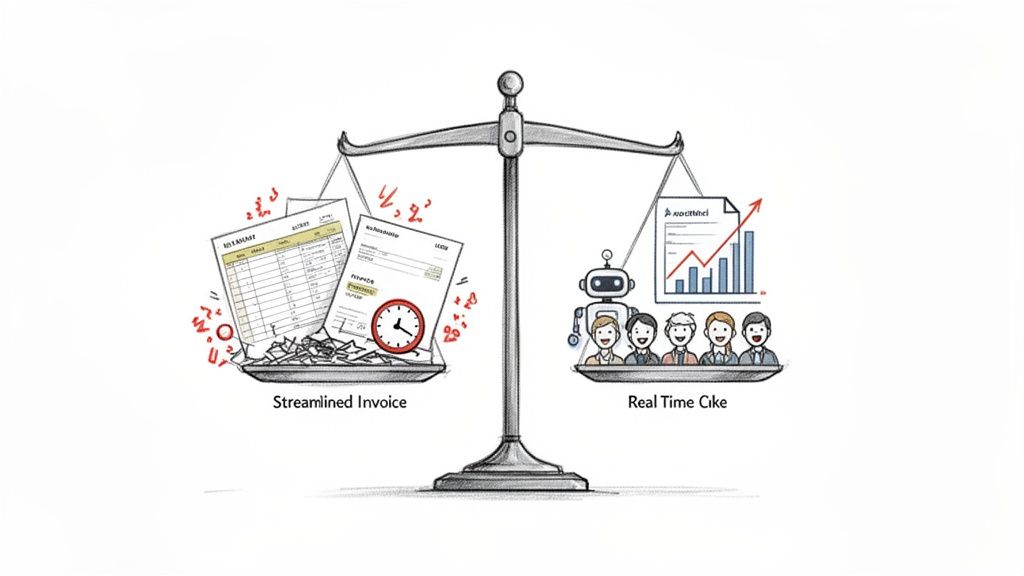
This isn't just a trend; the market numbers back it up. The global accounts payable software market is expected to explode, reaching a projected USD 24.96 billion by 2031. That kind of growth sends a clear message: businesses are scrambling to modernize their financial processes and cut down on the mistakes that come from doing things by hand.
The Strategic Value of Modern AP Automation
Modern AP automation does a lot more than just help you pay bills on time. It gives you a real strategic edge, turning your finance department from a simple cost center into a hub of valuable business intelligence. The core benefits of AP automation are substantial.
By automating the repetitive, day-to-day tasks, your team can:
- Get Real-Time Financial Visibility: Know exactly what you owe and what your cash flow looks like at any moment, instead of waiting for a month-end report.
- Eliminate Costly Errors: Let the software do the heavy lifting with automated three-way matching and validation, catching discrepancies long before they become expensive problems.
- Empower Your Finance Team: Free up your skilled accountants from the drudgery of data entry. They can finally focus on what they do best: analysis, forecasting, and strategic planning.
The strategic importance of AP software is magnified within financial operations, underscoring the critical role of specialized tools. For a deeper dive into the impact of sector-specific automation, explore this practical guide on automation in financial services.
Setting the Stage for a Clear Comparison
In this guide, we're going to break down the options with a detailed accounts payable software comparison. We’ll give you a solid framework for evaluating different solutions based on what your company actually needs, whether you're on the accounting team, in procurement, or managing operations.
We’ll dig into everything from invoice capture and approval workflows to ERP integrations and security. The goal is to give you the clarity you need to make a confident choice—one that helps you move from inefficient manual work to a streamlined, data-driven AP process.
When you’re trying to pick the right AP automation software, it’s easy to get lost in flashy demos and long feature lists. But what really matters is finding a tool that solves your team's actual, day-to-day problems—from chasing down approvals to wrestling with a mountain of mismatched invoices.
The best way to cut through the noise is to start with your biggest headaches. Are you drowning in paper? Is manual data entry causing costly errors? Once you know your pain points, you can look for a solution with the specific capabilities to fix them. This way, you’re choosing based on real business value, not just marketing hype.
Document Intake and Versatility
The first hurdle any AP system has to clear is simply getting your invoices into the system. Let's be honest, your vendors aren't all sending perfectly formatted PDFs. In the real world, invoices arrive in a chaotic mix of formats and channels, and a good system needs to handle them all without your team having to intervene manually.
Take a look at how invoices actually get to you:
- Email Inboxes: Can the software automatically fish invoices out of a dedicated email address like
ap@yourcompany.com? - Supplier Portals: Is there an easy-to-use portal where your vendors can just upload invoices themselves?
- Scanned Documents: What happens when you feed it a scanned paper invoice? Can it still read it accurately, even if the scan is a little skewed or grainy?
If a platform can handle this multi-channel mess from the get-go, it’s already saving your team a ton of administrative work and preventing bottlenecks before they even form.
Data Extraction and Accuracy
Once an invoice is in, the next make-or-break moment is pulling the data off the document accurately. This is where the platform’s Optical Character Recognition (OCR) and AI really show their worth. Basic OCR is just a starting point; it turns a picture of a document into text. The real magic happens when AI can actually understand what that text means.
The key differentiator isn't just having OCR—it's how smart the AI is at parsing that data. A top-tier system knows the difference between an invoice date and a due date, correctly identifies line items, and suggests the right GL codes, all with minimal human oversight.
This intelligence is crucial for handling invoices from smaller vendors that don't follow a standard template. A system that learns from corrections and gets smarter over time is what truly cuts down on errors and manual work. If you’re consistently struggling with poor data quality, our guide on invoice data extraction software dives much deeper into what to look for.
Workflow Automation and Flexibility
No two companies handle approvals the same way, so a one-size-fits-all workflow is bound to cause friction. The best AP software lets you build your own approval chains that reflect how your business actually operates.
For instance, a $500 invoice for office supplies might just need a quick sign-off from a department manager. But a $10,000 capital expense probably needs to go through the department head, the CFO, and maybe even the CEO. Your software should make setting up these kinds of rules dead simple.
Look for a system that gives you flexibility in:
- Role-Based Routing: Sending invoices to the right approver based on things like department, location, or project.
- Threshold-Based Approvals: Creating rules that trigger different workflows based on the invoice amount.
- Exception Handling: Having a straightforward process for dealing with invoices that fail a two- or three-way match without bringing everything to a halt.
ERP and Accounting System Integration
AP software doesn’t work in a silo. Its real power is unlocked when it talks seamlessly to your main accounting system, whether that's NetSuite, QuickBooks, or Xero. If you have to manually export and import data between systems, you’re losing most of the benefits of automation.
A smooth integration means that as soon as an invoice is approved, all the data—vendor details, GL codes, payment amounts—flows right into your general ledger. There's no re-keying, which not only saves a huge amount of time but also ensures your financial records are always accurate and ready for a fast month-end close.
Security and Compliance
Last but certainly not least, you’re trusting this software with incredibly sensitive financial information. Security and compliance aren't just nice-to-haves; they are absolutely essential. You need to dig into how the platform protects your data, from encryption standards to who can access what.
The system must also provide a rock-solid audit trail. Every single touchpoint, from the moment an invoice is received to the second it's paid, should be logged with a user and a timestamp. This creates a transparent, unchangeable record that makes internal and external audits much less painful and helps you enforce your own financial policies.
A Deeper Dive into Accounts Payable Software
Picking the right accounts payable software isn't about finding the one with the longest feature list. It’s about matching a tool to the very real, day-to-day challenges your team faces. A solution that’s a dream for a small business can quickly become a nightmare for a global corporation, and vice versa.
Let's cut through the noise and compare four of the biggest names in the space: Bill.com, Tipalti, AvidXchange, and DocParseMagic. We'll look at what they actually do and who they’re truly built for.
A solid AP system really comes down to three things: getting documents into the system, pulling accurate data from them, and then pushing those invoices through an efficient workflow for approval and payment.
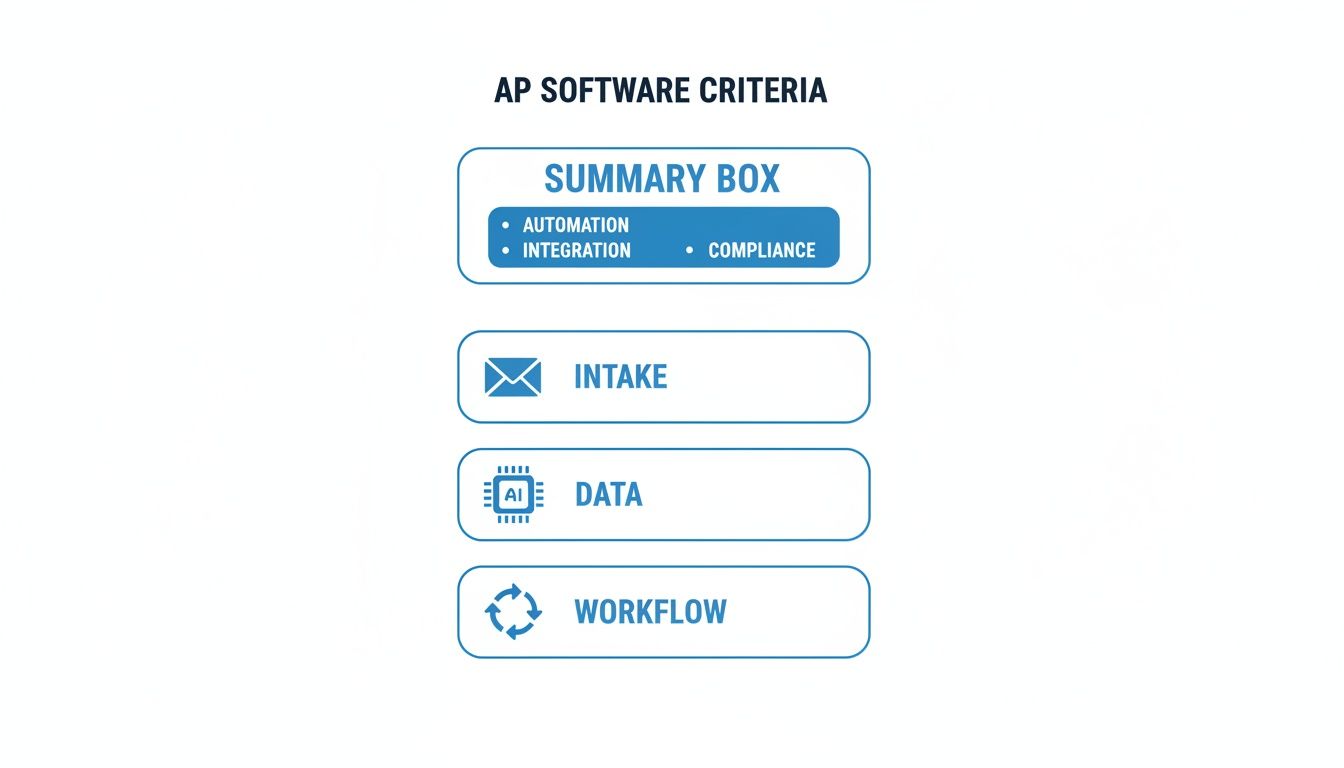
If any one of these pillars is weak, the whole process gets wobbly, and you're right back to manual work.
H3: Bill.com: The Go-To for Small Businesses
Bill.com has become the default choice for small to midsize businesses (SMBs) for a reason. It excels at one thing: getting companies off paper checks and manual approval emails. The interface is clean, the setup is straightforward, and it automates the basic AP and AR workflows that bog down most small teams.
Think of an accounting firm that manages the books for a dozen different small business clients. Bill.com is perfect for that. It gives them a central dashboard to manage everyone's payables, create simple approval rules, and sync everything back to QuickBooks. It brings a welcome dose of standardization to what could otherwise be a chaotic process.
The flip side is that its simplicity is also its biggest constraint. If you have complex, multi-stage approval chains or need to handle international payments with all their currency and tax headaches, Bill.com will start to feel limited. It’s built for domestic B2B payments, not for the compliance and scale that larger, global companies demand.
H3: Tipalti: The Engine for Global Payments
When your payment operations get big and messy, you need an industrial-strength solution. That's where Tipalti comes in. It’s an end-to-end platform designed for mid-market and enterprise businesses that are dealing with high-volume, cross-border payments. If you're paying hundreds or thousands of suppliers, affiliates, or freelancers all over the world, Tipalti was built for you.
Its real magic lies in its global mass payment capabilities. Tipalti handles everything from currency conversion and local payment methods in 196 countries to automatically collecting and validating tax forms (like W-9s and W-8s). This alone can save a finance team hundreds of hours.
Imagine a fast-growing tech company that pays thousands of international partners every month. With Tipalti, they get a self-service portal where partners can onboard themselves, choose how they want to get paid, and see the status of their payments in real-time. This offloads a massive amount of work from the AP team and is a game-changer for companies with global subsidiaries.
H3: AvidXchange: The Specialist for Key Industries
AvidXchange is another major player in AP automation, but it has found a powerful niche by focusing on specific industries—most notably, real estate and construction. These fields have unique payment challenges, like tying a high volume of supplier invoices back to specific properties or projects.
For a large property management group, a generic AP tool just doesn't cut it. AvidXchange, however, comes with workflows designed for their world. It can route invoices for approval based on the property manager, project code, or budget, which is a level of detail that general-purpose platforms simply don't offer out of the box. This industry focus means it speaks their language and solves their most common frustrations.
While incredibly effective in its target sectors, this specialization can be a drawback for others. If your business isn't in real estate, construction, or another of its core verticals, you might find the platform's features aren't as relevant or flexible as other solutions.
H3: DocParseMagic: The Specialist for Data Accuracy
Unlike the others, DocParseMagic isn't trying to be an all-in-one AP system. Instead, it zeroes in on what is often the weakest link in the automation chain: getting clean, accurate data out of invoices and other documents in the first place.
Many AP platforms use older OCR technology that relies on rigid templates. If an invoice doesn't look exactly like the template expects, the data capture fails, and someone has to fix it by hand. DocParseMagic uses modern AI to read documents like a human would, understanding the context to find the right information even on messy, non-standard invoices from hundreds of different suppliers.
Take a manufacturer that deals with countless small, local suppliers, each with its own unique invoice format. Their current AP system chokes on these documents, forcing the team to waste hours on manual data entry and verification. By plugging DocParseMagic into the front of their workflow, they ensure that only clean, reliable data ever enters their main AP platform. This preserves the integrity of the entire process from start to finish.
Side-by-Side AP Software Feature Comparison
To help you see how these tools stack up at a glance, this table breaks down their core features, ideal users, and pricing models. It’s a quick way to cross-reference the platforms against your own needs.
| Feature | Bill.com | Tipalti | AvidXchange | DocParseMagic |
|---|---|---|---|---|
| Invoice Capture | Email forwarding, drag-and-drop, mobile app | Supplier portal, email forwarding, API | Email, scanner, PO flip | Email forwarding, API, web uploader |
| OCR/AI Parsing | Standard OCR with AI assistance | Advanced OCR with AI, good for structured invoices | OCR optimized for industry-specific invoices | Advanced AI parsing for unstructured and complex documents (key differentiator) |
| AP Automation | Basic approval workflows, payment scheduling | Multi-entity, multi-level approvals, PO matching, global mass payments | Industry-specific workflows (e.g., property/project-based), PO matching | Not applicable (focuses on data extraction, integrates with other systems) |
| Approvals | Simple, sequential approval rules | Complex, conditional, and parallel approval workflows | Tailored workflows for real estate and construction | N/A |
| Integrations | Strong with QuickBooks, Xero, NetSuite | Deep integrations with major ERPs (NetSuite, Sage Intacct, etc.) | Integrates with 220+ accounting systems, especially in real estate | API-first, designed to integrate with any ERP, AP, or procurement system |
| Security & Compliance | SOC 2 Type II, HIPAA compliance | SOC 2 Type II, GDPR, robust tax compliance (W-8/W-9) | SOC 1 & SOC 2 compliance | SOC 2 Type II, GDPR, CCPA compliant |
| Pricing Model | Per-user, per-month subscription + transaction fees | Custom quote based on transaction volume and features | Custom quote, often based on transaction volume | Per-document or subscription-based, depending on volume |
This comparison makes it clear that there's no single "best" platform. The right choice depends entirely on whether your biggest problem is simplifying domestic payments (Bill.com), managing global scale (Tipalti), handling industry-specific needs (AvidXchange), or solving data accuracy issues (DocParseMagic).
The industry is definitely waking up to the power of smarter automation. While only 7% of AP departments are using AI today, a full 40% plan to adopt AI-driven solutions by 2026. With cloud-based tools already making up 60% of the market, the race to eliminate manual work and costly errors is on. To learn more about where things are heading, check out these key accounts payable trends and statistics.
It's one thing to compare feature lists, but the real test of any AP software is how it performs in the trenches. Different industries have their own unique headaches, and a one-size-fits-all solution rarely cuts it. Let's step away from the spec sheets and look at how these tools solve actual problems for real teams.
Seeing the "before" and "after" gives you a much clearer picture of which features are nice-to-haves and which are absolute game-changers. This isn't just about paying bills a few days faster; it’s about fixing a broken, manual process and turning it into something that actually helps the business run better. We'll see how teams in accounting, procurement, and even specialized fields like insurance use AP software to their advantage.
The goal here is simple: connect the dots between a software feature and a real business outcome. Whether you’re trying to stop invoice errors or get a handle on vendor spending, the right tool makes a difference you can actually measure.
Accounting Teams and the Three-Way Match Nightmare
For any accounting team, the three-way match is a cornerstone of financial control, but it's often a soul-crushing task. It’s the process of manually checking the purchase order (PO), the goods receipt, and the vendor's invoice to make sure they all line up. The idea is simple: you only pay for what you ordered and actually received. The execution, however, is anything but.
Think about the classic scenario. An AP clerk gets a $15,000 invoice for raw materials. Their first move is to start digging through emails for the PO. Then, they have to bother someone in the warehouse for the receiving report. If the invoice says "100 units" but the warehouse team only counted "98," everything grinds to a halt. What follows is a flurry of emails and phone calls just to sort out the discrepancy. This isn't just slow; it's expensive, with studies showing manual processing can cost anywhere from $5 to over $15 per invoice.
Now, picture this with modern AP software. The system is already connected to your ERP, so it has the PO and receiving data ready to go. The moment the invoice arrives, the software's AI instantly compares all three documents.
It immediately flags the problems that need a human eye:
- Quantity issues: The invoice is for 100 units, but the receipt shows 98.
- Price problems: The price per unit on the invoice is higher than what was on the PO.
- Surprise charges: A line item shows up on the invoice that wasn't on the original order.
The result? Around 95% of invoices that match perfectly can be processed and scheduled for payment without anyone lifting a finger. The AP team can stop being paper-pushers and start focusing only on the exceptions that require their expertise.
Procurement Teams Gaining Control Over Vendor Spend
Procurement's job goes far beyond just buying things. They're on the hook for managing vendor relationships and making sure the company isn't overspending. But without visibility into what's actually being paid, they're flying blind. It's almost impossible to track spending against negotiated contracts, which leads to budget blowouts and leaving money on the table.
I've seen this happen time and again: a procurement manager negotiates a fantastic volume discount with a key supplier, but the accounting team never gets the memo. They just keep paying the invoices at the standard rate because the contract lives in a filing cabinet while the payment data lives in the AP system. By the end of the quarter, the company has waved goodbye to thousands in savings.
AP automation software gives procurement a single source of truth for all vendor spending. They can see invoice data in real-time and instantly compare it to contracts and POs. This lets them spot when a vendor isn't holding up their end of the pricing agreement or when a department is going rogue with off-contract purchases.
By bringing procurement and AP data together, businesses finally get a complete grip on their spending. They can enforce buying policies, capture every discount they’ve earned, and build much better, more transparent relationships with suppliers.
Insurance Brokers and Conquering Complex Data
Some industries deal with documents that look nothing like a standard invoice. Take insurance brokers, for instance. They get massive, complex carrier statements that bundle premium data for hundreds of different policies onto a single document. Trying to pull that information out manually is a huge bottleneck.
The "before" picture is bleak. An insurance administrator spends a huge chunk of their week just re-typing data from a 50-page PDF statement into a spreadsheet. They have to hunt for every policy number, insured name, premium, and commission percentage. It’s not just mind-numbingly dull; it's a recipe for data entry errors that can throw off revenue recognition and commission tracking.
This is where a specialized tool like DocParseMagic really shines. A typical AP system's OCR would likely choke on the dense, table-heavy format of an insurance statement. A more advanced parsing engine, on the other hand, is designed for this kind of complexity. The broker just uploads the statement, and the AI knows exactly how to read it, pulling out all the key data—policy numbers, premiums, commissions—and organizing it into a clean, usable format. A task that once took hours is now done in five minutes, with data that’s both accurate and auditable.
How to Choose and Implement the Right AP Solution
Picking the best software from an accounts payable software comparison is one thing. Actually getting it to work for your team is another. The real value comes from a smart, well-planned implementation—get it wrong, and you'll create more problems than you solve.
But with a thoughtful approach, you can ensure a smooth switch and get everyone on board, making your new system a genuine asset instead of another headache.
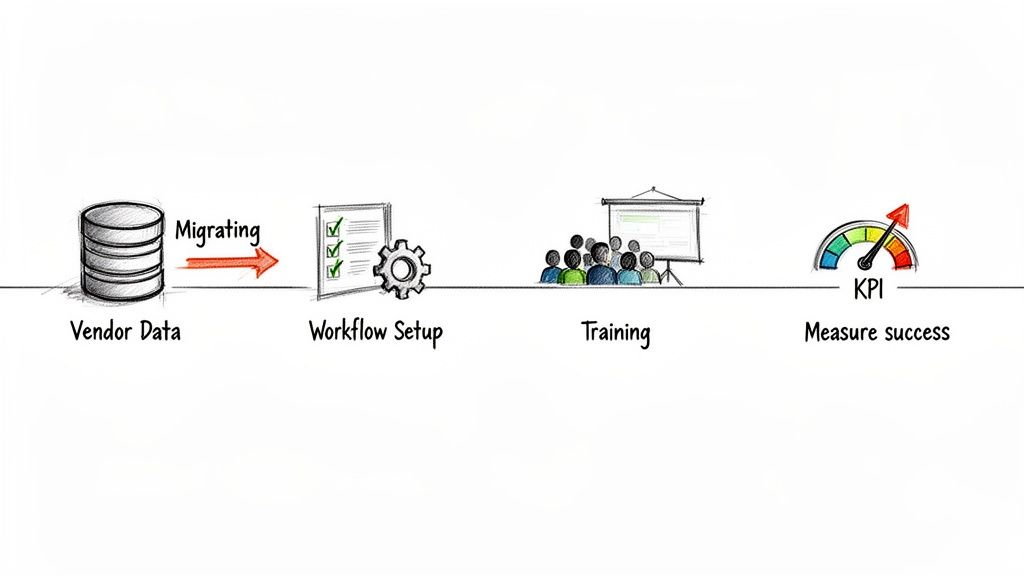
This is about more than just installing an app. You have to migrate your vendor data, map out new approval workflows, train the team, and figure out how you’ll even know if it’s working. Each step is critical to finally moving your AP department away from manual work and toward true automation.
A Decision-Making Framework
Before you even think about implementation, you need to be absolutely sure you’ve chosen the right tool. I've found that answering just a few straightforward questions can cut through the noise and point you in the right direction. It’s a simple way to focus on what really matters to your business.
Start by asking your team these three questions:
- What is your monthly invoice volume? A company handling 50 invoices a month has completely different needs from one handling 5,000. Higher volumes demand serious automation and the ability to scale, while lower volumes might mean simplicity and ease of use are more important.
- What are your primary document types and complexity? If you get clean, standard invoices, almost any system will do. But if you’re drowning in non-standard layouts, messy scans, or complex, multi-page documents, then data extraction accuracy becomes your number one concern.
- Is your main goal end-to-end payment processing or high-accuracy data capture? This is the big fork in the road. If your biggest headache is getting approvals and cutting checks, a full platform like Tipalti or Bill.com is a great fit. If your bottleneck is the sheer drudgery of manual data entry from messy invoices, a specialized tool like DocParseMagic is what you need.
Your answers here really do guide the whole decision. If payment logistics are the problem, get an all-in-one platform. If getting clean data into any system is the challenge, focus on a dedicated document parsing tool first.
Key Implementation Steps
Once you've made your choice, the real work starts. A successful rollout usually breaks down into a few key stages. For a deeper dive into what this looks like in practice, this guide on how to automate accounts payable has some great real-world tips.
- Vendor Data Migration: Your vendor list is the foundation of your AP system. You'll need to clean it up—making sure all contact details, payment terms, and tax IDs are accurate—before importing it. This step is often underestimated, so give it the attention it deserves.
- Workflow Configuration: This is where you bring your company’s approval rules to life inside the software. Map out who approves what, based on things like invoice amount, department, or project. My advice? Start simple. You can always add more complex rules later.
- Team Training: A new tool is useless if no one knows how to use it. Run hands-on training sessions that focus on the new daily tasks, from submitting an invoice to approving it. It's also a great idea to pick a few "super users" who can be the go-to experts for their colleagues. And if you’re having trouble just getting invoices into your new system, you can learn more about how to automate invoice processing with tools built for that exact problem.
- Define and Measure KPIs: How will you know if you succeeded? You need to set your key performance indicators (KPIs) before you go live. Track metrics like invoice processing time, cost per invoice, and the percentage of invoices processed without any manual touch to prove your ROI.
A Few Final Questions About AP Software
As you get closer to picking an AP solution, a few nagging questions always seem to pop up. It's that final-stretch due diligence that makes all the difference. Getting these last details ironed out is what separates a good decision from a great one that your entire finance team will thank you for.
Let's walk through the most common questions we hear from teams just like yours. These answers should clear up any confusion around cost, features, and getting started.
How Much Does Accounts Payable Software Cost?
Honestly, pricing is all over the map, which can make a direct comparison feel like guesswork. Most vendors use one of a few common models, and the right one for you really depends on how many invoices you handle.
You'll typically see a few structures:
- Per-user pricing: This is simple and predictable, often hovering around $45 per user each month. It's great for small teams but can get pricey fast if you need to add more people.
- Per-invoice pricing: Some platforms charge a small fee, say $0.50 per invoice. This directly ties your costs to your workload, which is perfect for businesses with seasonal or unpredictable invoice volumes.
- Tiered plans: These are bundled packages that give you a set number of invoices or features for a flat monthly or annual fee.
The real trick is to look beyond the sticker price. A specialized tool like DocParseMagic might use usage-based pricing per document. If your biggest headache is just getting accurate data out of invoices, this can be far more cost-effective than paying for a full payment suite. Always run the numbers on the total cost, factoring in setup and the money you'll save from fewer errors.
What Is the Difference Between Full AP Automation and Document Parsing?
This is a huge one, and the distinction is critical. Think of AP automation as the whole assembly line. Platforms like Tipalti or AvidXchange are built to manage the entire process—from receiving an invoice and getting it approved to cutting the check and logging it in your accounting system.
Document parsing, on the other hand, is a specialist tool that perfects just one crucial part of that assembly line: pulling the data off the invoice in the first place. While most big AP platforms have some kind of built-in parser, they often stumble over weird layouts or complex invoices. A dedicated parsing tool like DocParseMagic is engineered for accuracy, making it a fantastic add-on to supercharge an existing system or a powerful standalone solution if clean data is your main goal.
How Long Does AP Software Implementation Take?
The timeline can be anything from a few minutes to a few months. It all comes down to the software's complexity and how deeply it needs to connect with the tools you already use.
For instance, a simple, cloud-based tool focused on a single job—like document parsing—can be up and running almost immediately. You can often sign up and start processing your first batch of documents that very same day.
On the other end of the spectrum, a massive, enterprise-wide system that needs to be woven into your ERP could take weeks or even months of dedicated project management to get right. Before you sign anything, ask the vendor for a realistic timeline and be clear about what they’ll need from your team to make the rollout go smoothly.
Can AP Software Integrate With My Existing Accounting System?
Absolutely. In fact, if it doesn't, you should probably walk away. Solid integration is a non-negotiable feature for any modern AP tool. Most leading platforms offer pre-built, one-click connections to popular accounting systems like QuickBooks, NetSuite, Xero, and Sage. This is what makes it possible for approved invoice data to show up in your general ledger automatically, no manual entry required.
What if you're using a custom-built or older system? Look for an Application Programming Interface (API). An API is essentially a toolkit that lets your developers build a custom bridge between the AP software and your system. As you compare your options, always double-check that a solution has a proven integration with your specific ERP. This is the key to a truly automated workflow.
Ready to conquer complex documents and eliminate manual data entry? DocParseMagic uses advanced AI to pull clean, accurate data from any invoice or statement, no matter how messy. Sign up for free and see how much time you can save.