A Guide to Data Entry Automation for Smarter Businesses
So, what exactly is data entry automation? It's simply using smart software to pull information from documents and plug it directly into your business systems, getting rid of all that mind-numbing manual typing. Think of it as a way to cut out human error, speed up your processes, and bring down costs, letting your team focus on work that actually requires a brain.
Putting an End to Manual Data Entry
Picture a typical office. There's probably a stack of invoices waiting to be processed, a pile of new customer forms, or a constant flood of emails filled with important details. Someone on your team is likely spending their day just keying information from a PDF into your accounting software or copying and pasting a customer's address from an email into your CRM. That’s manual data entry in a nutshell—it’s slow, repetitive, and incredibly easy to mess up.
A single slip of the finger can throw off an entire invoice. Mix up two numbers in a zip code, and a shipment could be lost for weeks. But it's not just about the mistakes. This kind of work is a huge drain on your team's time and energy. It turns smart, capable people into human copy-paste machines, stuck doing tasks that don't add any real value to the company. All that time they spend typing could be spent talking to customers, analyzing sales data, or finding ways to improve the business.
The Rise of a Digital Assistant
This is where data entry automation completely changes the game. Don't think of it as some complicated, technical tool. Instead, imagine it as your own personal digital assistant. This assistant never gets tired, never makes typos, and can work around the clock without a single coffee break. You can teach it to read a document, figure out what's what, and know exactly where every piece of information needs to go—all in a matter of seconds.
This isn't just about getting the same old work done faster. It’s a total overhaul of how your company manages information. Data stops being a roadblock and starts flowing smoothly where it needs to go. To really get a handle on this, businesses should look into automating document workflow, which helps remove all the friction and manual touchpoints from the process.
By automating these routine data tasks, you're not just saving time. You're unlocking the true potential of your people. They can finally move from just typing up data to actually using it to make smart decisions.
The real problem with manual work isn’t just that it’s inefficient; it’s the lost opportunity. Every hour an employee spends on manual data entry is an hour they're not spending on growing the business. Data entry automation offers a straightforward solution to this, paving the way for a more accurate, productive, and forward-thinking team. It’s time to say goodbye to the era of copy-paste.
Why Businesses Are Ditching Manual Data Entry
Let's be honest: manual data entry is a business bottleneck. It's slow, tedious, and a breeding ground for costly mistakes. The shift to data entry automation isn't just about keeping up with technology; it's a fundamental move to reclaim wasted time, money, and talent.
Companies are waking up to the fact that having skilled people spend their days manually typing information from one screen to another just doesn't make sense. The reasons for making the switch are simple and powerful: automation is faster, cheaper, and far more accurate. It completely changes how information moves through a business.
Unlocking Flawless Accuracy
We're all human, and that means we make mistakes. A simple typo, a couple of swapped numbers—it happens. But in business, these small errors can spiral into incorrect invoices, shipping disasters, and unreliable financial reports. Fixing them costs time and money, and can even damage your reputation with customers.
This is where data entry automation shines. Software doesn't get tired, distracted, or bored. It processes the first document with the same precision as the ten-thousandth. That consistency is a game-changer for data quality.
Think about it this way: automated systems can hit accuracy rates between 99.959% and 99.99%. For every 10,000 documents, that’s maybe 1 to 4 errors. A human process? You’re looking at 100 to 400 errors for the same batch.
This massive drop in errors means the data feeding your critical systems—your CRM, ERP, or accounting software—is clean and trustworthy from the get-go.
This infographic lays out the classic problems with sticking to the old way of doing things.
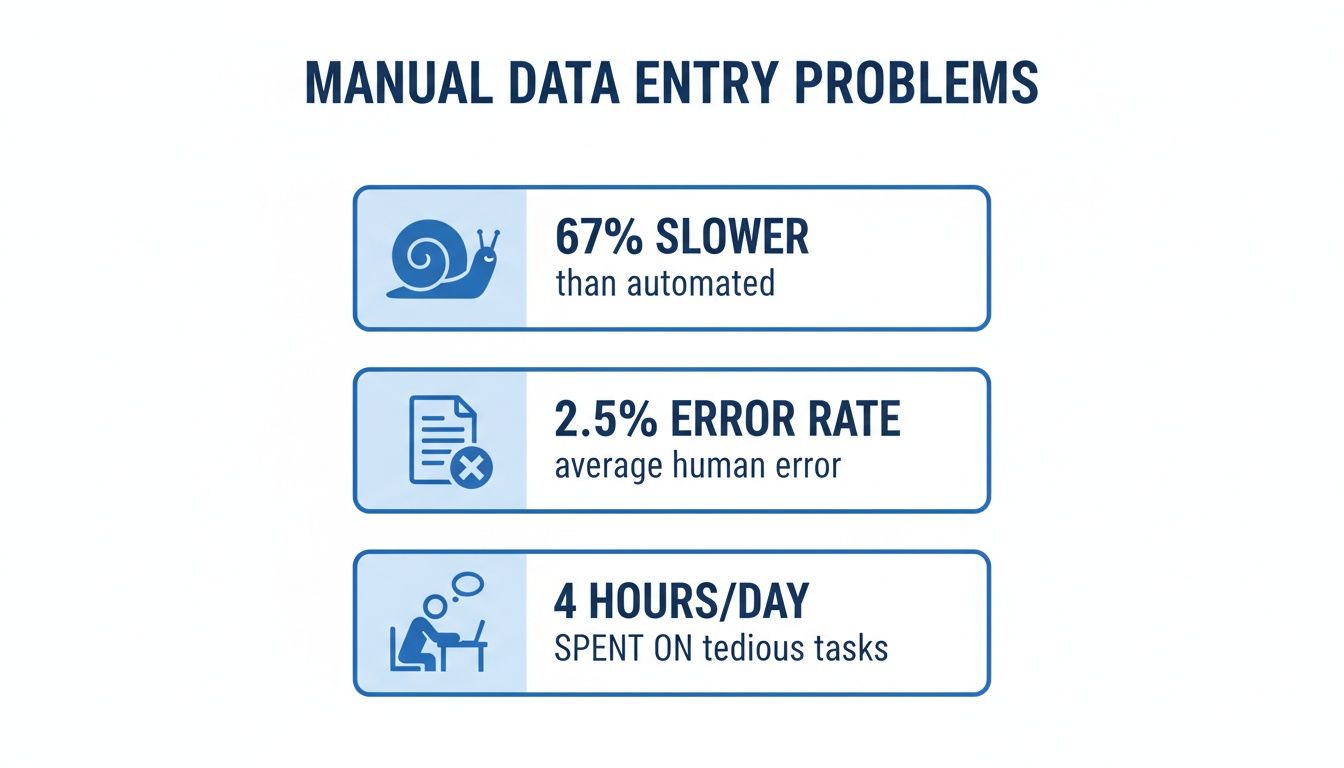
As you can see, manual work isn't just slow and error-prone; its tedious nature creates a domino effect of problems across the board.
To see just how different the two approaches are, let's put them side-by-side.
Manual vs Automated Data Entry A Direct Comparison
| Metric | Manual Data Entry | Automated Data Entry |
|---|---|---|
| Speed | Slow; dependent on typist speed. | Extremely fast; processes thousands of documents in minutes. |
| Accuracy | Prone to human error (typos, omissions); rates around 96-99%. | Highly accurate; rates often exceed 99.95%. |
| Cost | High labor costs; cost per document is fixed or increases. | Low operational cost; cost per document decreases with volume. |
| Scalability | Difficult to scale; requires hiring more people. | Easily scales to handle sudden increases in volume. |
| Employee Role | Repetitive, low-value keying. | Strategic; focuses on verification and analysis. |
The table makes it clear: automation isn't just a minor improvement, it's a total overhaul of the process.
Achieving Major Cost and Time Savings
The financial case for automation is incredibly compelling. The most immediate win comes from slashing labor costs. When software handles the heavy lifting, your team is freed up from hours of monotonous typing. You can redirect their efforts toward higher-value work without growing your headcount.
Just look at a common task like processing invoices:
- Manual Processing: An employee might take 5-15 minutes on a single invoice. To get through 1,000 of them, you’re looking at over 160 hours of work.
- Automated Processing: An automation tool can pull the data from 1,000 invoices and get it into your system in under an hour. Sometimes, it’s just a matter of minutes.
That massive speed boost translates directly into money saved and a more agile operation. And that's not all. You also cut the costs of fixing errors, managing stacks of paper, and dealing with delays from processing backlogs. To see how these benefits add up, check out our piece on automating repetitive tasks.
Boosting Employee Morale and Security
No one enjoys mind-numbing, repetitive work. It’s a fast track to burnout and job dissatisfaction. When you automate data entry, you’re not replacing your people—you’re upgrading their jobs. They stop being data typists and become data overseers.
Instead of keying in numbers all day, their work becomes more interesting and valuable. They start to:
- Handle the exceptions that the software flags.
- Verify the quality of the automated data.
- Analyze the information to uncover business insights.
This shift makes work more engaging and allows your team to contribute in more meaningful ways. On top of that, automation tightens up your data security. By reducing the number of people who need to handle sensitive documents like financial records or personal customer information, you lower the risk of data leaks and make it easier to stay compliant with privacy laws.
Understanding the Core Automation Technologies
To really get what’s happening with data entry automation, you have to look under the hood at the tech making it all possible. Think of it as a super-efficient assembly line for your data. Each piece of technology plays a specific, vital role in turning messy documents into clean, structured information—all without anyone having to lift a finger.
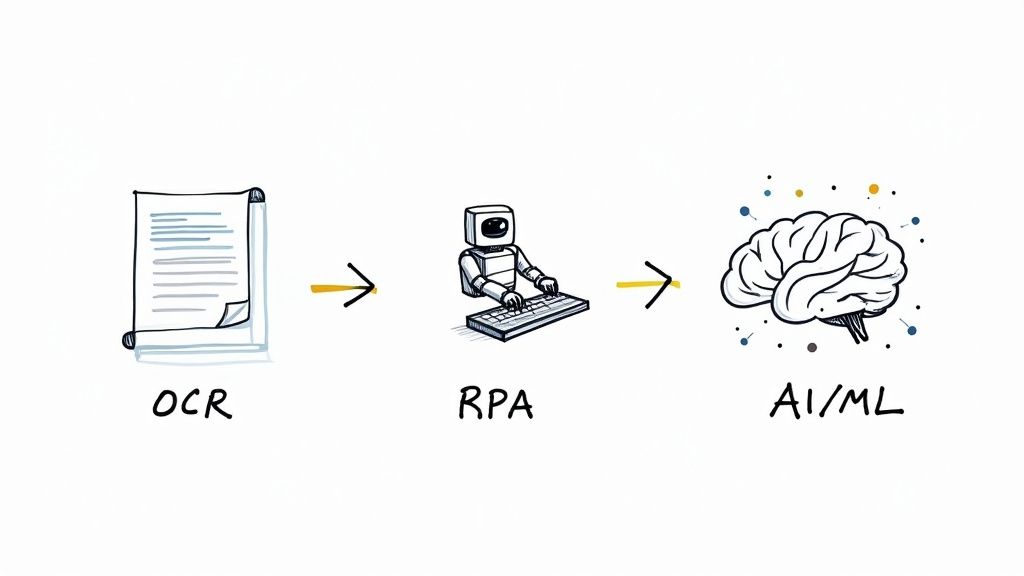
This isn't about getting bogged down in complicated code or abstract theories. It's about practical tools solving real-world headaches. Let's break down the three main engines that drive this whole process: Optical Character Recognition (OCR), Robotic Process Automation (RPA), and the smarts provided by Artificial Intelligence (AI) and Machine Learning (ML).
OCR: The Digital Eyes of Automation
The very first step in this process is teaching a computer to read a document just like a person would. That’s where Optical Character Recognition (OCR) comes in. Imagine you have a scanned invoice. To you, it's a document full of text and numbers, but to a computer, it's just a flat image—a collection of pixels. You can't just copy and paste the invoice number.
OCR gives the system digital eyes. It scans that image, recognizes the shapes of letters and numbers, and converts them into actual, editable text that a computer can work with. It's the foundational technology that gets the ball rolling.
But basic OCR is just that—basic. It can tell you what the document says, but it has no idea what it means. That’s where the next piece of the puzzle fits in.
RPA: The Digital Hands That Do the Work
Once OCR has pulled the text from the document, you need something to actually do the work a person would, like copying that text and pasting it into another program. This is the job of Robotic Process Automation (RPA).
Think of an RPA bot as a digital assistant that you can train to handle repetitive, rules-based tasks on a computer. It follows your instructions to the letter, mimicking human actions with perfect accuracy. You can teach it to:
- Open an email and find an attachment.
- Copy the invoice number that OCR just read.
- Log into your accounting software.
- Find the "Enter New Bill" screen.
- Paste the invoice number into the right field.
- Click "Save."
RPA bots are the tireless hands of your automation system. They'll perform the same clicks and keystrokes thousands of times without ever getting tired, making a typo, or needing a coffee break.
AI and Machine Learning: The Brain of the Operation
So, OCR can read, and RPA can act. But what happens when invoices don't all look the same? What if one vendor puts the "Total Due" at the top right, and another sticks it at the bottom left? This is where simple automation falls apart, but it’s precisely where Artificial Intelligence (AI) and Machine Learning (ML) step in to provide the necessary brainpower.
If OCR and RPA are the eyes and hands, then AI is the brain. It brings a layer of understanding and flexibility, allowing the system to handle real-world variations, learn from experience, and make smart decisions.
This advanced capability is often called Intelligent Document Processing (IDP). Instead of just reading words, AI learns to understand their context. It figures out that "Inv #" and "Invoice Number" mean the same thing and can locate the total amount no matter where it is on the page. You can take a deeper dive into this in our guide on what is intelligent document processing.
Over time, ML models get smarter with every correction. If the system grabs the wrong number and a human fixes it, the model learns from that mistake. This continuous learning loop makes it more accurate with every document it processes. If you want to see what's out there, you can explore some of the powerful AI tools for data-related tasks that are available today.
When you put these three technologies together, you get a complete data entry automation solution. It's not just fast and accurate—it's also intelligent enough to handle the messy, unpredictable nature of real business documents.
How to Implement Data Entry Automation in Your Business
Bringing data entry automation into your business might feel like a massive technical undertaking, but it's really more of a strategic journey. The key is to break it down into manageable steps, allowing you to smoothly transition from manual drudgery to a much more efficient, automated workflow. The goal here is to start smart, prove the value quickly, and then build on that success.
Think of it less like flipping a switch and more like building a new, stronger foundation for your operations, one block at a time. Let's walk through the five essential stages for a successful rollout.
Step 1: Identify the Right Processes for Automation
This first step is the most important: figuring out exactly where to start. Not every task is a good candidate for automation. You want to pinpoint the processes that will give you the biggest and fastest return on your investment.
Look for tasks that are:
- High-Volume: Which jobs do your teams do dozens or even hundreds of times a day? Processing supplier invoices or handling customer purchase orders are classic examples.
- Repetitive and Rules-Based: The best candidates for automation follow a predictable, repeatable pattern. Think about copying information from a standard form into a spreadsheet—it's the same thing, over and over again.
- Prone to Human Error: Where do mistakes happen most often? Automating these areas gives you an immediate win by boosting data quality and cutting down the time spent fixing errors.
Good places to begin are often in accounts payable, where invoice details are constantly being typed into accounting software, or in sales order entry, where customer information is manually moved into your ERP.
Step 2: Choose the Right Automation Tools
Once you know what you want to automate, it’s time to pick the right tool for the job. The market is full of options, from simple text readers to sophisticated platforms that can understand entire documents.
As you look at different solutions, keep these key factors in mind:
- Ease of Use: You'll want a no-code or low-code platform that your existing team can manage without needing a developer on standby. A simple drag-and-drop interface is a game-changer.
- Integration Capabilities: The tool has to play nicely with the software you already use, whether that's your accounting system, CRM, or ERP.
- Scalability: Choose a solution that can grow with your business. It should handle more documents as you expand without the price sky-rocketing or performance grinding to a halt.
Always take advantage of free trials and demos. Getting your hands on a tool and testing it with your actual documents is the only way to know if it’s the right fit. Our guide on how to automate data entry has more detailed tips on picking the best software.
Step 3: Prepare Your Data and Documents
Before you go live, a little prep work can make a world of difference. While modern AI is great at handling variations, standardizing your inputs wherever you can will guarantee the highest accuracy right from the start.
This could be as simple as creating a standard template for internal forms or asking your vendors to always include a specific purchase order number on their invoices. Cleaning up existing data—like making sure customer names are consistent in your CRM—also helps the automation system match new information correctly.
The principle is simple: clean data in, clean data out. A small amount of upfront organization prevents a lot of headaches later and ensures a much smoother rollout.
Step 4: Run a Pilot Project
Please, don't try to automate everything at once. The smartest way to start is with a small, contained pilot project. Pick one specific workflow—like processing invoices from just your top five suppliers—and automate only that.
A pilot project is incredibly valuable because it lets you:
- Prove the Concept: You can show everyone that the technology actually works in a real-world setting.
- Calculate ROI: You can measure the time saved and errors reduced on a small scale, which builds a rock-solid business case for expanding.
- Learn and Adjust: It’s a low-risk way to work out any kinks in your process before you scale it across the entire company.
The success stories and hard numbers from your pilot are the best tools you'll have for getting buy-in from other departments and senior leadership.
Step 5: Scale and Continuously Optimize
Once your pilot has proven its worth, you're ready to scale. Begin rolling out the automation to other teams and processes, applying all the lessons you learned from your initial test. For instance, after perfecting invoice automation, you could tackle employee expense reports next.
This stage is also all about optimization. Regularly review your automated workflows to see where you can make them even better. Are there new fields you can extract? Could you add another software integration to make things even smoother? Staying on top of this ensures you’re getting the most out of your investment. And the financial impact can be huge—similar projects often show benefits in the low millions over three years, thanks to reduced labor and fewer costly errors.
Real-World Examples of Automation in Action
It's one thing to talk about technology, but it's another thing entirely to see it solve real problems for actual businesses. The true value of data entry automation isn't in the tech itself—it's in the results it delivers. We're talking about faster payments, better patient care, and supply chains that just flow.
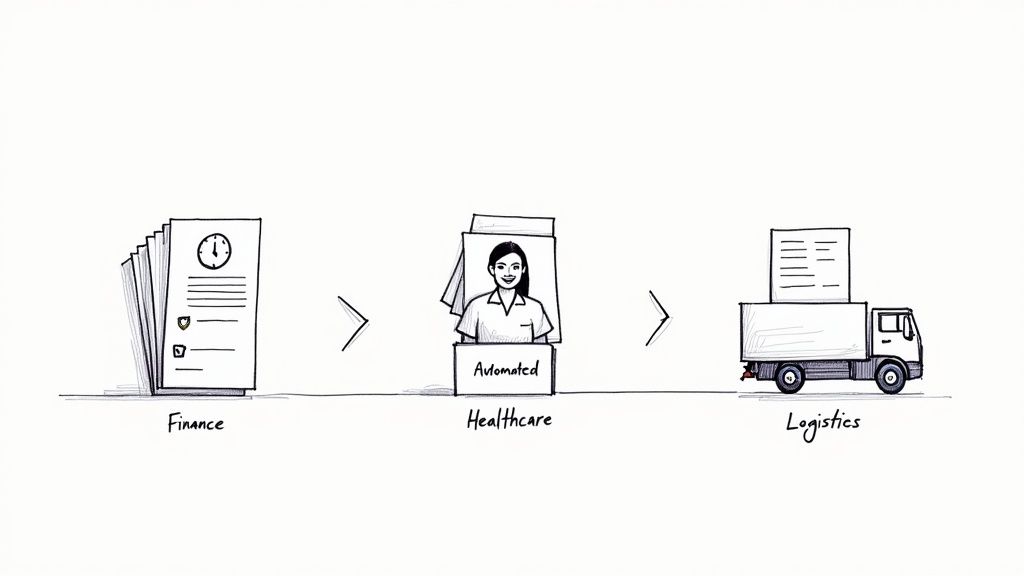
Let's step away from the theory and look at how different industries are putting this technology to work every single day. These stories show how fixing one tedious process can create a positive ripple effect across an entire company.
Finance: Unburying the Accounts Payable Team
Picture an accounts payable department drowning in a sea of invoices. Every single one arrived in a different format—PDFs, scanned paper copies, you name it. The team’s days were a monotonous cycle of typing vendor names, invoice numbers, and line items into the accounting system.
This old-school approach was slow, clunky, and prone to error. Invoices would get lost in an inbox or sit on a desk for days. Payment cycles often dragged on for 30 or even 45 days, racking up late fees and putting a strain on supplier relationships. Even worse, a single typo could trigger a painful reconciliation process that burned up even more time.
Then, they brought in an automated solution and completely changed the game. Now, every invoice is automatically captured. An AI-powered tool reads each document, pulls out the key data, and feeds it straight into their accounting software.
The impact was immediate and huge:
- Payment cycles shrank from weeks to just 2-3 days.
- Data entry errors became a thing of the past, making financial reports far more accurate.
- The AP team was finally free to work on more valuable tasks, like negotiating better payment terms or analyzing company spending.
Healthcare: Creating a Better Patient Experience
A busy hospital had a huge bottleneck right at the front desk. New patients were handed multi-page clipboards, and staff had to manually type every detail—names, addresses, insurance info, medical history—into the electronic health record (EHR) system.
This created a domino effect of problems. Wait times were long, frustrating patients before they even saw a doctor. Rushed typing led to constant mistakes, like misspelled names or wrong policy numbers, which caused billing headaches later on.
The hospital decided to use data entry automation to fix it. Patients can now fill out their forms online before their appointment or on a tablet in the waiting room. The software instantly grabs the information and populates the EHR system with perfect accuracy.
The result? A much smoother, faster, and more reliable intake process. The hospital cut patient wait times by an average of 15 minutes and ensured critical data was right from the start.
This small change didn't just make the administration more efficient; it fundamentally improved the patient experience, setting a positive tone for the entire visit.
Logistics: Speeding Up the Supply Chain
Think about a massive shipping company handling thousands of containers every day. Every shipment is tied to a critical document: the bill of lading (BOL). This piece of paper contains all the essential details—who's shipping it, who's receiving it, what's inside, and where it's going.
Their logistics team was manually keying in data from hundreds of these BOLs every single day. It was the biggest slowdown in their entire operation. A delay in entering a BOL meant a delay in scheduling a truck, which delayed the whole delivery.
The company automated this one crucial step. As soon as a BOL arrives, an automated system scans it, extracts the necessary fields, and pushes the data directly into their transportation management system (TMS). A task that used to take a team hours is now finished in minutes.
This didn't just speed up data entry; it put their entire supply chain in the fast lane. Shipments move out of port quicker, delivery schedules are more reliable, and customers get their goods on time. The company can now handle way more volume without hiring more people, giving them a serious edge over the competition.
How Automation Is Redefining Data Entry Roles
When you hear about data entry automation, it’s easy to jump to one conclusion: what about the people? The common fear is that automation will simply eliminate jobs, but what we're seeing in the real world is a lot more interesting—and frankly, more positive. Automation isn’t about replacing people; it’s about changing the kind of work they do.
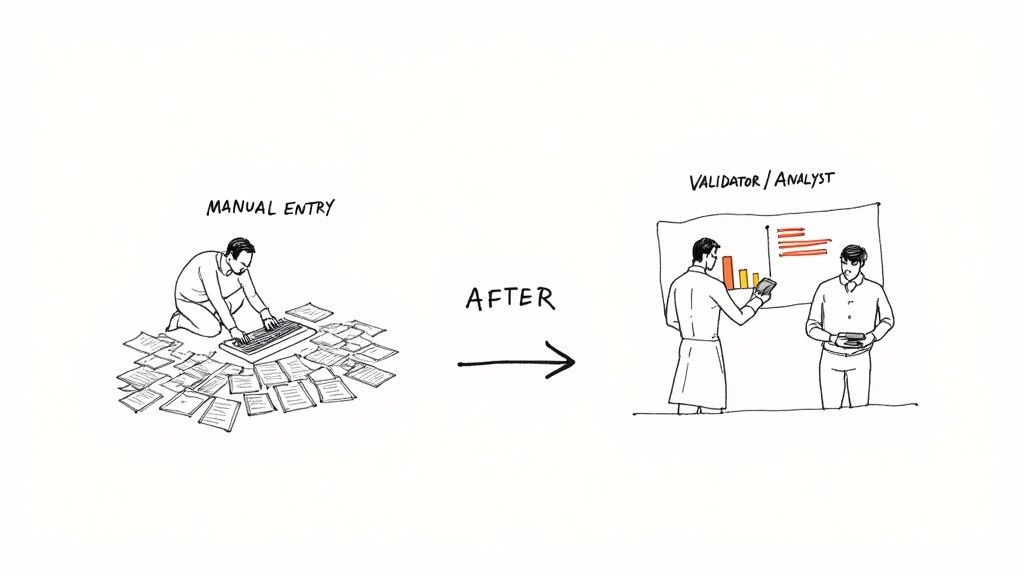
Think of it this way: automation is a tool that handles the most repetitive, mind-numbing parts of the job. This frees up your team to move beyond just typing and focus on tasks that require real brainpower, like analysis and problem-solving. It's a shift from repetition to responsibility.
The Shift to Higher-Value Work
This change is creating a new kind of data professional. Instead of spending all day keying in numbers from invoices, employees are now the ones overseeing the automated systems, making sure everything is running like a well-oiled machine.
Their new job description often looks a lot more like this:
- Exception Handling: When the software gets stuck on a weird or complex document it can’t read, a human expert steps in to make the final judgment call.
- Quality Assurance: People become data validators. They spot-check the automated output, ensuring that the accuracy stays sky-high and catching any potential issues before they become problems.
- Process Optimization: Your team is on the front lines, so they’re the best people to analyze the workflow and find ways to make it even better, whether that’s tweaking the system or finding new departments that could benefit from it.
This shift completely reframes the data entry role. It moves from a job focused on manual labor to one centered on analysis, validation, and system management. In short, it turns data clerks into essential data specialists.
A Growing Need for Human Oversight
This isn’t just a hopeful theory; it’s happening right now in the job market. While the number of jobs for purely manual keying might be shrinking, the demand for skilled people who can manage and verify these automated systems is actually on the rise.
Some industry analyses even project a 7% year-over-year rise in data-entry-related jobs, specifically for people who can handle tricky edge cases and oversee quality control. You can dig deeper into how these roles are evolving by exploring some insights on data entry statistics.
At the end of the day, data entry automation leads to a more skilled and engaged team. By taking the tedious work off their plates, it empowers employees to use their intelligence on more meaningful challenges that truly help the business grow.
Have Questions About Data Entry Automation? Let's Clear Things Up.
As you start looking into data entry automation, you'll naturally have some questions. Thinking through the practical side of things is the best way to feel confident about using this technology in your own business. Let's tackle some of the most common ones I hear.
A lot of business owners assume these powerful tools are only for giant corporations with massive budgets.
"Is Data Entry Automation Only for Big Companies?"
Not anymore. While huge enterprises were definitely the first to jump on board, today's cloud-based tools have made automation affordable and accessible for small and medium-sized businesses (SMBs). The days of needing a huge upfront investment are long gone.
Many of the best platforms now work on a subscription or a pay-as-you-go model. This really levels the playing field, giving smaller companies the same shot at boosting efficiency and accuracy that was once reserved for the big guys.
Another worry I often hear is about the technical know-how required.
"How Hard Is It to Get Started with Automation?"
You absolutely do not need to be a developer. The best modern platforms are built to be user-friendly, with simple no-code or low-code interfaces. Often, setting up your first workflow is as easy as pointing and clicking on the data you want to grab from a sample document.
The whole point of these platforms is to empower you, not intimidate you. They're designed so the people who actually handle the documents—your accounting or operations teams—can build and manage the automations themselves.
Most services also provide great customer support, video tutorials, and ready-made templates to help you get started. My advice? Kick things off with a small pilot project to learn the ropes before you go all-in.
"Can Automation Handle Messy or Unstructured Documents?"
Yes, and this is where today's AI-powered tools really shine. Old-school OCR technology was very rigid; it would stumble if a document's layout wasn't exactly the same every single time. Modern data entry automation, on the other hand, uses artificial intelligence to understand the context of the document, not just the text.
This means it can intelligently find and pull key information—like invoice numbers, dates, or line items—from all sorts of documents, even if the format changes. These tools can handle everything from structured forms and semi-structured invoices to completely unstructured receipts and emails, getting smarter with every document they process.
Ready to see how simple it is to get rid of manual data entry for good? DocParseMagic can turn your messy documents into clean, organized spreadsheets in minutes—no coding needed. Start your free trial today and see the magic for yourself.