8 Incredible Benefits of Automated Invoice Processing in 2025
If your accounts payable team is buried under a mountain of paper invoices, drowning in manual data entry, and chasing down approvals, you're not just losing time. You're losing money and strategic advantage. Manual invoice processing is notoriously slow, prone to costly errors, and a significant drain on resources. The cycle of printing, scanning, keying in data, and manually routing for approvals creates bottlenecks that impact your entire organization. But there's a better, more efficient way to manage this critical financial function.
This article moves beyond simple efficiency gains to uncover how modern technology can fundamentally improve your financial operations. We'll explore the transformative benefits of automated invoice processing, providing a clear roadmap for turning your AP department from a cost center into a strategic asset. You will learn about eight specific advantages, complete with real-world examples, actionable implementation tips, and concrete metrics to illustrate the tangible value of making the switch. From drastic cost reductions and enhanced accuracy to powerful data insights that drive better business decisions, prepare to see how automation delivers a powerful return on investment.
These capabilities are a core component of a broader operational strategy. To grasp the wider implications of modern automation, it's beneficial to delve into the concept of Intelligent Process Automation. By understanding the technology that powers these systems, you can better appreciate how invoice automation fits into a larger goal of enterprise-wide efficiency and intelligence. Let's dive into the specific benefits you can expect.
1. Benefit #1: Slash Operational Costs by Up to 80%
The most immediate and compelling benefit of automated invoice processing is the dramatic reduction in operational costs. Manual processing is not just slow; it’s expensive. Every minute an employee spends manually keying in data, chasing approvals, or filing paper documents adds to the overall cost per invoice.
Industry benchmarks from organizations like the Accounts Payable & Procure-to-Pay Network (APP2P) show that the average cost to process a single invoice manually can be as high as $15. Automation slashes this figure, often bringing it down to just $2 or less. This represents a potential cost reduction of over 80%.
These savings come from multiple sources:
- Reduced Labor: Eliminates countless hours of manual data entry, validation, and document handling.
- Minimized Errors: Avoids costly mistakes like duplicate payments or overpayments that require time to resolve.
- Elimination of Physical Materials: Cuts costs associated with paper, ink, printing, and physical storage cabinets.
Real-World Savings in Action
The impact of automation isn't just theoretical. A Deloitte report found that businesses implementing this technology achieve cost savings between 40-60%. Similarly, many mid-size manufacturers have documented annual savings exceeding $100,000 by moving away from manual accounts payable processes. This isn't just about saving on paper; it's about reallocating your team's valuable time from tedious clerical work to strategic financial analysis and vendor management.
DocParseMagic Spotlight: Traditional automation platforms can require lengthy, expensive setups, delaying your return on investment. With a no-code platform like DocParseMagic, you can start automating in minutes, not months. This accelerates your cost-saving journey, allowing you to see a tangible ROI almost immediately by simply uploading a document and defining the data you need to extract.
How to Calculate and Maximize Your ROI
To realize these benefits, you need a clear strategy.
- Benchmark Your Baseline: Before you start, calculate your current cost per invoice. Factor in employee salaries (for time spent on processing), material costs, and any late payment fees you incur. This gives you a clear starting point to measure success.
- Calculate Total Cost of Ownership (TCO): When evaluating solutions, look beyond the subscription price. Include implementation fees, training costs, and any potential vendor management fees in your analysis to understand the true cost.
- Phase Your Implementation: Start with a high-volume, low-complexity workflow, like invoices from your top 10 vendors. Proving the ROI here can build momentum and secure buy-in for a broader rollout. This phased approach ensures you start saving money faster.
2. Improved Invoice Processing Speed
One of the most significant benefits of automated invoice processing is the radical acceleration of the entire accounts payable cycle. Manual workflows are inherently slow, with invoices often sitting for days or even weeks waiting for data entry, verification, and approval. Automation transforms this timeline from days into mere minutes.

This incredible speed is achieved as machine learning algorithms instantly capture, extract, and validate key invoice data upon receipt. This eliminates the manual bottleneck and allows organizations to move invoices from receipt to payment-ready status faster than ever before.
The key sources of this speed improvement include:
- Instant Data Capture: No more manual typing. AI extracts data from PDFs, emails, and scans in seconds.
- Automated Validation: Systems automatically cross-reference information with purchase orders and existing vendor data.
- Streamlined Approval Workflows: Invoices are instantly routed to the correct approver based on predefined rules, eliminating delays.
Real-World Savings in Action
The impact of this acceleration is profound. For example, Freshworks was able to reduce its average invoice processing time from a sluggish six days down to just two hours after implementing automation. Global manufacturing companies now routinely process over 500 invoices daily, a volume impossible with manual methods. This efficiency allows accounts payable teams to handle three to five times more invoice volume without increasing headcount, directly boosting productivity. For more details on this process, you can explore this guide on how to automate data entry.
DocParseMagic Spotlight: Many automation tools struggle with non-standard invoice formats, creating exceptions that slow everything down. DocParseMagic uses advanced AI to adapt to virtually any document layout without templates. This means you maintain high processing speeds even when dealing with diverse invoices from hundreds of different vendors, minimizing manual intervention.
How to Calculate and Maximize Your ROI
Achieving maximum speed requires a strategic approach.
- Benchmark Your Baseline: Time your current process from invoice receipt to final payment. This average processing time will be your key metric for measuring improvement.
- Standardize Where Possible: While not always feasible, ask your high-volume suppliers to use a standardized invoice format or a dedicated submission portal. This can further improve straight-through processing rates.
- Implement Exception Protocols: Define a clear, automated workflow for handling exceptions (e.g., mismatched PO numbers). This ensures that problematic invoices don't get stuck and derail the entire process.
- Monitor Key Metrics: Track metrics like "invoices processed per hour" and "average approval time" to identify and resolve any new bottlenecks that arise in your automated workflow.
3. Enhanced Accuracy and Error Reduction
Even the most meticulous employee can make mistakes. Manual invoice processing is inherently prone to human error, from simple typos in data entry to complex miscalculations and duplicate payments. These errors aren't just minor inconveniences; they create financial leaks that can cost a business thousands, or even millions, of dollars annually.
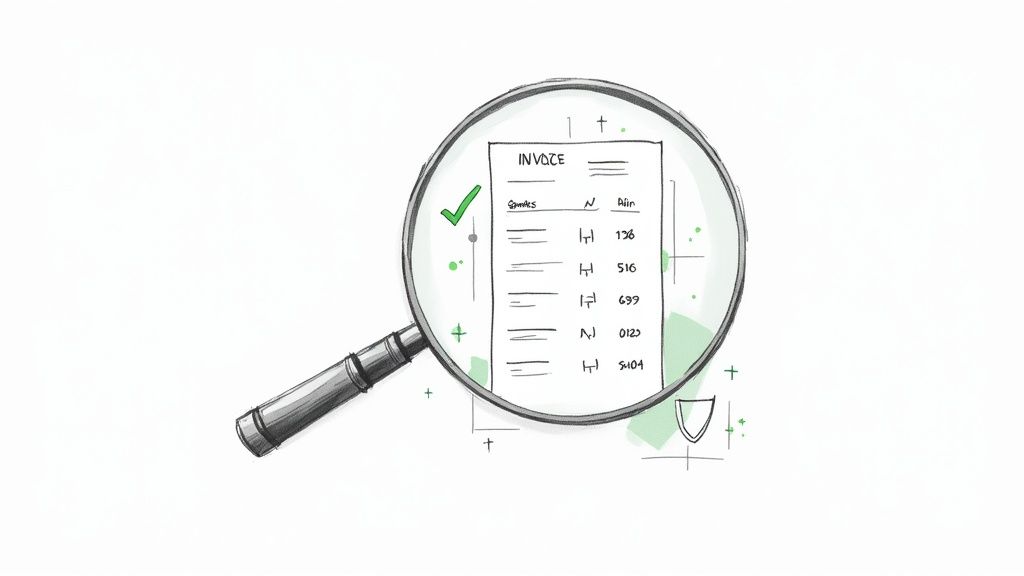
Automated invoice processing tackles this problem head-on. By leveraging advanced Optical Character Recognition (OCR) and AI, these systems extract and validate invoice data with accuracy rates often exceeding 99%. This virtually eliminates the risk of incorrect data entry, calculation mistakes, and missed details, ensuring that you pay the right amount to the right vendor, every time.
These accuracy improvements translate directly to financial gains:
- Prevent Duplicate Payments: The system automatically flags invoices with identical numbers, amounts, or dates, a common and costly manual error.
- Eliminate Calculation Errors: AI verifies line-item totals, taxes, and final amounts, catching discrepancies before they impact your books.
- Ensure Correct Coding: Automation correctly applies GL codes based on predefined rules, improving the accuracy of financial reporting.
Real-World Savings in Action
The financial impact of reducing errors is substantial. Many financial services firms have seen their payment error rates plummet from over 2% to less than 0.1% after implementing automation. Studies from organizations like Bottomline Technologies show that duplicate payment detection alone can save mid-to-large-sized organizations between $50,000 and $500,000 annually. For example, some healthcare systems have reported preventing over $2 million in erroneous payments per year by automating their AP workflows, showcasing the massive ROI of enhanced accuracy.
DocParseMagic Spotlight: While many OCR tools struggle with complex layouts or handwritten notes, DocParseMagic's advanced AI is trained on millions of diverse documents. This allows it to achieve industry-leading accuracy out-of-the-box, even on non-standard invoices. You can set custom validation rules to flag any data that doesn't meet your criteria, turning your process into a near-flawless operation.
How to Calculate and Maximize Your ROI
Achieving maximum accuracy requires a proactive approach.
- Benchmark Your Baseline: Audit your last six months of payments to identify the frequency and cost of errors like duplicates, overpayments, or incorrect coding. This figure represents your immediate potential savings.
- Calculate Total Cost of Ownership (TCO): When evaluating solutions, consider the long-term accuracy. Ask vendors about their model retraining processes and if there are extra costs for improving accuracy on your specific document types.
- Phase Your Implementation: Start by automating invoices from vendors whose formats are notoriously complex or prone to manual errors. Proving you can eliminate high-cost mistakes in this segment will demonstrate the value of accuracy and build a strong case for expanding the system.
4. Increased Compliance and Audit Capabilities
One of the most critical, yet often overlooked, benefits of automated invoice processing is its ability to fortify your compliance framework and streamline audits. Manual systems, with their paper trails and disjointed email approvals, are a liability during audits. Automated systems create an immutable, digital audit trail for every single invoice.
Every action, from invoice receipt and data extraction to approval and final payment, is logged with timestamps and user details. This provides the concrete evidence required to meet stringent regulatory standards like the Sarbanes-Oxley Act (SOX), GDPR, and HIPAA. Instead of spending weeks hunting through file cabinets and email archives, auditors get transparent, easily accessible records, dramatically shortening the audit cycle.
This comprehensive tracking provides peace of mind by:
- Ensuring Policy Adherence: Automated workflows enforce internal controls, such as separation of duties and approval hierarchies.
- Providing Unquestionable Proof: Digital records are clear, unalterable, and easily searchable.
- Reducing Audit-Related Stress: Teams can pull requested documents in minutes, not days.
Real-World Savings in Action
The impact on compliance is significant. Publicly traded companies rely on these digital trails to efficiently satisfy SOX 404 requirements, which mandate controls over financial reporting. Similarly, healthcare providers can maintain HIPAA-compliant records of vendor invoices without risking data breaches associated with physical documents. This systematic approach transforms audits from a dreaded, resource-draining event into a routine, manageable process.
DocParseMagic Spotlight: Many automation solutions offer rigid, one-size-fits-all workflows that may not match your specific internal controls. DocParseMagic provides the flexibility to build custom validation rules and integrate with systems that manage role-based access, ensuring your automated process perfectly mirrors your compliance requirements from day one. This tailored approach is a key part of effective business document processing.
How to Calculate and Maximize Your ROI
To leverage automation for compliance, a structured approach is essential.
- Benchmark Your Baseline: Calculate the hours and associated labor costs your team currently spends preparing for and participating in audits. This includes time spent finding documents, answering inquiries, and correcting discovered errors.
- Calculate Total Cost of Ownership (TCO): When choosing a platform, evaluate its security and compliance features. Does it support single sign-on (SSO)? Does it offer role-based access controls? The cost of a potential compliance failure far outweighs the price of a secure system. Learn more about secure business document processing on docparsemagic.com.
- Phase Your Implementation: Begin by automating workflows for invoices that fall under specific regulatory scrutiny, such as those from vendors handling sensitive data. Proving the system’s reliability and auditability here builds confidence for a full-scale deployment.
5. Better Cash Flow Management and Visibility
Beyond saving time and money, one of the most strategic benefits of automated invoice processing is gaining unprecedented control over your cash flow. Manual processes create information delays, leaving finance teams to make critical decisions with outdated data. Automation replaces slow, manual updates with a real-time, accurate view of all outstanding liabilities.
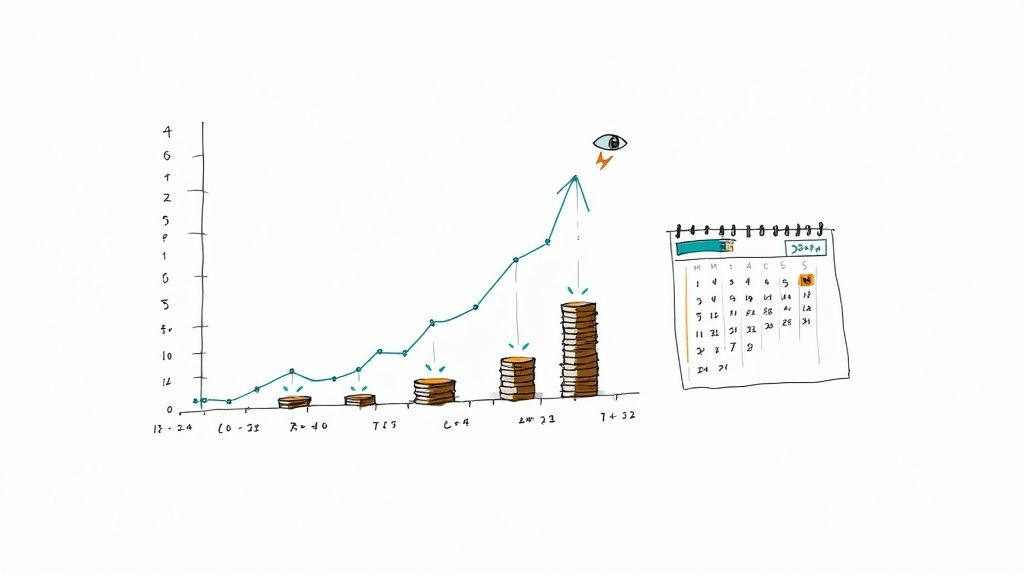
This enhanced visibility allows you to forecast cash needs accurately and optimize payment timing. Instead of paying invoices as soon as they arrive, you can strategically schedule payments to hold onto cash longer or capitalize on lucrative early payment discounts, transforming your AP department from a cost center into a profit generator.
Real-World Savings in Action
The financial impact is substantial. Many Fortune 500 companies save an additional 1-2% of their total AP spend simply by consistently capturing early payment discounts they previously missed. For mid-market enterprises, this newfound control can improve their cash position by millions. Furthermore, this visibility enables participation in dynamic discounting or supply chain finance programs, where platforms like Kyriba report supplier participation rates between 15-30%, creating a win-win for both buyers and vendors.
DocParseMagic Spotlight: Static reports and spreadsheets can't provide the dynamic view needed for modern cash management. With DocParseMagic, extracted invoice data can be instantly pushed to your ERP or a financial dashboard. This creates a live, single source of truth for all liabilities, allowing you to model cash flow scenarios and make data-backed payment decisions on the fly.
How to Calculate and Maximize Your ROI
To turn visibility into value, you need a proactive approach.
- Benchmark Your Baseline: Start by tracking your Days Payable Outstanding (DPO) and the total value of early payment discounts captured versus missed over a quarter. This establishes a clear baseline for improvement.
- Calculate Total Cost of Ownership (TCO): When choosing an automation tool, factor in its integration capabilities. The ability to seamlessly connect with your existing accounting software is crucial for achieving real-time data flow, so include any integration costs in your TCO analysis.
- Phase Your Implementation: Begin by automating invoice processing for vendors who offer the most attractive early payment terms (e.g., "2/10, net 30"). Proving you can consistently capture these discounts provides a powerful, quantifiable ROI that justifies expanding the automation initiative across all vendors.
6. Scalability and Flexibility for Growth
As your business expands, your invoice volume grows with it. Manual processing creates a bottleneck where growth leads directly to hiring more staff, increasing overhead, and straining your accounts payable team. One of the key benefits of automated invoice processing is its ability to scale effortlessly, allowing you to handle a tenfold increase in volume without a proportional increase in headcount.
Cloud-based automation platforms are built to handle fluctuating workloads, from a few hundred invoices a month to thousands per day. This elasticity means you can seamlessly onboard new departments, acquire other companies, or expand into international markets. The system adapts to process multiple currencies, manage complex legal entity structures, and integrate with enterprise-level ERPs like SAP or NetSuite without requiring a complete operational overhaul.
This scalability provides critical business agility:
- Handle Volume Spikes: Easily manage seasonal peaks or rapid growth phases without delays or backlogs.
- Support M&A: Quickly integrate the accounts payable workflows of newly acquired entities.
- Go Global: Process invoices in different languages and currencies without manual intervention.
Real-World Savings in Action
High-growth tech companies and enterprise organizations managing over 100 legal entities rely on this scalability to maintain efficiency. By automating, they avoid the linear relationship between business growth and AP department size. For instance, a company expanding internationally can configure the system to handle VAT, GST, and other local tax rules automatically, a task that would be incredibly complex and error-prone to manage manually across different regions. This flexibility is what transforms the AP department from a cost center into a strategic, growth-enabling function.
DocParseMagic Spotlight: Many automation tools are rigid and require significant reconfiguration to adapt to new invoice formats or business units. DocParseMagic's no-code, template-free approach provides ultimate flexibility. As your business grows and you onboard new vendors, our AI instantly adapts to new layouts, ensuring your automation scales with you without costly developer intervention or workflow downtime.
How to Calculate and Maximize Your ROI
To ensure your solution supports future growth, you must plan for scalability from day one.
- Choose Cloud-Native Solutions: Prioritize cloud-based platforms over on-premise systems. They offer superior scalability, automatic updates, and lower infrastructure maintenance costs, providing the agility needed for a growing business.
- Plan for Future Complexity: During initial setup, consider potential future needs. Will you expand internationally? Will you acquire other companies? Select a vendor with robust multi-entity and multi-currency capabilities, even if you don't need them immediately.
- Prioritize API Capabilities: Ensure the solution has a strong, well-documented API. This is critical for integrating with other business systems (like ERPs, procurement software, and payment platforms) as your tech stack evolves, creating a truly connected and scalable financial ecosystem.
7. Enhanced Supplier Relationship Management
One of the most valuable long-term benefits of automated invoice processing is its ability to transform supplier relationships from transactional to strategic. Manual processing often leads to payment delays, disputes over inaccuracies, and a lack of transparency, all of which erode trust. Automation directly addresses these pain points, fostering a more collaborative and reliable partnership.
By ensuring invoices are captured, approved, and paid on time, you become a preferred customer. This reliability gives you leverage to negotiate better payment terms, secure early payment discounts, and gain access to your suppliers' best services and innovations. Timely, predictable payments are the foundation of a healthy supply chain.
These improvements are driven by several key factors:
- Prompt Payments: Automation eliminates the bottlenecks that cause late payments, strengthening supplier trust.
- Reduced Disputes: Accurate data capture minimizes payment errors, reducing the time spent on frustrating back-and-forth communication.
- Improved Transparency: Suppliers gain visibility into invoice status through self-service portals, reducing inquiries to your AP team.
Real-World Savings in Action
The impact on supplier relations is tangible. Major procurement platforms like Coupa and Ariba consistently report higher supplier satisfaction scores among clients using automated systems. In one notable case, a large retailer implemented automated invoice processing specifically to support its network of small suppliers, resulting in faster payments that improved the cash flow and viability of its most critical partners. This strategic move not only secured its supply chain but also enhanced its brand reputation.
DocParseMagic Spotlight: Many supplier portals are complex and require vendors to manually enter data all over again. DocParseMagic simplifies this entirely. You can set up an automated workflow where a supplier simply emails an invoice, and our AI extracts the data, validates it against your purchase orders, and pushes it into your system for approval. This frictionless experience makes you an incredibly easy partner to work with, setting you apart from the competition.
How to Calculate and Maximize Your ROI
To turn operational efficiency into stronger partnerships, focus on a clear strategy.
- Communicate Proactively: When you switch to an automated system, inform your suppliers about the new process and highlight the benefits for them, such as faster, more accurate payments.
- Launch a Supplier Portal: Offer a self-service portal where vendors can submit invoices and check their payment status 24/7. This empowers them and cuts down on administrative work for your team. You can learn more about automating purchase order data to further streamline this process.
- Leverage Early Payment Programs: Once your processing is fast and reliable, you can strategically implement dynamic discounting. Offer to pay suppliers early in exchange for a small discount, creating a win-win scenario that improves your margins and their cash flow.
8. Strategic Insights and Data-Driven Decision Making
Beyond day-to-day efficiency, automated invoice processing transforms your accounts payable department into a strategic business intelligence hub. Every invoice processed is a data point, and automation captures this information with near-perfect accuracy, creating a rich repository of transactional data ready for analysis.
Manually processed data is often fragmented, error-prone, and locked away in filing cabinets, making meaningful analysis nearly impossible. Automation centralizes and structures this data, allowing you to uncover actionable insights into spending patterns, supplier performance, and internal process efficiencies. This is one of the most powerful long-term benefits of automated invoice processing, turning a cost center into a source of strategic value.
These insights allow organizations to:
- Analyze Spending: Identify maverick spending, ensure contract compliance, and find opportunities for cost consolidation.
- Evaluate Suppliers: Track supplier payment cycles, discount capture rates, and overall performance to inform negotiations.
- Optimize Processes: Pinpoint bottlenecks in the approval workflow and identify areas for continuous improvement.
Real-World Savings in Action
The strategic impact is significant and measurable. Enterprise organizations regularly achieve savings of 5-15% simply by optimizing their spending based on data-driven insights. Procurement analytics platforms like Jaggr leverage this data to drive supplier consolidation and negotiate better terms. Fortune 500 companies even use this historical data to build predictive models for more accurate cost forecasting and budgeting.
DocParseMagic Spotlight: Generic automation tools often dump raw data into a spreadsheet, leaving the heavy lifting of analysis to your team. DocParseMagic's no-code platform allows you to precisely define and structure the data you extract from day one. This clean, organized data feeds directly into your BI tools or ERP, providing immediate visibility and empowering your finance team to start generating strategic insights without a complex data-cleansing project.
How to Calculate and Maximize Your ROI
To turn data into decisions, a structured approach is essential.
- Establish Data Governance: Before you begin, implement clear master data standards for vendors, expense categories, and general ledger codes. This ensures the data you collect is consistent, accurate, and ready for analysis.
- Create Executive Dashboards: Visualize key metrics like days payable outstanding (DPO), cost per invoice, and top vendor spend. Make these dashboards accessible to procurement and finance leaders to facilitate strategic conversations.
- Conduct Quarterly Spend Reviews: Schedule regular meetings to analyze spending trends and identify cost-saving opportunities. Use these insights to renegotiate supplier contracts, consolidate purchases, and enforce procurement policies more effectively.
Automated Invoice Processing: 8-Benefit Comparison
| 🔄 Implementation Complexity | ⚡ Resource Requirements | 📊 Expected Outcomes | ⭐ Ideal Use Cases | 💡 Key Advantages / Tips |
|---|---|---|---|---|
| Moderate — initial software purchase, ERP integration, change management | Moderate — upfront license/implementation cost; fewer FTEs long-term; vendor fees | Large cost savings (50–80% reduction); ROI commonly 6–18 months; lower error/rework costs | High-volume AP functions, finance teams seeking cost reduction | Scalable cost reduction; tip: calculate TCO, benchmark baseline, phase rollout |
| Medium — ML/OCR setup, exception routing and supplier standardization | Moderate — integration, tuning and training time; monitoring for accuracy | Processing time cut from days to hours; higher throughput and faster approvals | Organizations needing fast invoice-to-pay cycles and supplier pay speed | Faster supplier payments and cash visibility; tip: standardize invoice formats, set accuracy targets |
| Medium — OCR/ML training, QA for exceptions and non-standard docs | Moderate — OCR/AI tools, ongoing model refinement, QA resources | Very high data accuracy (targets 95–99%+); fewer duplicates and audit exceptions | Audit-sensitive or high-error environments (finance, healthcare) | Reduces payment errors and fraud risk; tip: implement QA loops and continuous retraining |
| Medium — policy mapping, role controls, logging and retention setup | Moderate — compliance controls, training, audit tooling | Complete audit trails; simplified audits; reduced compliance penalties | Public companies and regulated industries (SOX, GDPR, HIPAA) | Defensible records and faster closes; tip: document workflows and use RBAC |
| Low–Medium — requires accounting integration and dashboard setup | Moderate — forecasting tools, real-time feeds; data entry discipline | Improved cash visibility; capture early-payment discounts; optimized payment timing | Organizations managing liquidity, seeking discount capture and DPO optimization | Better cash management and discount capture; tip: implement real-time dashboards and 90+ day forecasts |
| Low–Medium — cloud configuration, API integrations, occasional customizations | Moderate — subscription costs, IT for integrations; minimal headcount growth | Scales volume by 10x without proportional staff increases; multi-entity/currency support | High-growth firms, multi-entity or global organizations | Flexible growth support; tip: choose cloud vendor with strong APIs and test scalability |
| Low — portal setup and supplier onboarding; communication plan required | Low–Moderate — portal maintenance, supplier training and support | Higher on-time payments, fewer supplier inquiries, improved negotiation leverage | Firms with strategic or many small suppliers seeking better supplier experience | Improves supplier loyalty and negotiation; tip: offer self-service portals and training |
| Medium–High — data governance, analytics implementation and change management | High — analytics tools, data cleansing, skilled analysts | Actionable spend insights; 5–15% potential savings via optimization; better procurement decisions | Enterprises aiming for strategic procurement and spend optimization | Enables data-driven strategy and benchmarking; tip: enforce master data standards and executive dashboards |
Your Next Step: From Manual Processing to Strategic Automation
We've explored the comprehensive landscape of automated invoice processing, moving far beyond a simple list of features to uncover the profound, strategic impact it can have on your business. From the immediate relief of significant cost reductions and accelerated processing speeds to the long-term advantages of enhanced accuracy, the evidence is clear. Manual invoice handling is no longer just inefficient; it's a competitive disadvantage that anchors your team to repetitive tasks and exposes your organization to unnecessary risks.
The journey we've taken through the eight core benefits reveals a powerful narrative. It's a story of transformation, where your accounts payable department evolves from a cost center focused on data entry into a strategic hub of financial intelligence. The benefits of automated invoice processing are not isolated gains; they are interconnected and create a powerful ripple effect across your entire operation. Faster processing directly improves cash flow visibility, while enhanced accuracy strengthens compliance and supplier relationships.
Synthesizing the Gains: From Tactical Fixes to Strategic Transformation
Let's distill the most critical takeaways. The transition to automation is about reclaiming your team's most valuable asset: time. By eliminating manual data entry, validation, and approval routing, you're not just cutting down on labor costs. You are fundamentally reallocating your human capital toward activities that require critical thinking, strategic analysis, and relationship management.
Consider the compounding value:
- Operational Efficiency: You are directly addressing the operational bottlenecks that cause late payment penalties, missed early payment discounts, and friction with vendors. This isn't just about doing things faster; it's about doing them smarter.
- Financial Control: With real-time dashboards and detailed audit trails, you gain an unprecedented level of control and visibility over your payables. This empowers finance managers to make proactive decisions about cash flow, budgeting, and spending.
- Data as an Asset: Automation transforms your invoices from static documents into a rich source of structured data. This data can be analyzed to negotiate better vendor terms, identify spending trends, and optimize procurement strategies.
Your Actionable Roadmap to Automation
Embarking on this transformation doesn't have to be a daunting, resource-intensive overhaul. The path to automation is more accessible than ever, especially with modern, user-friendly platforms. Here are your concrete next steps to turn these insights into action:
- Benchmark Your Current State: Before you can measure improvement, you need a baseline. Calculate your current average cost per invoice and your average processing time from receipt to payment. This data will be crucial for building a business case and demonstrating ROI.
- Identify Your Biggest Pain Points: Is your primary challenge invoice approval delays? Or is it the sheer volume of manual data entry? Pinpointing your most significant bottlenecks will help you prioritize features when evaluating potential solutions.
- Explore Scalable Solutions: Start by researching tools that match your current needs but can also grow with you. As you plan your transition from manual processing, consider how crucial seamless integration capabilities are for connecting your new automated system with existing financial tools and platforms like your ERP or accounting software. This ensures a smooth workflow and prevents the creation of new data silos.
- Start with a Pilot Program: You don't need to switch your entire operation overnight. Select a small, manageable subset of vendors or a specific invoice type to run through a new automated system. This allows you to test the workflow, gather feedback, and demonstrate success on a smaller scale before a full rollout.
The benefits of automated invoice processing are tangible, measurable, and within reach. By taking these deliberate steps, you can move your organization from the reactive, paper-based processes of the past to a proactive, data-driven future. This isn't just an upgrade; it's a strategic imperative for any business looking to build resilience, enhance efficiency, and unlock new avenues for growth in a competitive digital economy.
Ready to experience the transformation firsthand? See how DocParseMagic turns chaotic invoices into structured, actionable data in seconds. Stop chasing paper and start driving strategy by signing up for a free trial of DocParseMagic today—no credit card required.