A Guide to the ACORD 126 Fillable Form
The ACORD 126 form is where you get into the nitty-gritty of your business’s Commercial General Liability policy. It’s the essential follow-up to the main application (the ACORD 125), capturing the specific risks and operational details that make your business unique.
What the ACORD 126 Form Is and Why It Matters
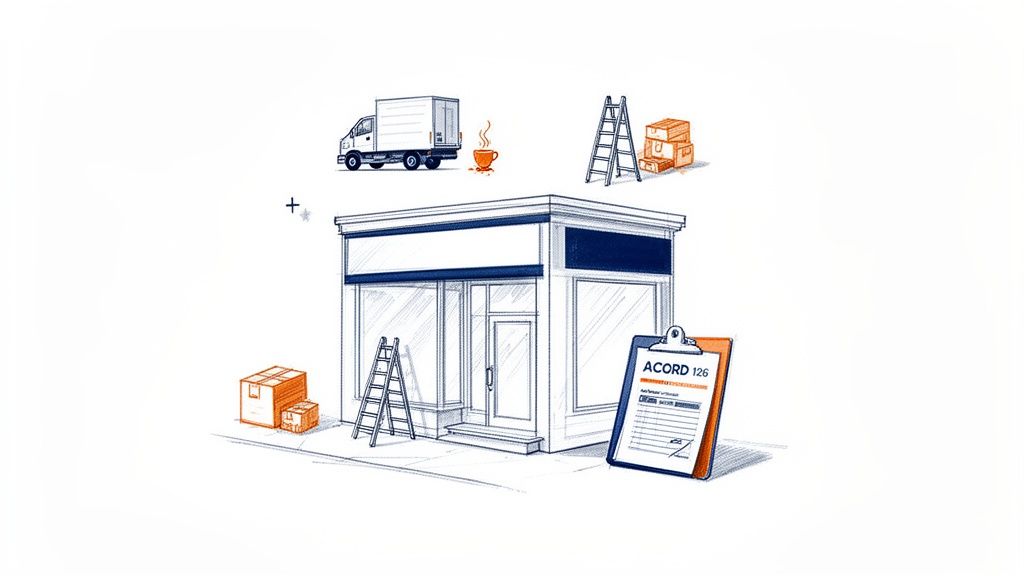
Simply put, the ACORD 126 is the document underwriters rely on to truly understand your business's liability exposure. While other forms gather general info, this one digs deep into the what, where, and how of your daily operations—the very things that could lead to a claim.
Think of it this way: if a restaurant starts offering a delivery service or a construction firm takes on a high-risk demolition project, their risk profile changes instantly. The ACORD 126 is how you communicate those new hazards to your insurer so they can price your coverage accurately.
The form itself can seem intimidating, but understanding when it's needed is the first step. Here are a few common scenarios that will almost always require you to fill one out.
Common Triggers for Submitting an ACORD 126
| Scenario | Reason for Submission |
|---|---|
| Applying for a New Policy | This form is a standard part of any new Commercial General Liability application. |
| Significant Business Changes | You've added a new service, product line, or location that changes your risk. |
| Annual Policy Renewal | Insurers require an updated form to reassess your liability for the upcoming year. |
| Entering a New Market | Expanding into a new state or country introduces different regulations and risks. |
| Substantial Growth | A major increase in your revenue or employee count can alter your premium basis. |
Ultimately, keeping this form current ensures your coverage keeps up with your business.
The Foundation of Your Liability Coverage
This form isn't just paperwork; it directly translates your business activities into quantifiable risk for the insurer. It captures everything from your payroll and sales figures to the specific details about your products and services.
An incomplete or inaccurate ACORD 126 is a huge gamble. You could end up with dangerous gaps in your coverage or pay a premium that doesn't match your actual risk profile.
Getting the ACORD 126 right from the start is non-negotiable. It’s what stands between your business and a costly, uncovered claim. This diligence ensures the premium you pay is fair and your protection is solid.
The ACORD 126 is a foundational underwriting document, much like a standardized document like the ACORD 25 form is for proving coverage. Getting these forms right is a pillar of good risk management, and it’s an area where modern tools are making a huge difference for https://docparsemagic.com/use-cases/insurance agencies.
A Key Player in a Multi-Billion-Dollar Market
The importance of the ACORD 126 is reflected in the market it serves. The global liability insurance market hit USD 291.86 billion in 2024 and is on track to reach a staggering USD 524.66 billion by 2034.
With an estimated 90% of insurance agencies using ACORD forms to standardize their workflows, mastering this document isn't just good practice—it's essential for anyone serious about operating in the commercial insurance space.
How to Find and Download the Correct Form
Tracking down the right ACORD 126 fillable form shouldn't be a scavenger hunt. Using the wrong one can get your submission instantly rejected, so it pays to know exactly where to look from the start.
Your first stop should always be your agency management system (AMS). Any modern AMS worth its salt will have an updated library of official ACORD forms ready to go. It's the quickest and most reliable path.
If for some reason your AMS is missing the form, head straight to the insurance carrier's agent portal. Carriers often provide the specific versions they require, which is a surefire way to know you're meeting their underwriting standards.
Where to Source Your Form
- Agency Management System (AMS): This is your go-to. It’s built to keep you compliant with the latest forms.
- Insurance Carrier Portals: Pulling the form directly from the carrier ensures you’re using their preferred version.
- ACORD Website: While ACORD is the source of truth, direct downloads are typically a member benefit, so this might not be an option for every agent.
I know it’s tempting to just Google it, but trust me, don't. You’ll often find outdated, non-fillable, or low-quality scans. Submitting a blurry PDF or an old version is a fast track to getting it kicked back by an underwriter, delaying the whole quote.
Before you type a single word, check the form's edition date, which is usually tucked away in a corner. Using an old version is one of the most common—and easily avoidable—mistakes we see.
Starting with a clean, official ACORD 126 fillable PDF is non-negotiable. It guarantees that every field is clear and your data can be pulled accurately, whether by a person or an automation tool. This is fundamental for keeping your workflow moving and your records clean.
A Practical Guide to Filling Out the ACORD 126 Form
Think of the ACORD 126 fillable form as the underwriter's window into a business's real-world risks. Getting the details right here isn't just about filling boxes; it's about painting an accurate picture that leads to a fair and correct premium.
Before you even start typing, you need the right version of the form. The last thing you want is to complete an outdated document. Your best bet is always to pull it directly from your agency management system or the carrier's portal.
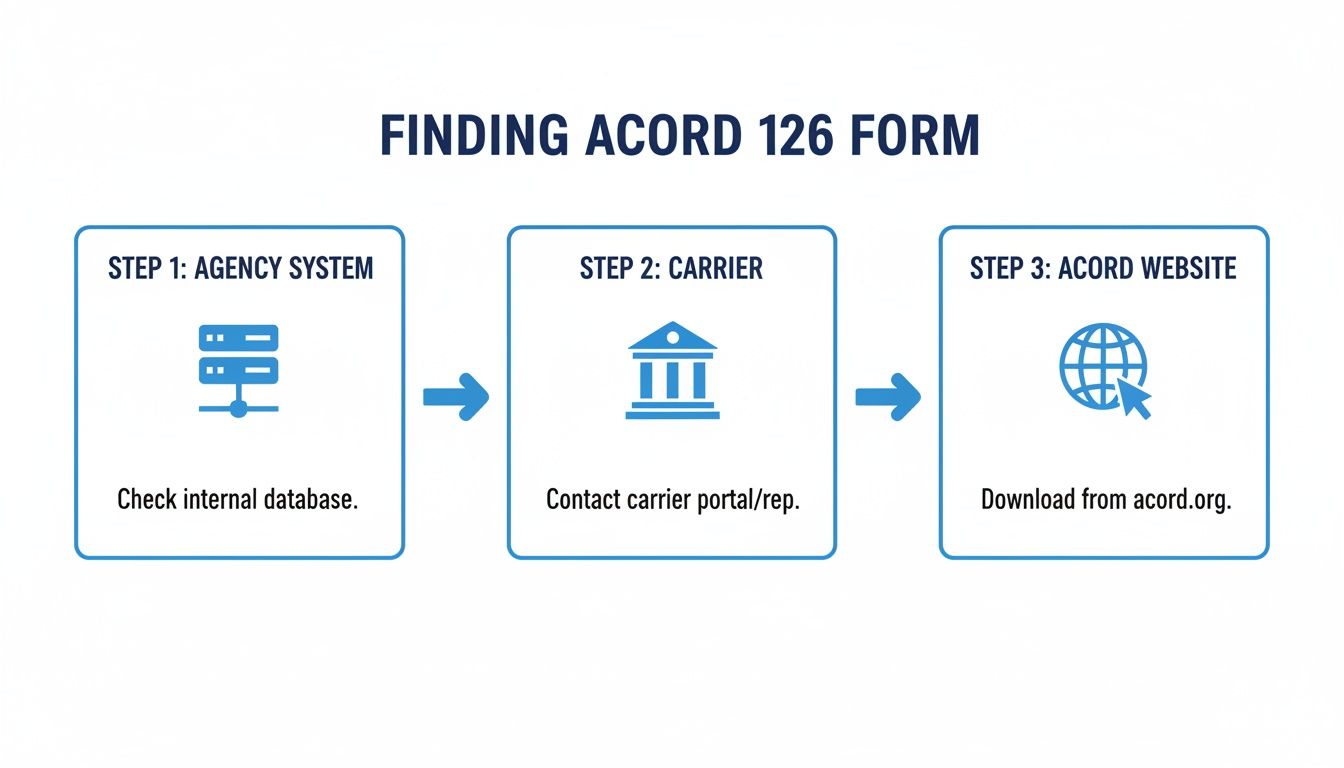
Trust me, sticking to these official sources saves a ton of headaches down the road.
Decoding the Schedule of Hazards
This is where the rubber meets the road. The Schedule of Hazards is the core of the ACORD 126, translating a business's day-to-day operations into the specific data underwriters use for pricing. Vague descriptions just won't cut it.
Let's take a local craft brewery as an example. You can't just list their operation as "manufacturing." An underwriter needs the risk broken down.
- Brewery Operations: This gets its own classification code, with the premium usually based on annual sales.
- On-Site Tasting Room: This is a separate premises liability risk. You'll need another code, with a premium basis of square footage or sometimes sales.
- Restaurant/Kitchen: If they serve more than just pretzels, any food service needs its own classification, typically based on food sales.
For every hazard, you must provide the right class code, the premium basis (like payroll, sales, or area), and the estimated annual exposure. Nail this part, and you're well on your way to an accurate quote.
Defining Products and Completed Operations
Next up is the Products/Completed Operations section. This part zeroes in on the risks that linger after a product is sold or a job is finished. For a contractor, this is a massive piece of their liability exposure.
Think about a plumber who installs a new water heater. A month later, a faulty connection leaks and floods the client's basement. That claim falls squarely under completed operations. For this section, you’d need to specify the work they do (e.g., residential plumbing) and list their annual gross receipts.
For a product-based business like our brewery, this is where you'd list everything they sell (canned beer, kegs, merchandise) along with the corresponding gross annual sales. This gives the underwriter a clear sense of the product liability risk.
These sections are all about the numbers. The Schedule of Hazards focuses on location-specific risks and their premium bases, while Products/Completed Operations drills down into gross sales and the nature of the work performed. In the real world, the ACORD 126 is almost always submitted alongside the ACORD 125, which covers the applicant's general information. Together, they form a complete underwriting submission.
If you need a refresher on that foundational form, our guide to the ACORD 125 explains how it lays the groundwork for supplemental forms like the 126.
Getting Your ACORD 126 Right: Common Mistakes and Insider Tips
Filling out an ACORD 126 fillable form feels straightforward, but simple mistakes can cause big problems. We're talking about everything from frustrating delays and incorrect quotes to outright submission rejections. Trust me, these issues are almost always preventable if you know what to look for.
One of the first things an underwriter checks for is consistency. If the business name or address on the ACORD 126 doesn't perfectly match what's on the ACORD 125, you've just raised a red flag. It seems small, but that mismatch will bring the whole process to a halt.
Another classic mistake is being too vague. I've seen "Contractor" written in the Schedule of Hazards section more times than I can count. What does that even mean? An underwriter has no choice but to guess, which isn't good for anyone. Be specific. Instead, write something like, “Residential Electrical Contractor – 75% new construction, 25% service/repair.” That clarity makes their job easier and gets your client a far more accurate quote.
How to Make Your Submission Stand Out (In a Good Way)
The best applications tell a complete story. Don't just treat the form as a series of boxes to check off. The "Remarks" section is your secret weapon. If your client has a unique operation or has taken extra steps to manage risk, this is where you spell it out.
Don't underestimate the power of a well-written narrative. For a business with a complex risk profile, a clear explanation in the remarks section can be the deciding factor between a quick approval and a lengthy back-and-forth with the underwriter.
When things get particularly complicated, knowing your limits is key. For tough situations, especially if a submission leads to a dispute, it might be time to consult a lawyer for an insurance claim. It's always better to be prepared.
Finally, let's talk about something incredibly simple but often overlooked: how you save the file. A messy file name can cause chaos on both your end and the carrier's. Make it a habit to use a clean, consistent naming system.
- Do this:
[ClientName]_ACORD126_GL_2026-Renewal.pdf - Not this:
Form_Final_v2.pdf
This tiny bit of organization makes the file instantly recognizable and ensures the ACORD 126 fillable PDF you worked so hard on gets processed smoothly. It’s a small step that makes a huge difference.
What if You Could Skip Manually Entering ACORD 126 Data?
Let's be honest—nobody enjoys manually typing data from a completed ACORD 126 fillable form into another system. It's a slow, painstaking process. Every premium basis, exposure figure, and claims history detail you re-key is another chance for a slip-up, a typo that could lead to an incorrect quote or a compliance headache down the road.
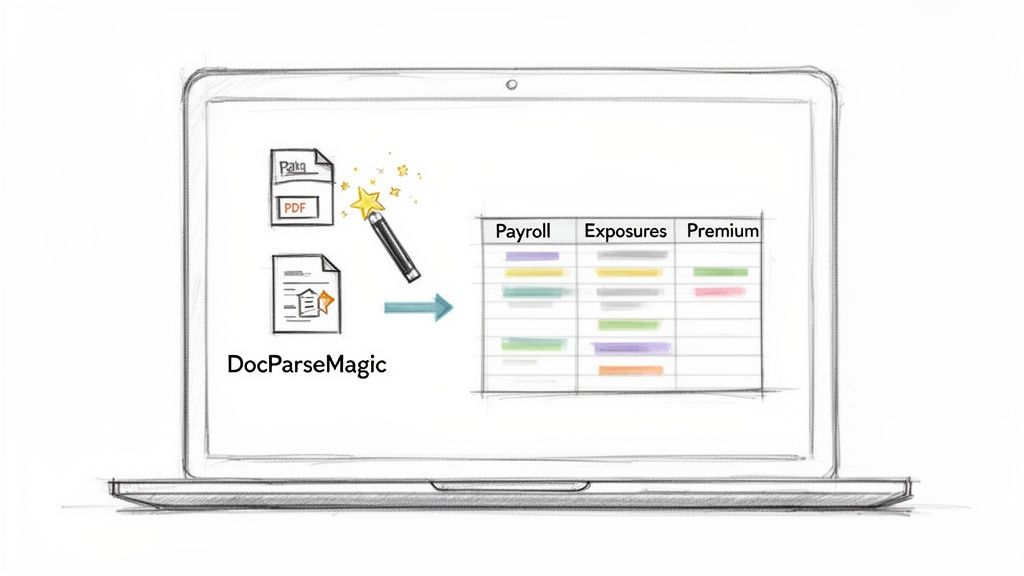
For most brokers, carriers, and their accounting teams, this manual entry is a major bottleneck. But it doesn't have to be. Instead of burning hours on copy-pasting, you can automate the whole thing. A tool like DocParseMagic completely eliminates this step with a simple drag-and-drop interface that pulls the data for you.
Turn Your PDFs Into Spreadsheets Instantly
Picture this: you've just received a completed ACORD 126 from a client. Instead of opening a new spreadsheet and starting the tedious task of data entry, you just upload the PDF to DocParseMagic. In seconds, the platform reads the form and extracts the key information you need.
It knows exactly what to look for:
- Schedule of Hazards: It grabs every classification code, premium basis, and exposure amount.
- Products/Completed Operations: It pulls the annual gross sales figures and other crucial operational details.
- General Information: All those critical "yes/no" answers that shape the risk profile are captured without error.
This is much more than just pulling text from a file. The software understands the layout of an ACORD 126 fillable form. It takes the information it finds and organizes it neatly into a structured, usable spreadsheet.
When you're dealing with a high volume of submissions, this changes everything. Underwriters and accounting teams can get the data they need in minutes, not hours. This frees them from the grunt work and, more importantly, prevents the common copy-paste mistakes that have plagued the industry for years.
The real win here is getting time back and trusting your data. Teams can stop being data entry clerks and start focusing on what they do best: analysis, quoting, and serving clients. Audits get easier and decisions get made faster because the underlying data is solid.
This one change can shift your entire workflow from a document-heavy chore to an efficient, data-first operation. If you're curious how this technology works with other documents, our guide on document data extraction software is a great place to start. By automating data extraction, you’re not just saving time—you're building a more accurate, responsive business.
Frequently Asked Questions About the ACORD 126 Form
Let's clear up some of the common questions we hear about the ACORD 126 fillable form. It’s one of those documents that can seem confusing at first, but it's pretty straightforward once you understand its role.
What's the Difference Between the ACORD 125 and 126?
This is easily the most common point of confusion. The best way to think about it is that the two forms work as a team.
The ACORD 125 is your main application—it covers the basics about your business, like your name, address, and ownership structure. It tells the underwriter who you are.
The ACORD 126, on the other hand, dives into the nitty-gritty of your commercial general liability risks. It explains what you do in detail, from your sales figures to the specific operations you perform. That's why you'll almost always submit them together to give the carrier the full picture.
How Often Do I Need to Submit This Form?
You’ll find yourself reaching for an ACORD 126 more often than you might think. Generally, you'll need to submit one in a few key scenarios:
- When you're first applying for a new general liability policy.
- Every year at your policy renewal to keep your information current.
- Anytime your business operations change in a major way—think adding a new service, product line, or business location.
For some businesses in higher-risk fields, carriers might even require an updated ACORD 126 every single year, regardless of whether anything has changed.
Can I Use a Digital Signature?
Yes, in most cases, digital and electronic signatures are perfectly fine for an ACORD 126 fillable PDF. Just be sure to double-check with the specific insurance carrier you're sending it to. Some still have their own unique submission rules, and it’s always better to ask upfront than to have your application kicked back.
And a quick word of advice: be meticulous with the information you provide. A simple mistake or an accidental omission can cause real headaches down the line, leading to incorrect premium quotes, coverage gaps, or even the denial of a claim. Accuracy is your best friend here.
Tired of wasting hours manually typing data from completed forms? DocParseMagic can pull all the information from your ACORD forms in seconds, turning those PDFs into clean, organized spreadsheets automatically. Sign up for a free account and see how it works.