
How to Extract Data from Invoices Efficiently
If you’ve ever found yourself buried under a mountain of invoices, you know the feeling. Manually typing in line items is tedious, mind-numbingly slow, and frankly, a huge bottleneck for any finance team. I’ve been there. The good news is that tools like DocParseMagic can now extract data from invoices in seconds, turning this dreaded chore into a smooth, automated workflow.
Why Manual Invoice Processing Is a Thing of the Past

Let's be honest, the old way of keying invoice details into a spreadsheet or accounting system is more than just outdated—it’s a massive drain on your resources. Every time a person touches that data, there's a risk of a typo. A misplaced decimal point or a fat-fingered invoice number can easily spiral into payment delays, frustrated vendors, and messy financial reports.
This old-school approach simply doesn’t scale. As your business grows, the pile of invoices grows with it, creating a logjam that can bring your entire accounts payable process to a crawl.
It’s a classic case of spending valuable time working in the business instead of on it.
The Real Price of Sticking to Spreadsheets
You can easily see the direct costs, like the hours spent on data entry. But it's the hidden problems that often do the most damage. Sticking with manual methods creates a cascade of issues you might not even be tracking.
- Delayed Payments: When processing is slow, you miss out on early payment discounts and can get hit with late fees. That’s cash straight off your bottom line.
- Zero Visibility: How can you get a clear picture of company spending when all the data is trapped in email attachments and filing cabinets? It’s practically impossible.
- Team Burnout: Let’s face it, no finance pro wants to spend their day doing repetitive data entry. It’s a recipe for low morale and high turnover.
Making the switch to automation isn't just a nice-to-have anymore; it's essential to stay competitive.
Think about this: processing an invoice manually can take an average of 14.6 days and cost around $15 each time. With AI, that process shrinks to a few seconds, and the cost plummets to about $2.36.
That difference is staggering. It’s precisely why smart businesses are so focused on finding ways to extract data from invoices using AI. Even though some studies report that up to 64% of finance teams are still stuck with some manual tasks, the payoff from automating is just too big to ignore. You can dig into more of these trends over at Parseur.com.
Getting Started with DocParseMagic
Jumping into a new tool can feel daunting, but DocParseMagic is built to give you a quick win. The whole point is to get you from a brand-new account to your first successfully extracted invoice in just a few minutes.
First things first, you’ll create your account. Right after that, the key is to connect the places where your invoices actually live. This is the crucial step that sets up the automation to extract data from invoices. Instead of dragging and dropping files, you can just link up your email inbox or a cloud folder from Google Drive or Dropbox.
Connecting Your Invoice Sources
Let's imagine a real-world situation. Maybe you have a key supplier who always sends their invoices as PDF attachments to your invoices@company.com email address. By connecting that specific inbox, DocParseMagic can grab new invoices the second they land.
This simple connection completely cuts out the annoying step of manually downloading, saving, and then uploading files. It creates a direct pipeline for your documents to flow right into the system, ready for processing.
This infographic breaks down just how simple the three-part process is.
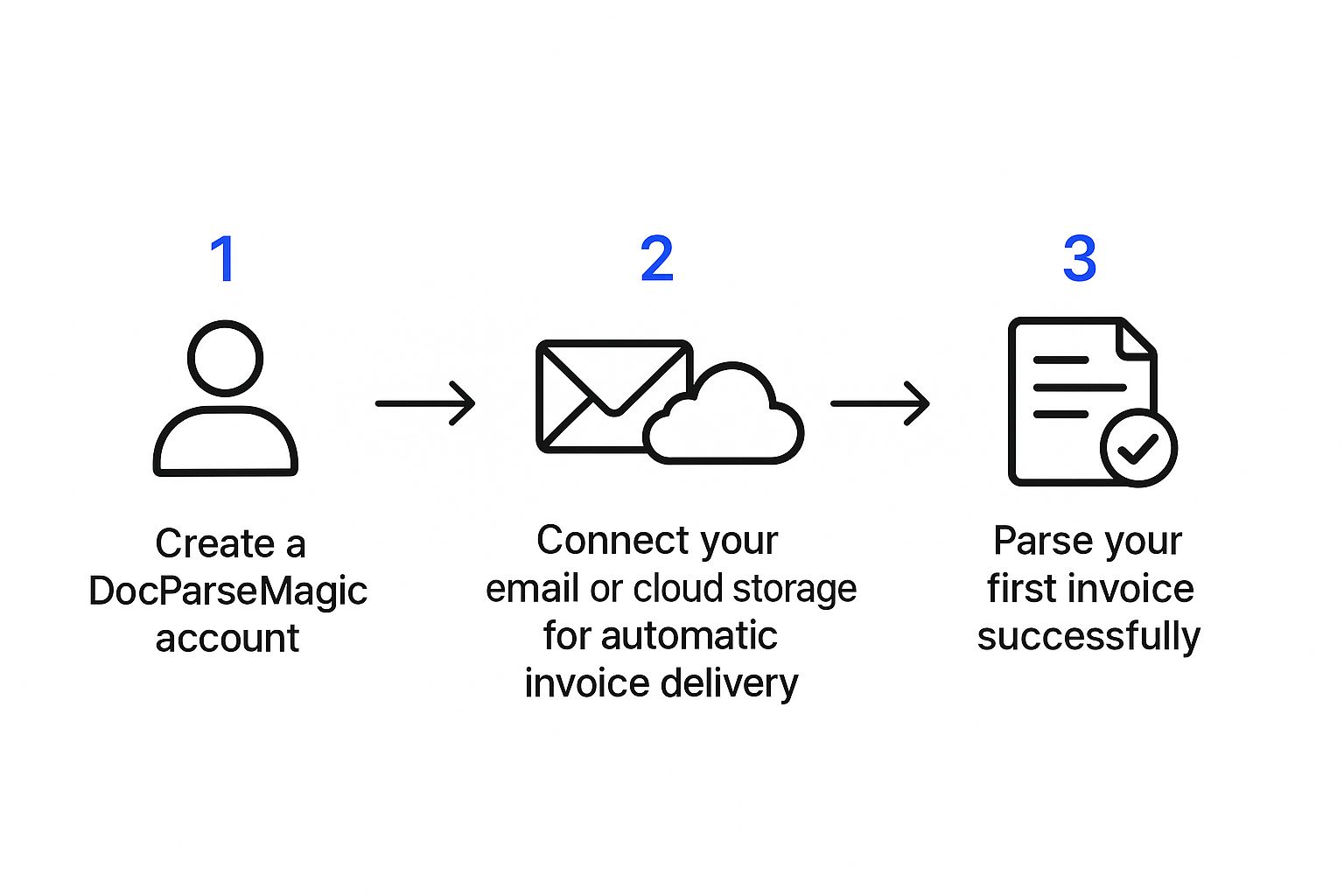
As you can see, the path from signing up to having usable data is incredibly direct. It’s all about removing the friction and getting you to the good stuff—the extracted data—as fast as possible.
Firing Up Your First Parser
With your source connected, it's time to launch your first "parser." Think of a parser as a custom template that tells DocParseMagic exactly what data you care about on a specific document layout.
Let’s stick with a common example: a monthly utility bill. You'll just need to highlight the key fields on the document once:
- Invoice Number: The unique code for that specific bill.
- Total Amount Due: The bottom-line number you need to pay.
- Due Date: The all-important payment deadline.
This is where the real magic kicks in. Once you've shown the parser what to look for on one invoice from a supplier, it automatically remembers and applies those same rules to every single invoice you get from them in the future.
That one-time setup is the core of the entire automation. It’s what turns a repetitive, mind-numbing task into a completely hands-off workflow. You’re not just processing one document; you're building an intelligent system that learns what you need and does the work for you.
Train Your AI to Read Any Invoice
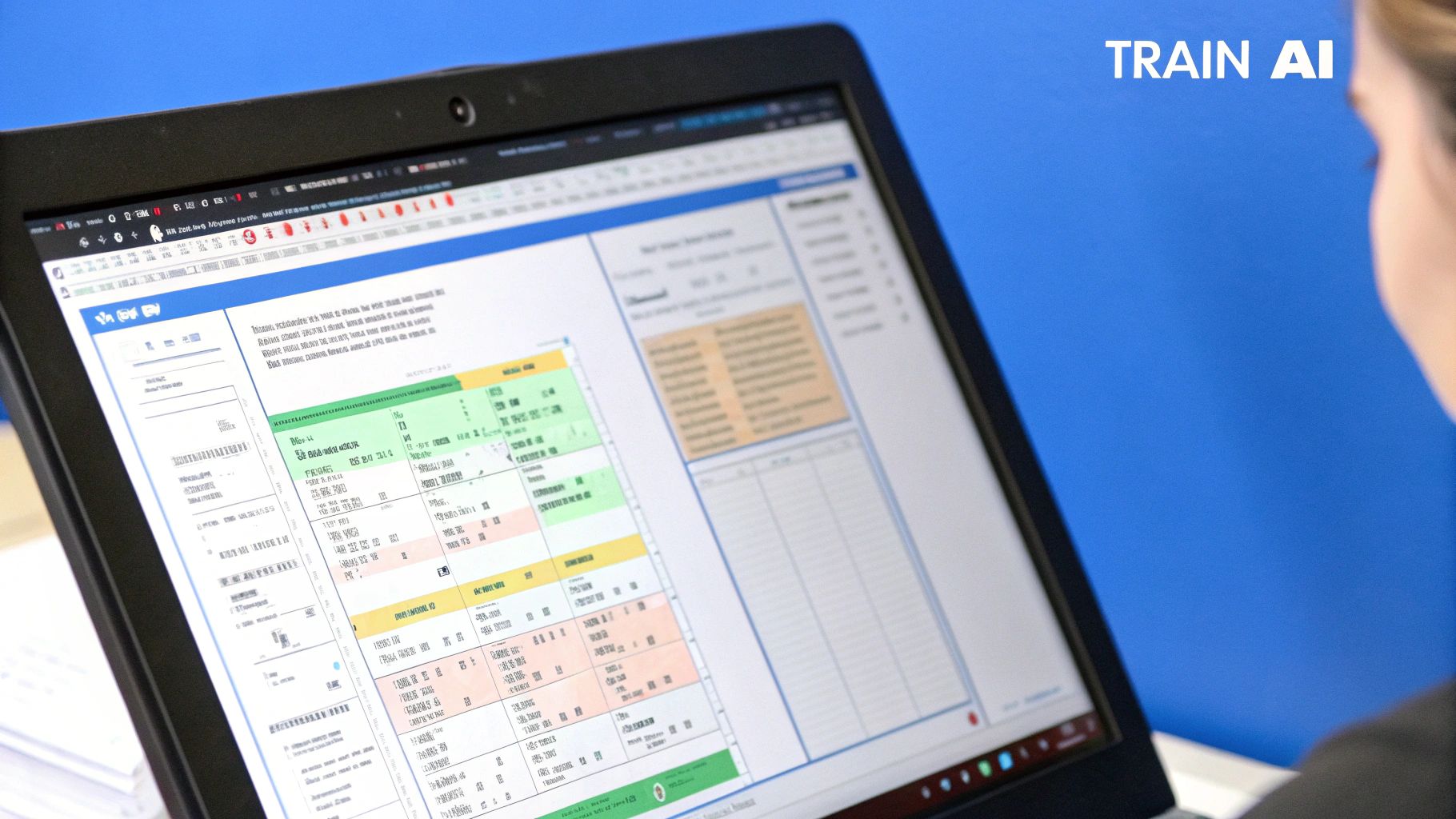
The real magic of a tool like DocParseMagic isn't just that it can pull data from an invoice. It's that you can teach it to read any invoice, no matter how weird or complicated the layout is. This is where you graduate from basic automation to building an intelligent system that understands your specific vendors.
Forget rigid, pre-built templates that break the moment a vendor changes their formatting. Instead, you train the AI using a simple point-and-click interface. You're basically showing the system, "Hey, for this supplier, the invoice number is here, and the total is over here." It learns from that single example and applies that logic to every future invoice from that same company.
Teaching the AI What to Look For
Think of it like highlighting a document. The first time you get an invoice from a new vendor, you just need to point out the information that matters to your accounting process.
- The Basics: Click on the invoice number, total amount, and due date.
- Supplier Info: Tag the vendor's name and address so you know who it's from.
- Line Items: You can often select the entire table of products, quantities, and prices with a single click.
Once you’ve tagged these key fields, DocParseMagic builds a custom "parser" specifically for that vendor's layout. This one-time setup usually takes less than five minutes, but it pays off immediately. From then on, every single invoice from that supplier gets processed instantly and correctly, with zero manual effort from you.
The whole point is to create a reliable rule that just works. It doesn't matter if next month's invoice is two pages long or if the total amount is in a slightly different spot. The AI is smart enough to find the data based on the context you've taught it.
This quick training process is what makes the automation so dependable. You're not just scanning a document; you're creating a custom data extraction blueprint for each supplier. Modern AI-driven systems are miles ahead of old OCR tech. Benchmarks show that top-tier platforms can process an invoice in under 3 seconds with accuracy rates between 98% and 99%. You can learn more about what these AI performance metrics mean for business operations, but the short version is: it’s a game-changer.
To really see the difference, let’s compare the old way of doing things with modern automation.
Manual Entry vs Automated Extraction with DocParseMagic
| Metric | Manual Processing | DocParseMagic Automation |
|---|---|---|
| Speed per Invoice | 5-10 minutes | Under 3 seconds |
| Accuracy Rate | ~90-95% (with human error) | 98-99%+ |
| Setup Time | None, but repeated effort | ~5 minutes per new vendor (one-time) |
| Scalability | Poor (requires more staff) | Excellent (handles volume spikes easily) |
| Data Validation | Manual checks required | Automatic validation rules can be applied |
| Cost per Invoice | High (labor costs) | Extremely low (fraction of a cent) |
As you can see, the efficiency gains are massive. While there's a small upfront time investment to teach the AI, the long-term payoff in speed, accuracy, and cost savings is undeniable.
Handling Those Really Awkward Invoices
So, what about the truly difficult invoices? We've all seen them—the ones with multiple tables, weird tax breakdowns, or line items that spill across several pages.
This is where a flexible training process really proves its worth. If an invoice has a complex table with various fees and taxes, you can teach the AI to understand that specific structure. For instance, you can instruct it to:
- Identify the exact start and end of the line-item section.
- Capture specific columns, like 'SKU,' 'Description,' and 'Subtotal.'
- Intelligently ignore irrelevant rows, like a "Thank you for your business!" note stuck in the middle of the table.
By defining these simple rules, you give the system the ability to handle the vendor-specific quirks that would normally force you back into manual data entry. This adaptability is key to getting reliable data from your entire supplier network, not just the easy ones.
Connect Extracted Data to Your Workflow
Pulling data from an invoice is a great start, but let's be honest, it’s only half the battle. The real magic happens when that information actually goes somewhere useful without you having to touch it. The whole point is to finally ditch the soul-crushing copy-and-paste routine.
This is where you close the loop between grabbing data and actually automating your work. Think of DocParseMagic as the central hub. Once it pulls the needed info from your invoices, it's designed to pass that clean, structured data directly into the other tools you rely on every day.
Building Your Automated Workflows
Let’s walk through a real-world scenario. A new invoice lands in your inbox. DocParseMagic picks it up, reads it, and poof—a new bill is instantly created in your accounting system. You didn't have to do a thing. That’s the kind of seamless process we’re aiming for.
Here are a few ways I’ve seen this put into practice:
- Accounting Teams: Automatically create new bills in QuickBooks or Xero. The vendor, invoice number, due date, and even individual line items just show up, ready for you to approve.
- Financial Planners: Dump all the invoice data into a Google Sheet. Suddenly you have a live dashboard of company expenses, perfect for tracking spending by category or building out custom financial reports without any manual data entry.
- Operations Managers: Instantly update a record in your ERP or a project management tool. Imagine logging a materials purchase against a specific project code the moment the invoice is processed. Your budget tracking stays perfectly in sync.
These connections are what turn a neat data extraction tool into a powerhouse for your entire operation.
The ultimate goal is a "one-touch" system, where data is only handled once—at the source. By wiring DocParseMagic into your other tools, you create an automated ecosystem that’s faster, way more accurate, and frees up your team from tedious manual work.
How the Connections Work
Don't worry, you don't need to be a developer to get this running. DocParseMagic gives you a couple of straightforward options for linking your apps so you can build the precise workflow you have in mind.
Your first stop should be native integrations. These are direct, pre-built connections to popular platforms. For example, connecting to QuickBooks is usually just a few clicks to grant permission and tell it which data field goes where. It's the simplest way to get started.
For more complex or unique setups, there are webhooks. A webhook is basically just a notification. When DocParseMagic is done with an invoice, it pings a unique URL you provide and sends all the data along with it. This opens up a world of possibilities, allowing you to connect to thousands of apps through integrators like Zapier or Make, or even push data into your own custom software. It guarantees your invoice data lands exactly where it needs to be, the second it's ready.
Why Automating Invoice Data Extraction is a Game-Changer
Let's pull back from the nuts and bolts for a moment and look at the big picture. When you automate how you extract data from invoices, you're doing a lot more than just saving a few hours on data entry. You're fundamentally rewiring your company's entire financial workflow, and that change sends positive shockwaves through the whole business.
Take cash flow, for example. I’ve seen countless businesses where manual processing meant invoices would just sit in a pile for weeks, creating a huge bottleneck in the accounts payable cycle. Automation closes that gap from days down to minutes. Suddenly, you can capitalize on early payment discounts and dodge late fees, which adds up to real money on your bottom line.
Building a Resilient Financial Foundation for the Future
This isn't just about what’s happening inside your company walls; it’s about staying ahead of the curve. Governments all over the world are starting to mandate e-invoicing and require businesses to submit structured invoice data in real time.
We're seeing a massive shift in the market because of this. Projections show the e-invoicing market ballooning from EUR 4.3 billion in 2019 to an estimated EUR 18 billion by 2025. You can get a deeper dive into these global trends in this e-invoicing journey report. Having an automated system already in place means you’re ready for these changes, not scrambling to catch up.
Then there’s the audit and compliance side of things. Instead of spending days digging through filing cabinets or searching through old emails, automation gives you a pristine digital trail for every transaction. Every single piece of data is instantly traceable back to the original document, which makes financial reviews almost painless.
The real win here isn't just about speeding up an old process. It's about opening up entirely new possibilities—smarter cash management, stress-free compliance, and the kind of deep financial insight that leads to better business decisions.
When you get this right, you unlock some serious strategic advantages:
- Stronger Supplier Relationships: Paying your vendors consistently and on time builds incredible goodwill. It’s the kind of thing that gets you better terms down the road.
- Clearer Financial Picture: Real-time data gives you an honest, up-to-the-minute look at your company's spending and liabilities. No more guesswork.
- Scalability on Your Terms: As your business grows, your invoice processing power grows right along with it—without having to throw more people at the problem.
Answering Your Top Questions About Invoice Data Extraction
Let's be honest, jumping into a new system always comes with a few "what ifs." If you're considering an AI tool like DocParseMagic to finally get a handle on your invoices, you probably have some practical questions. I've heard them all, so let's tackle the big ones.
What Happens with Messy or Handwritten Invoices?
This is probably the number one question I get. The reality is, DocParseMagic works its magic best on clean, typed documents—whether they're digital PDFs or crisp scans.
While the AI is incredibly smart, it's not a miracle worker for completely illegible handwriting or a scan that looks like it came from a potato. If you feed it a blurry, skewed image, the accuracy will understandably take a hit.
The good news? The system has a built-in safety net. There's a quick validation step where you can review what the AI pulled. If it misreads a field, you can correct it in seconds. Better yet, that correction helps train the model, so it gets smarter with every invoice from that particular vendor.
How Can I Be Sure My Financial Data is Safe?
Handing over financial documents to any third-party service feels like a big deal, and it should be. Security is non-negotiable.
Reputable platforms like DocParseMagic are built with bank-level security. This means they use industry-standard encryption to protect your data both in transit (as you upload it) and at rest (while it's stored on their servers).
They also stick to major privacy regulations like GDPR. My advice is to always take a quick look at their security and privacy policy. It’s a simple step to make sure their protocols tick all the boxes for your company's own compliance needs.
A common misconception is that setup takes forever. In reality, you can get your account running in a few minutes. Training the AI on your first invoice template might take 5-15 minutes, but that’s a one-time thing for each vendor. After that, every future invoice from them is processed in seconds.
So, How Does the Pricing Actually Work?
Most invoice extraction tools, DocParseMagic included, use a straightforward subscription model tied to how much you use them. Think of it like a cell phone plan, but for documents.
Here’s the typical breakdown:
- You choose a plan based on your monthly invoice volume.
- Each plan comes with a set number of credits.
- Usually, one credit equals one page processed.
Most services offer a free trial or a low-cost starter plan, so you can test the waters without a major commitment. If you're a larger company processing thousands of invoices, they'll almost always have custom enterprise plans available.
Ready to finally ditch the soul-crushing routine of manual data entry? With DocParseMagic, you train the AI once and then get back to more important work. Start your free trial and see it in action on your own invoices.